The Profile section brings together your account, Household, app settings, weekly health-check preferences, health integrations, privacy controls and data-management options.
What You'll Find Here
- Account: Edit your profile, revisit goals and manage chat channels
- Household: Share meal plans and an active shopping list
- App Settings: Choose a theme, control video captions and manage Chat Memory
- Weekly Health Check: Choose which lifestyle pillars contribute to the check
- Health App Integration: Connect Apple Health or Health Connect
- Privacy & Data: Manage practitioner access, data sharing and analytics
- Data Management: Sync blood results, export your data or delete your account
- About: Read release notes and check the installed app version
Edit Profile and Goals
Update Your Profile
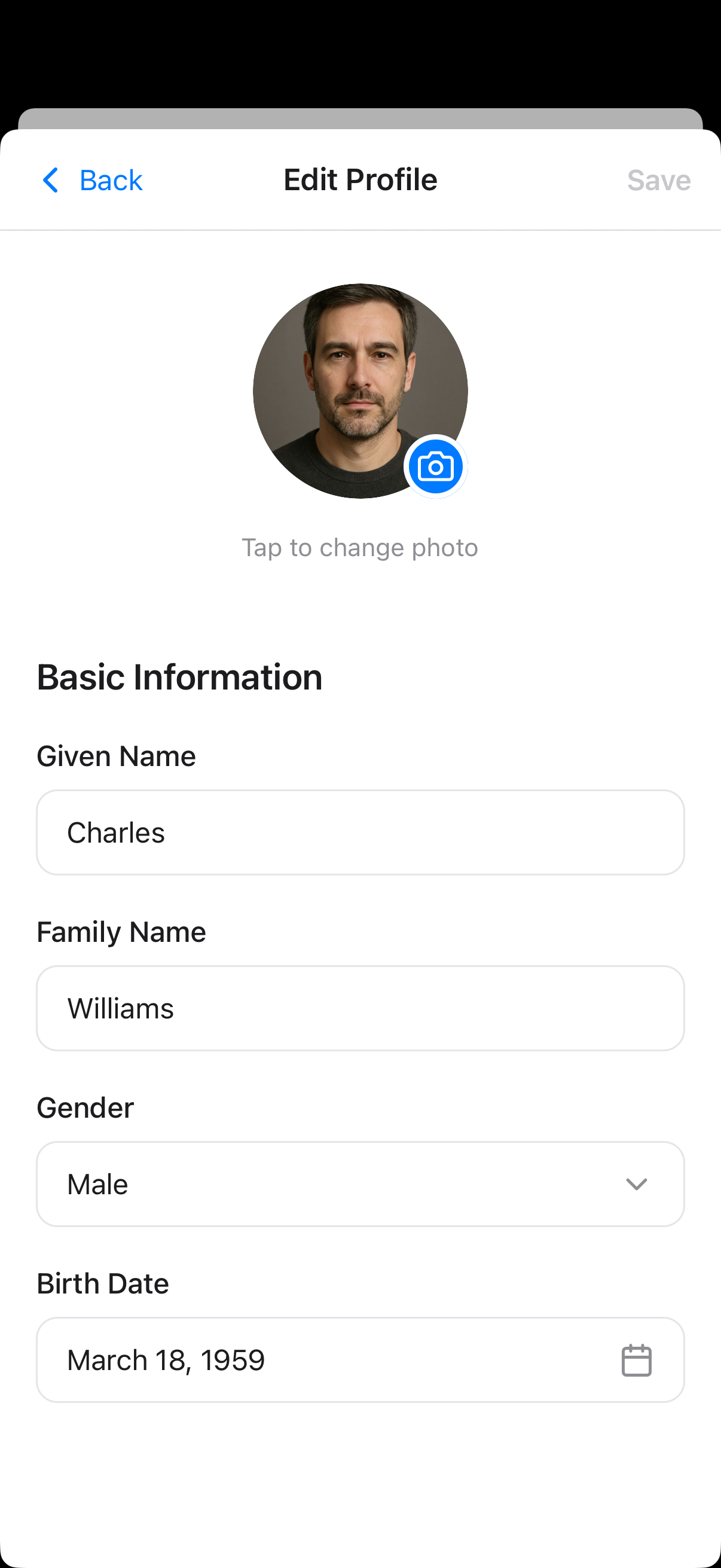
Under Account, tap Edit Profile to update your name, email, profile photo and other personal details.
Revisit Your Goals
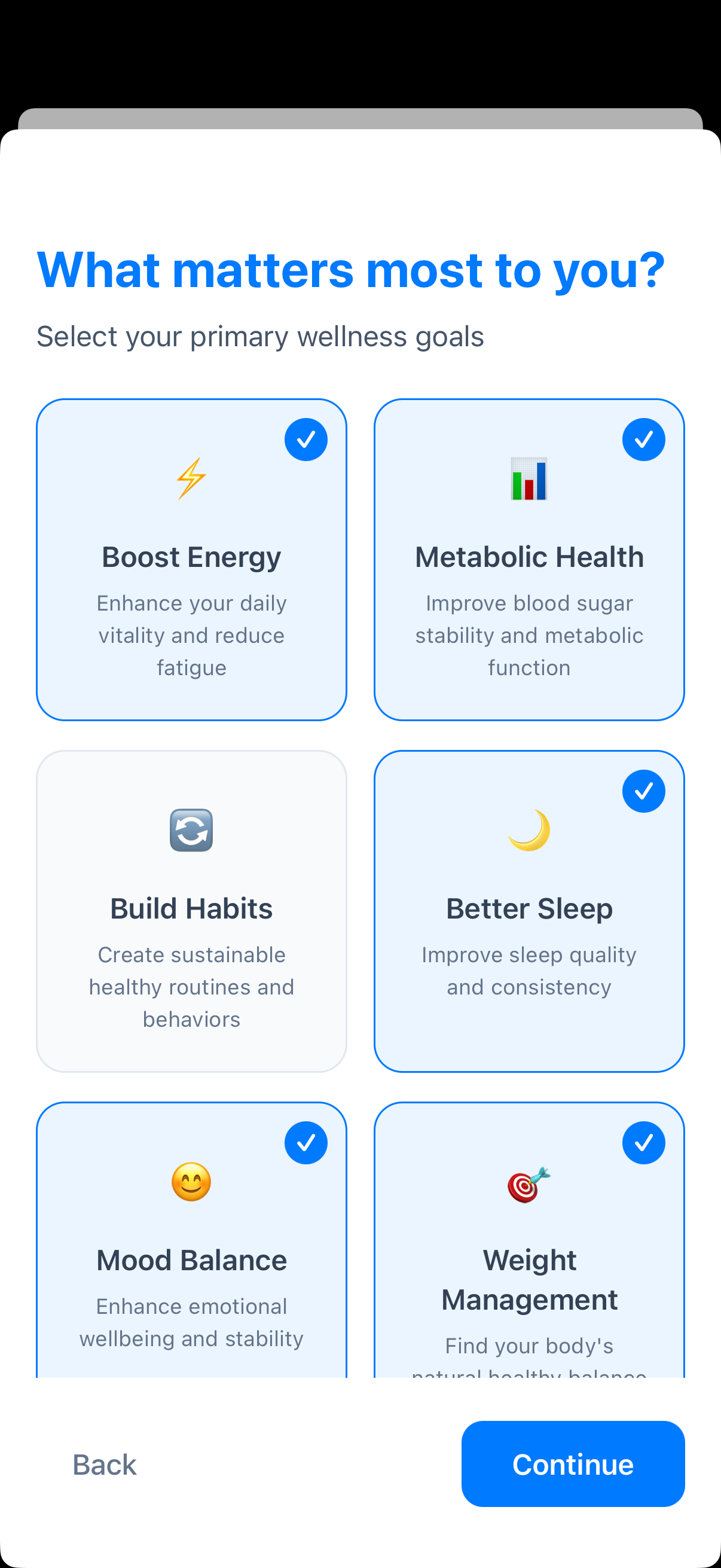
Tap My Goals to revisit your onboarding choices, including goals such as boosting energy, supporting metabolic health, sleeping better or managing weight.
Keep It Relevant
Update your goals and preferences when your circumstances change so recommendations remain useful to you.
Household
A Household lets people who live together coordinate meal planning and shopping without combining their personal health records.
Create or Join
Open Profile → Household. Give a new household a name, or enter an invite code to join an existing one.
Invite Other Members
Share the household invite code with the people you want to include. The household owner can regenerate the code or remove a member when needed.
Plan Together
Household members use the same shared meal plan and active shopping list. Shared meal slots show the other members, while each person keeps their own portion and eaten status.
Health Data Stays Personal
Household sharing is for meal plans and shopping lists. It does not share members' measurements, health history or Advisor conversations.
App Settings
- Theme: Use light mode, dark mode or the same appearance as your phone
- Video Captions: Show or hide captions by default on supported videos
- Chat Memory: Review and manage what the AI Health Advisor remembers for future conversations
Weekly Health Check
Use the switches under Weekly Health Check to include or exclude Nutrition, Sleep, Exercise and Wellbeing.
An excluded pillar is left out of data gathering, scoring and AI health-check prompts. Elevate identifies excluded pillars so you can interpret the weekly Health Score correctly.
Health App Integration
Connect Elevate to Apple Health on iPhone or Health Connect on Android to sync supported data from compatible apps and devices.
Open the Platform Settings
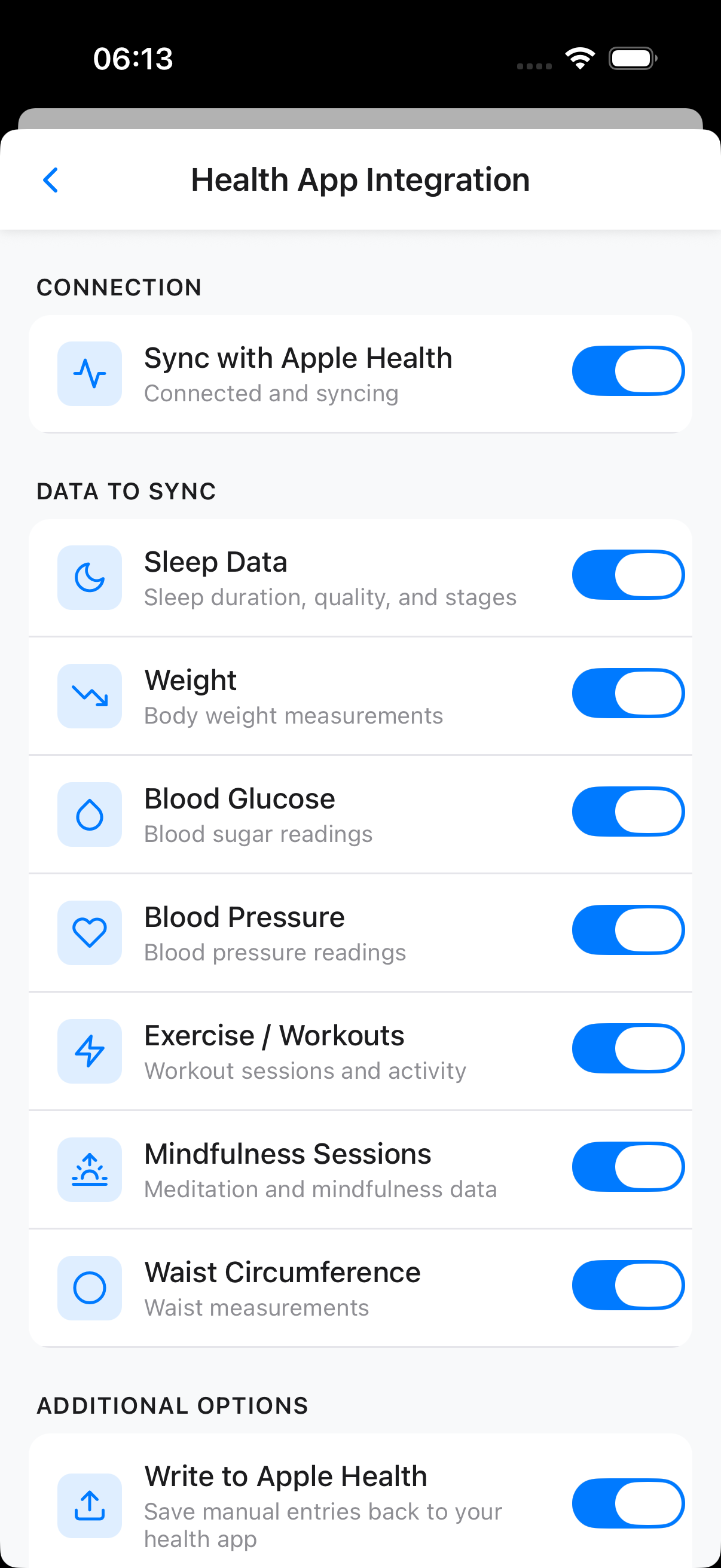
Under Health App Integration, tap Apple Health or Health Connect, then turn on sync and grant only the permissions you want to use.
Choose Data Types
Enable the individual data types you want Elevate to sync. Availability depends on your phone, health platform and connected devices.
Supported options can include:
- Sleep duration, quality and stages
- Weight, blood glucose and blood pressure
- Exercise and workouts
- Heart rate variability
- VO2 Max, mindfulness sessions and waist circumference on supported platforms
Choose Additional Options
Turn on Write to Apple Health or Write to Health Connect if you want supported manual Elevate entries saved back to the health platform. You can also enable sync notifications and run Sync Now when needed.
You Control Access
Health-platform permissions can be changed in Elevate or your phone settings. Turning off a data type stops future syncs for that type; it does not automatically remove records already stored.
Privacy and Data
Use the Profile controls to:
- Review Practitioner Access
- Change Data Sharing and Analytics choices
- Export Data for your records
- Delete Account when you want to permanently close the account
Read each confirmation carefully before changing access or deleting data.
Release Notes and App Version
Tap Release Notes under About to revisit the latest changes. Tap About to see the installed version and other app information.
Need More Help?
Open the question-mark icon in the app header for the App Guide and search for the feature or task you need.