Welcome to the Manual. This comprehensive guide covers all features of the Elevate health and wellness app, helping you make the most of your wellness journey.
Quick Navigation
Click on any tab in the app screenshot below to jump directly to that section's guide:
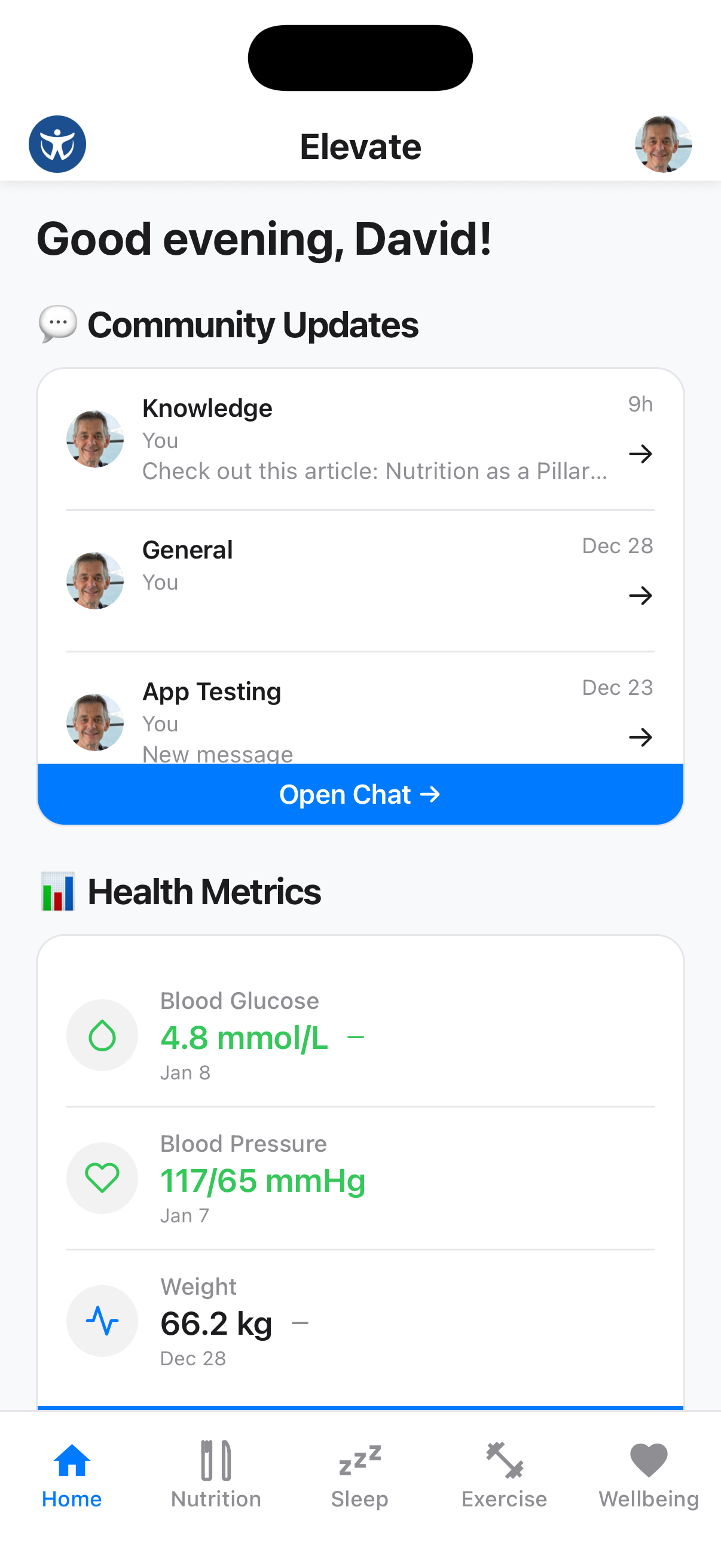
Additional Guides
- AI Health Advisor & Elevate Voice - Chat, speak, plan meals, create recipes and cook along
- Profile Guide - Account settings and health app connections
- Knowledge Guide - App help, evidence-based articles and video guides
Getting Started
If you're new to Elevate, here's what to do first:
Complete Your Profile
Set up your profile with your health goals, dietary preferences, and personal information.
Connect Health Apps
Link Apple Health on iPhone or Health Connect on Android to sync supported health data from your devices and other apps.
Meet Your AI Health Advisor
Tap the Elevate logo to continue in text chat, or the purple waveform beside it to start Elevate Voice.
Explore Each Tab
Browse through the Home, Nutrition, Sleep, Exercise, and Wellbeing tabs to discover all available features.
Join the Community
Connect with coaches and other members through the Chat feature on the Home tab.
App Overview
The Elevate app is organized into five main tabs:
Home Tab
Your daily command center with quick access to:
- Health Score: Review your weekly score and individual pillar scores
- Chat: Connect with coaches and community members
- Metrics: Track weight, glucose, blood pressure, waist-to-hip ratio and more
AI Health Advisor & Elevate Voice
Ask for help using text or a continuous voice conversation:
- Log and review health, nutrition, sleep, exercise and wellbeing data
- Plan meals across several days and build a shopping list
- Find, create and edit recipes, including from a photo
- Cook hands-free with step-by-step guidance and timers
- Find relevant App Guide articles and videos
Nutrition Tab
Plan and track your nutrition with:
- Weekly meal plans
- Shopping lists and shared household planning
- Unified recipe library and What can I make?
- Nutritional preferences
- Ingredient information, including products you add yourself
- Nutrition education
Sleep Tab
Monitor your rest with:
- Sleep duration tracking
- Synced light, deep, REM and awake stages when available
- Quality logging
- Historical trends
- Bedtime reminders
Exercise Tab
Stay active with:
- Structured workout programs
- Video-guided exercises
- Weekly scheduling
- Copying a previous week's plan
- Activity history
Wellbeing Tab
Support your mental wellness through:
- Mood tracking
- Breathing exercises
- Gratitude journaling
- Guided meditation
- The Fifth Pillar guide to nature, time outdoors and connection
Knowledge System
Learn and get help through:
- App Guide articles and video tutorials
- Health articles and video guides with citations
- Image galleries, audio narration and author profiles where available
- Read progress tracking
- Share articles to chat
- AI-powered article and video discovery
Need Help?
Chat with Coaches
Use the Chat feature on the Home tab to get personalized support from your health coaches.
Sync Your Data
Connect Apple Health or Health Connect under Profile → Health App Integration. You choose which supported data types Elevate can read or write.
Detailed Guides
Click on any section below to view the complete guide:
- Home Tab Guide - Health Score, chat and health metrics
- AI Health Advisor & Elevate Voice Guide - Text chat, voice, planning and cook-along
- Nutrition Guide - Meal planning, shopping, recipes and nutrition insights
- Sleep Guide - Sleep tracking and history
- Exercise Guide - Workout programs and planning
- Wellbeing Guide - Mental wellness tools and The Fifth Pillar
- Profile Guide - Account, household, preferences and integrations
- Knowledge Guide - App help, articles, videos and citations