The Nutrition tab helps you plan meals, build a practical shopping list, browse or create recipes, understand your nutrition and customise your dietary preferences.
What You'll Find Here
The Nutrition tab provides access to:
- Meal Planning: Weekly meal plans tailored to your goals
- Shopping List: Turn planned meals into a list organised for real shopping
- Nutrition Summary: Review macros, micronutrients, hydration and estimated sugar impact
- Nutritional Preferences: Customize your dietary requirements
- Nutrition Guide: Learn about balanced eating
- Recipes: Search Elevate recipes and your personalised recipes in one library
- Ingredients: Explore the catalogue or add a product yourself
Meal Planning
Plan your weekly meals with recipes or your own custom meals.
View Your Meal Plan
From the Nutrition screen, tap Meal Plan to see your schedule with daily calorie and macro tracking. Change the selected date to plan ahead.
There are multiple ways to add meals to your plan:
Option 1: Add from Recipes
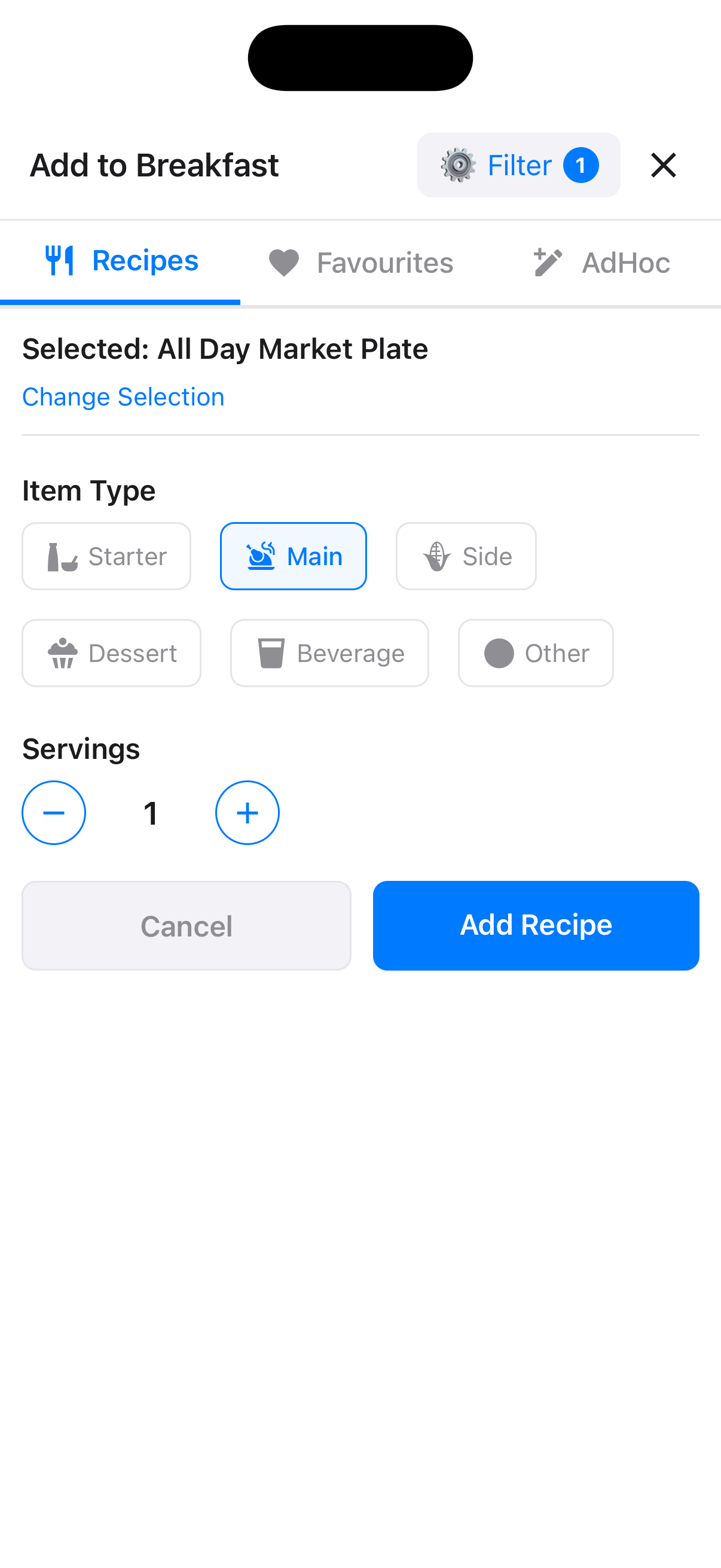
Add a Recipe to Your Meal Plan
Tap + Add Item or an empty meal slot, then browse the recipe library. Select a recipe, choose its role in the meal and set the number of servings.
Option 2: Log an Ad Hoc Meal
Add a Custom Meal
When adding to a meal slot, choose Ad hoc to log what you actually ate using a description and an optional photo.
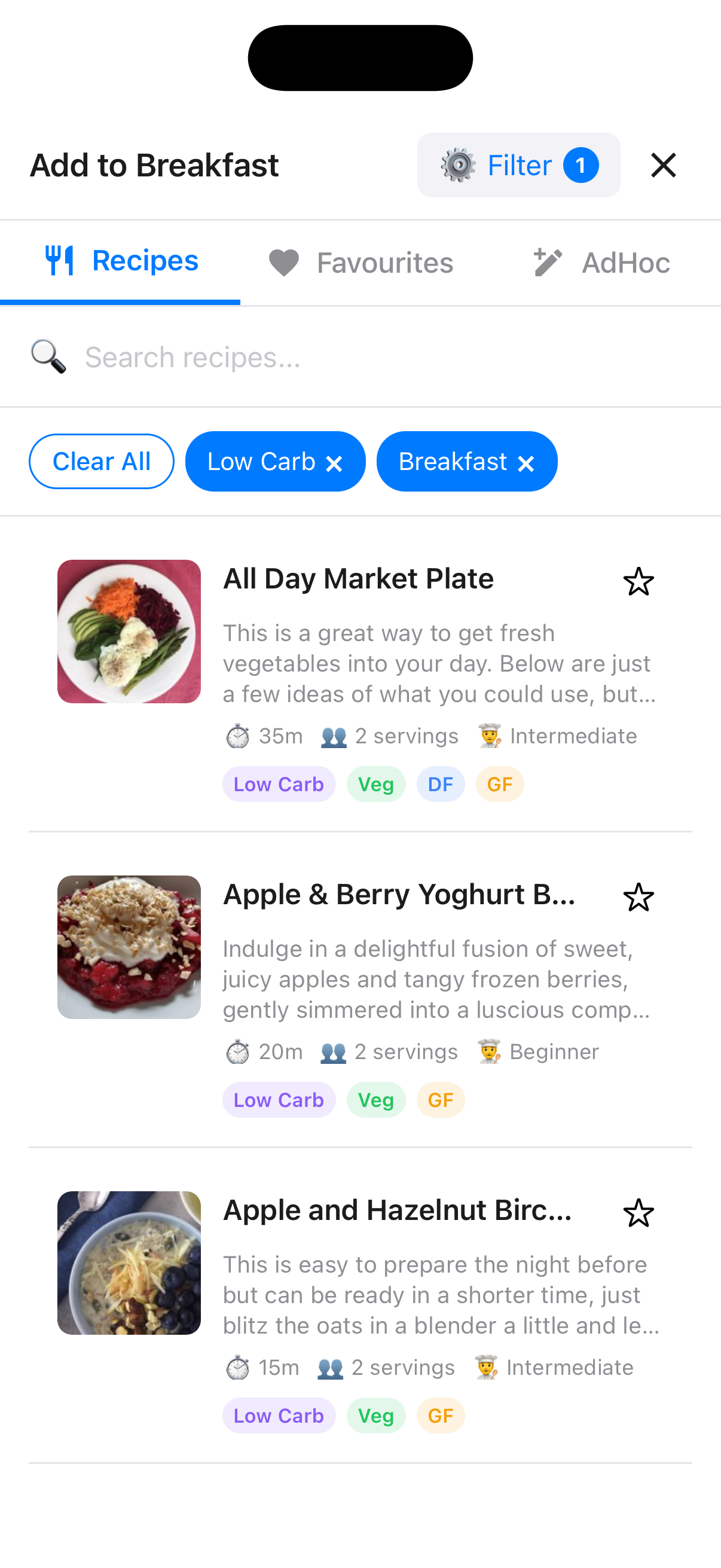
Describe Your Meal
Enter a description of your meal and optionally add a photo. The app will analyze it for nutritional information.
Using Favorites for Quick Meal Logging
Save your frequently eaten meals as favorites for quick reuse.
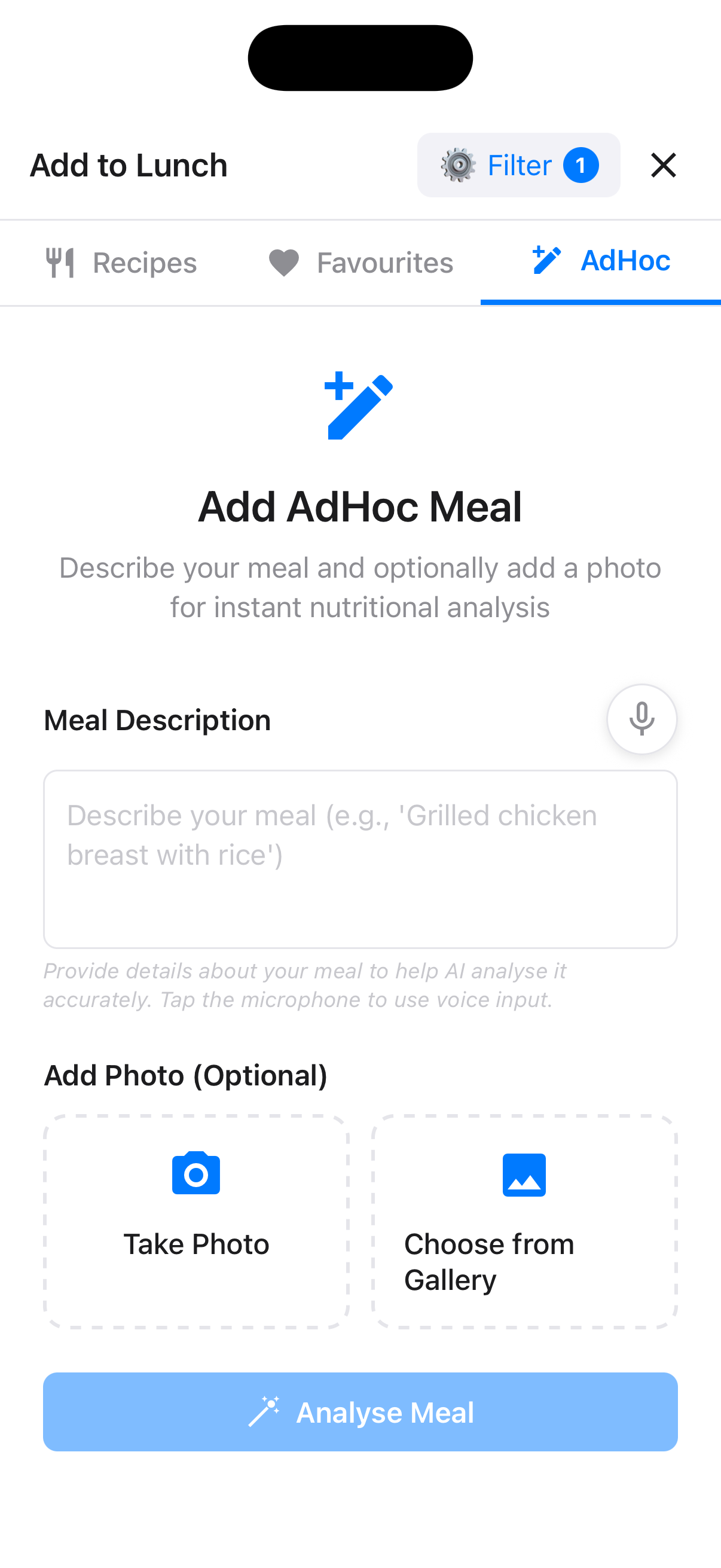
View Your Favorites
When adding a meal, tap Favourites to see saved meals with their nutrition information and usage history. Search by meal name, ingredient or brand to find one quickly.
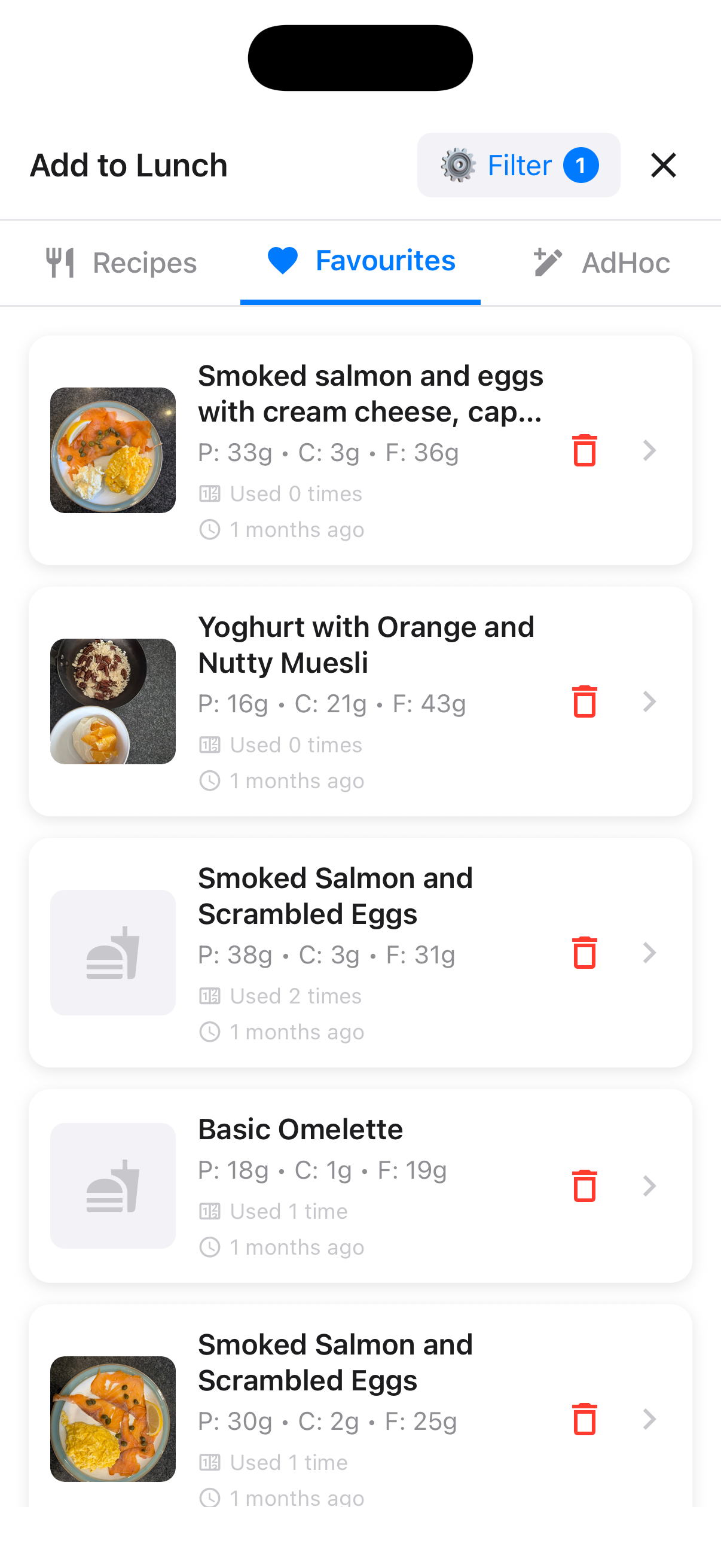
Quick Add from Favorites
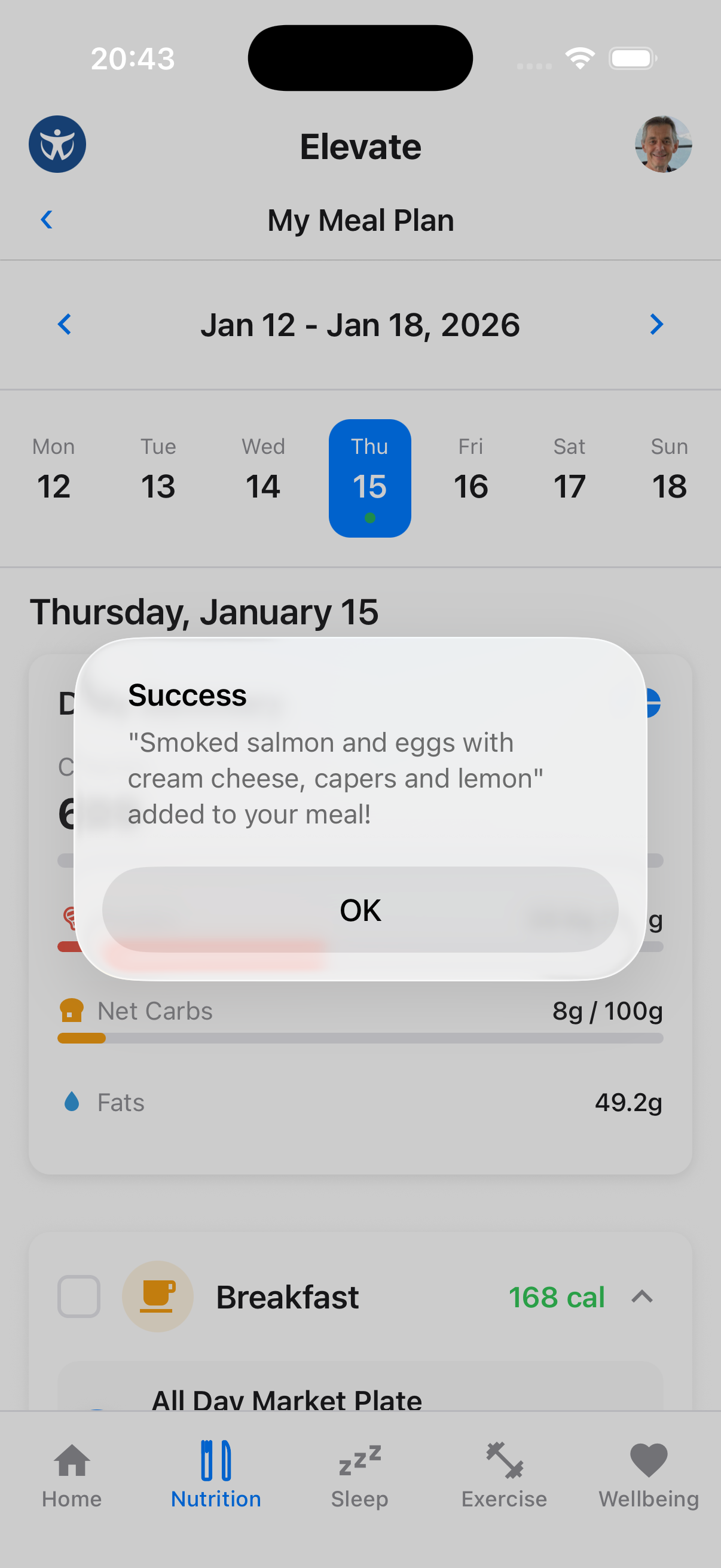
Tap any favorite to instantly add it to your meal plan. The app confirms when the meal has been added.
Pro Tip
Save your go-to breakfast, regular lunch spots, or frequently made dinners as favorites to speed up meal logging.
Customising Your Daily Meals
Not every day is the same. Elevate lets you adjust which meals appear on any given day, so your plan fits your real life.
Editing Meals for a Day
Open the Meal Editor
On the meal plan screen, tap Edit day beside the selected date. Toggle chips appear for Breakfast, Lunch, Dinner and Fasting. Snacks & drinks remains available as its own section.
Toggle Meals On or Off
Tap a chip to add or remove that meal type for the day, then tap Done. For example, if you're only having dinner, deactivate Breakfast and Lunch so only Dinner remains.
Items Are Protected
If a meal slot already has food items logged, it won't be removed. You'll see a note explaining that you need to remove the items first.
Fasting Days
Mark a Fasting Day
Tap the Fasting chip to mark the entire day as a fasting day. All empty meal slots are removed and a fasting banner is displayed instead.
Resume Eating
To undo a fasting day, tap Edit day (or Edit meals on the fasting banner), restore the meals you want and tap Done. Your default meal preferences are used when exiting fasting mode.
Chat Works Too
You can also organise several days in text chat or Elevate Voice. Ask to fill, move, swap, copy or clear slots, then review the visual plan before confirming.
Nutrition Summary
Your meal plan combines logged food and drinks into a daily nutrition view.
- Macros show calories, protein, carbohydrate and fat against your targets
- Micronutrients summarise vitamins and minerals from eligible logged foods, including recipe portions
- Hydration tracks drinks against the daily goal set in Nutritional Preferences
- Sugar impact uses Dr Unwin's teaspoon method where the required carbohydrate information is available, making it easier to compare recipes, ingredients and the day as a whole
An Estimate, Not a Measurement
Sugar teaspoons are an estimated comparison based on available nutrition data; they are not a prediction of your individual blood glucose response.
Shopping List
Turn your meal plan into an active list and adjust it to match what you already have at home.
Build from Your Plan
Tap the cart beside the selected date in the meal planner, open Nutrition → Shopping List, or ask the Advisor to add planned meals' non-staple ingredients. Repeated ingredients are combined while the amount required by the plan remains visible.
Adjust What You Need
Add individual products, edit an amount, remove an item or reduce the quantity to account for what you already have. The list keeps the planned requirement visible alongside the amount you intend to buy.
Shop by Section
Items are grouped into Fresh, Frozen and Cupboard sections. Tick them off as you shop, share the list when needed, and archive a finished list to start a fresh one without losing its history.
Add Items with Siri on iPhone
After opening Elevate and signing in at least once, say “Hey Siri, add to Elevate.” Siri asks what you would like to add, updates the active shopping list and reads back the change. You can add several items together and use everyday quantities such as “two tins of tomatoes”.
Share Planning with a Household
Open Profile → Household to create a household or join one with an invite code. Members share the same meal plan and active shopping list, while each person keeps their own portions and eaten status. See the Profile guide for setup.
Nutritional Preferences
Set your dietary preferences to get personalized meal recommendations.
Access Preferences
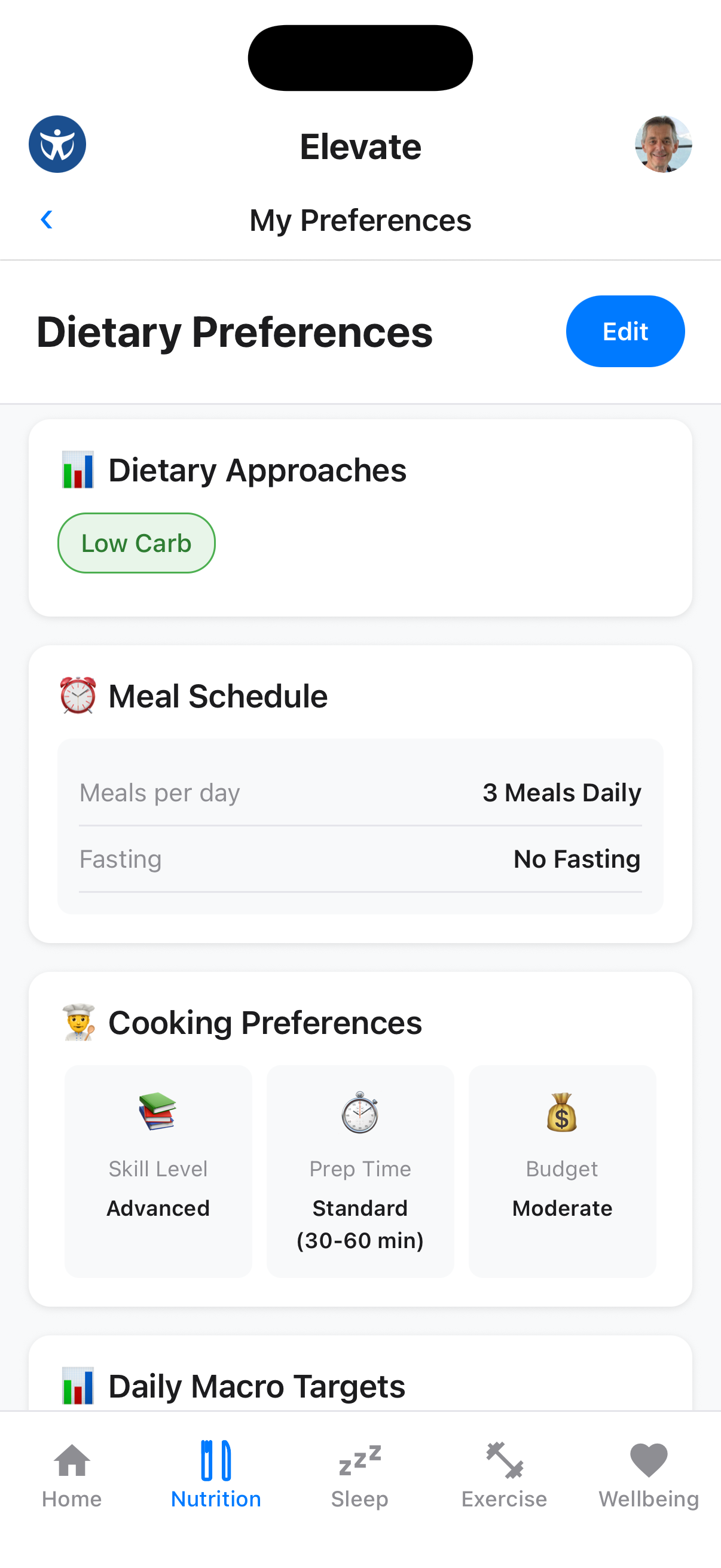
Tap My Preferences to customise your dietary approach, meal schedule, cooking preferences, daily macro targets and hydration goal.
Dietary Options
Set your dietary approach (Low Carb, Keto, etc.), meal schedule, cooking skill level, preparation time, budget preferences and preferred water-intake target.
Nutrition Guide
Learn about balanced nutrition and healthy eating habits.
Browse the Guide
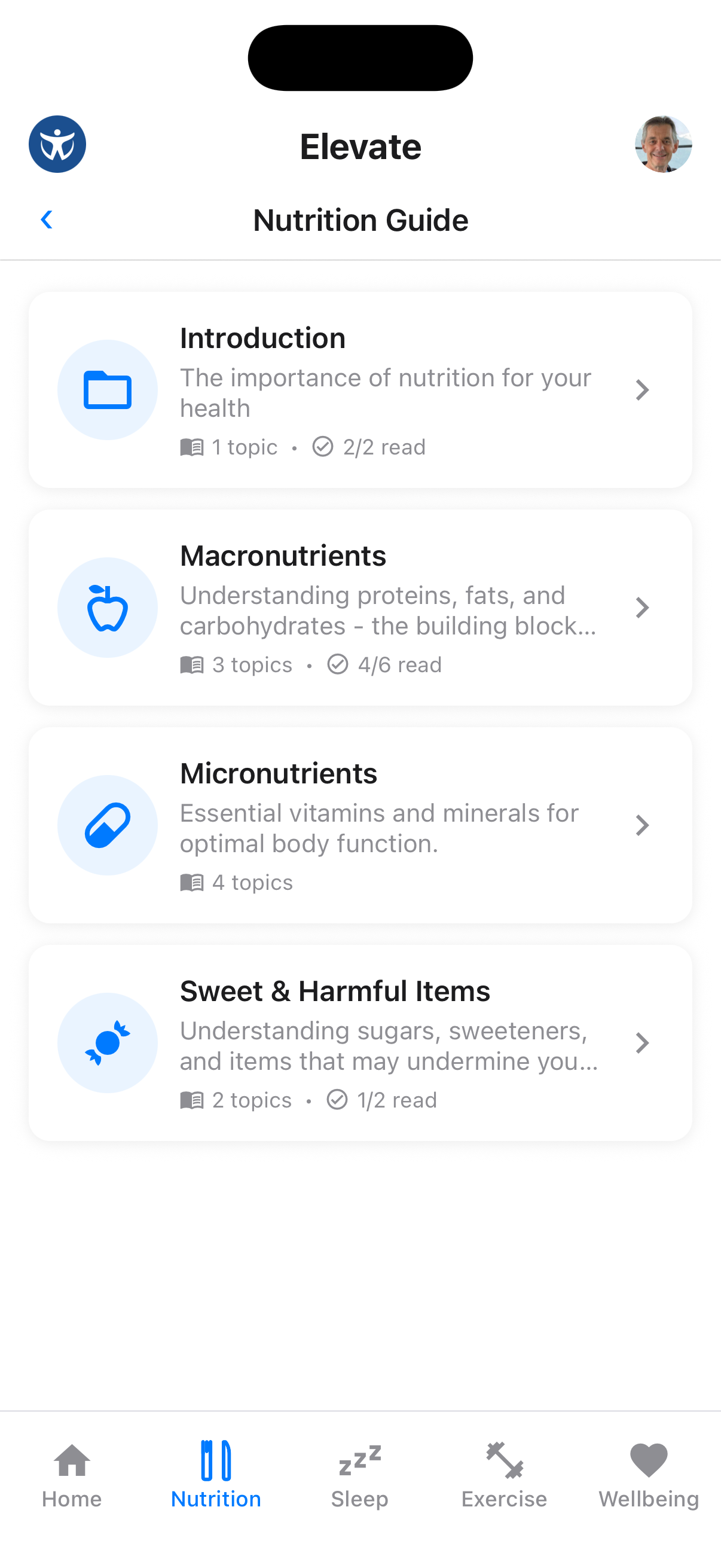
Tap "Nutrition Guide" to access educational content about macronutrients, micronutrients, and healthy eating principles.
Track Your Progress
The guide tracks which topics you've read, helping you work through the complete nutrition education curriculum.
Ingredients
Explore healthy ingredients and learn about their nutritional benefits.
Browse Ingredients
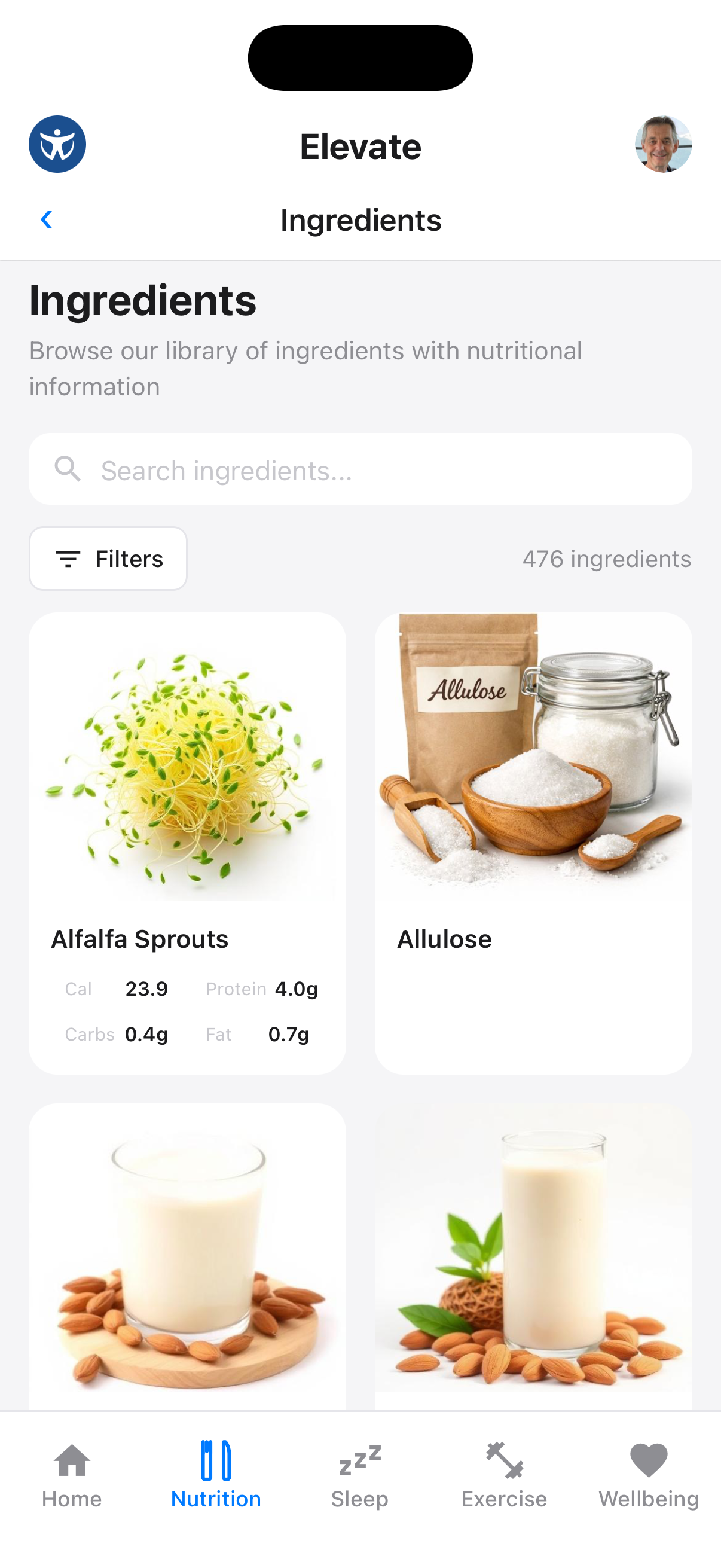
Navigate to "Ingredient Browser" to explore over 475 ingredients with detailed nutritional information.
View Ingredient Details
Tap any ingredient to see detailed information about its health benefits and find recipes that use it.
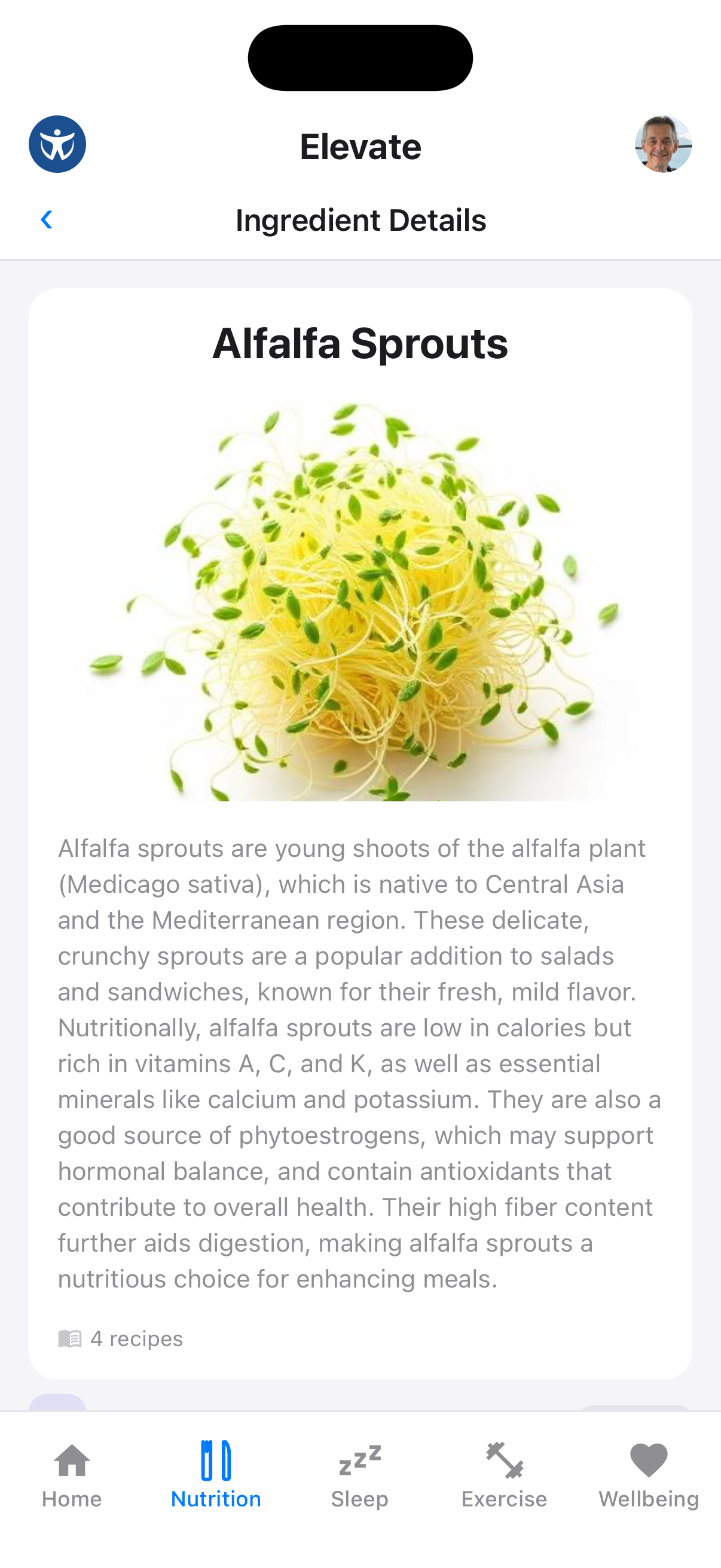
Find Recipes
From an ingredient detail page, you can see how many recipes use that ingredient and browse them directly.
Add Your Own Ingredient
If the exact product you use is missing, search for it and choose Add it yourself.
Start an Ingredient Draft
Enter the product's nutrition information manually, or scan its nutrition label using the camera or photo library to pre-fill a draft.
Review and Save
Check the serving information and nutrition values before saving. Your products carry a Yours badge and can be edited or deleted later.
You can also share a nutrition-label photo during Elevate Voice and ask it to prepare the draft while you talk.
Recipes
Browse Elevate recipes and your own creations in one searchable library. Use the Personalized recipes filter when you only want to see recipes you have added or created.
Browse the Recipe Library
Open Recipes to search by recipe name or ingredient. Apply filters to narrow the results, including Personalized recipes for your own collection.
Adding Recipes
Add a New Recipe
Tap + to choose What can I make?, create from text, import from photos or import from a URL.
What Can I Make?
Choose What can I make? and describe the ingredients you have or share a fridge photo. Elevate first looks for suitable matches in the recipe library. You can also ask it to create something new in a cuisine you choose while following your dietary profile.
Creating from Text or Voice
Choose the text option to type or paste a recipe, or ask Elevate Voice to create one conversationally. Review the unsaved draft, ask for changes and confirm when it is ready. To update one of your saved recipes later, open it and tap Edit by voice.
Adding Recipes from URL
Import recipes from your favorite food websites.
Import from URL
Select Import from URL and paste a recipe URL. The app extracts the recipe details into a draft for you to check.

Supported Sites
Most popular recipe websites are supported. Always review the imported ingredients, portions and method before saving.
Adding Recipes from Photos
Capture recipes from cookbooks or magazines by taking a photo.
Import from Photo
Select Import from Photos to take a photo or choose from your library. The app extracts recipe details from cookbook pages or handwritten recipes into a draft.

Photo Tips
For best results, ensure good lighting and capture the full recipe. The app can read both printed and handwritten recipes.
Sharing Recipes to Chat
Share your favorite recipes with coaches and community members.
Open Share Options
From any recipe, tap the share button (paper airplane icon) to send it to chat.
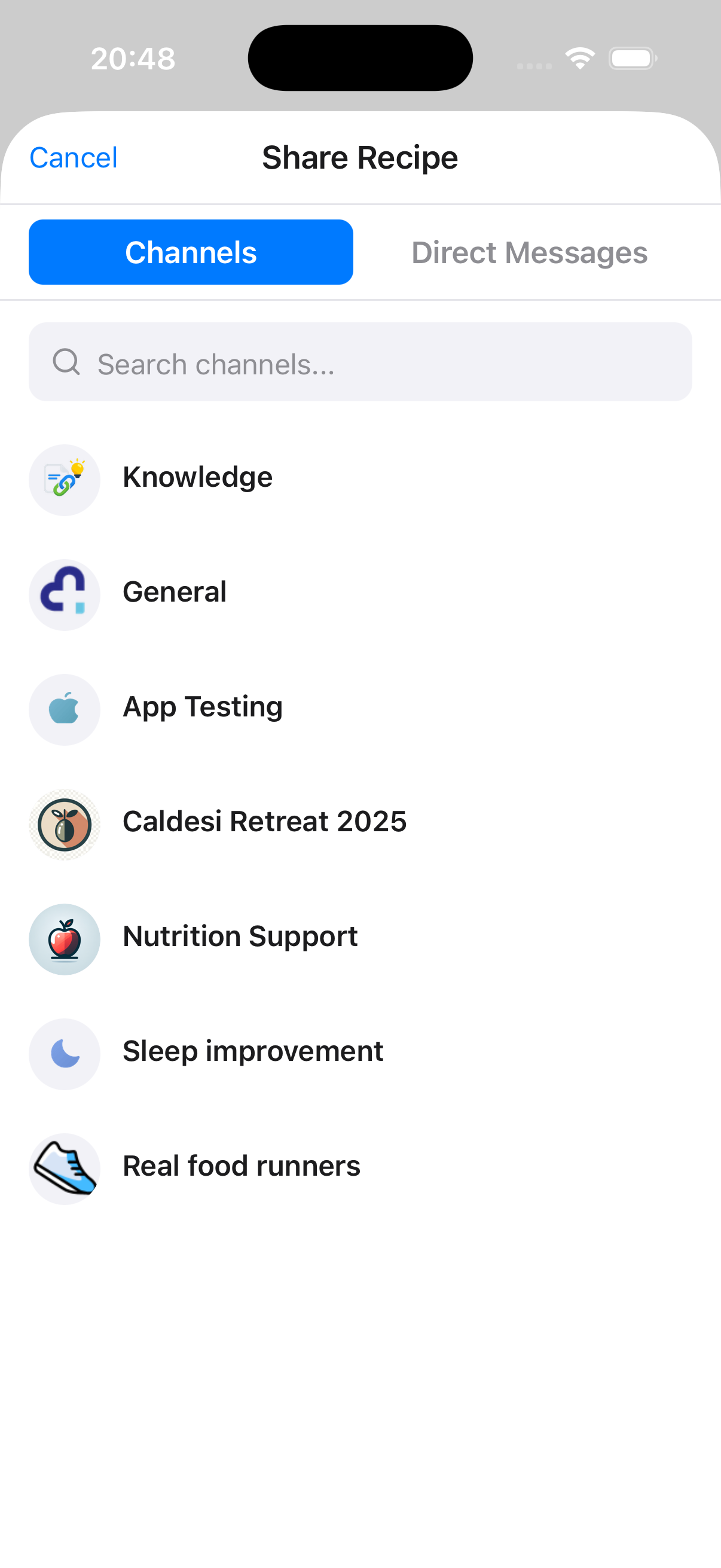
Select a Conversation
Choose a channel or direct message to share the recipe with. You can search for specific channels.
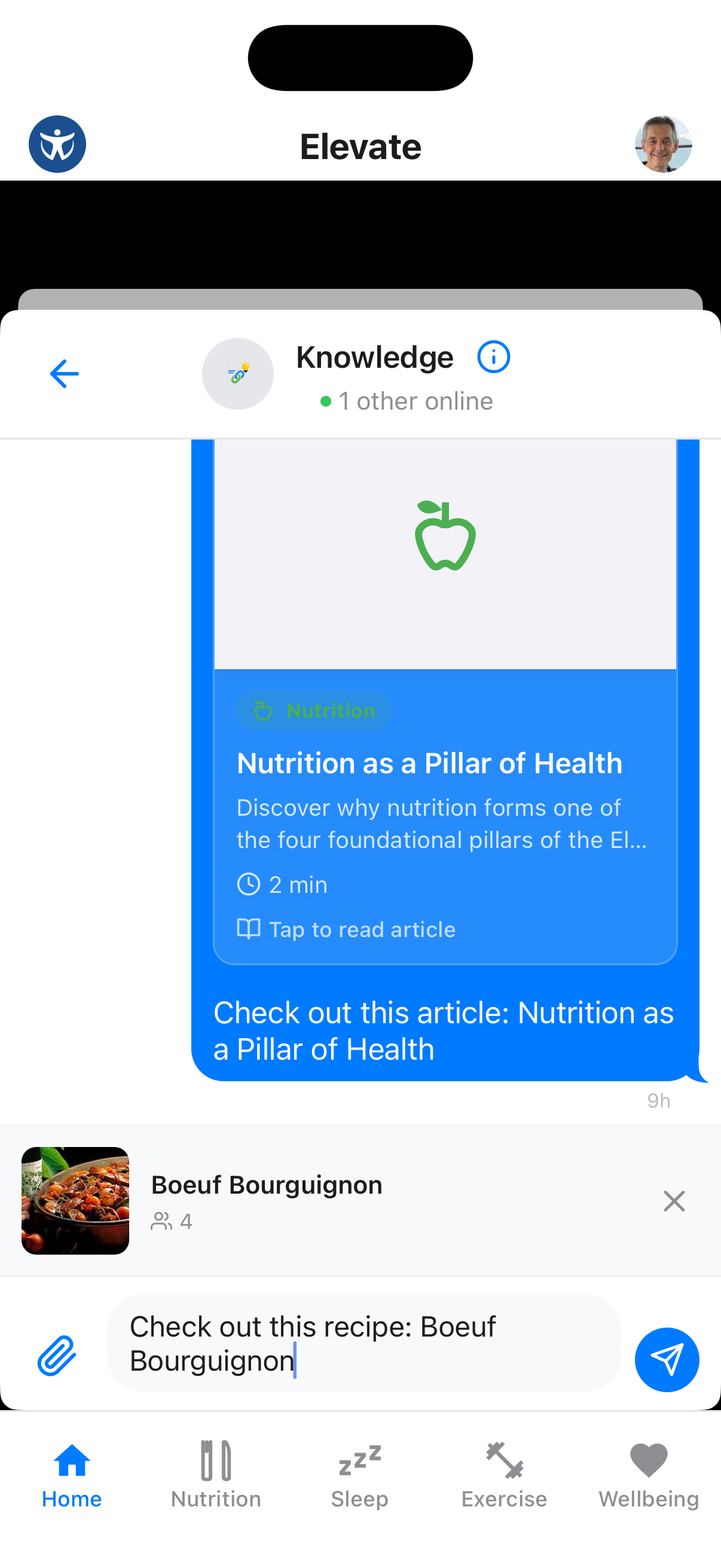
Recipe Appears in Chat
The recipe shows as a rich preview in the chat, allowing others to tap "Tap to add to your recipes" and save it.
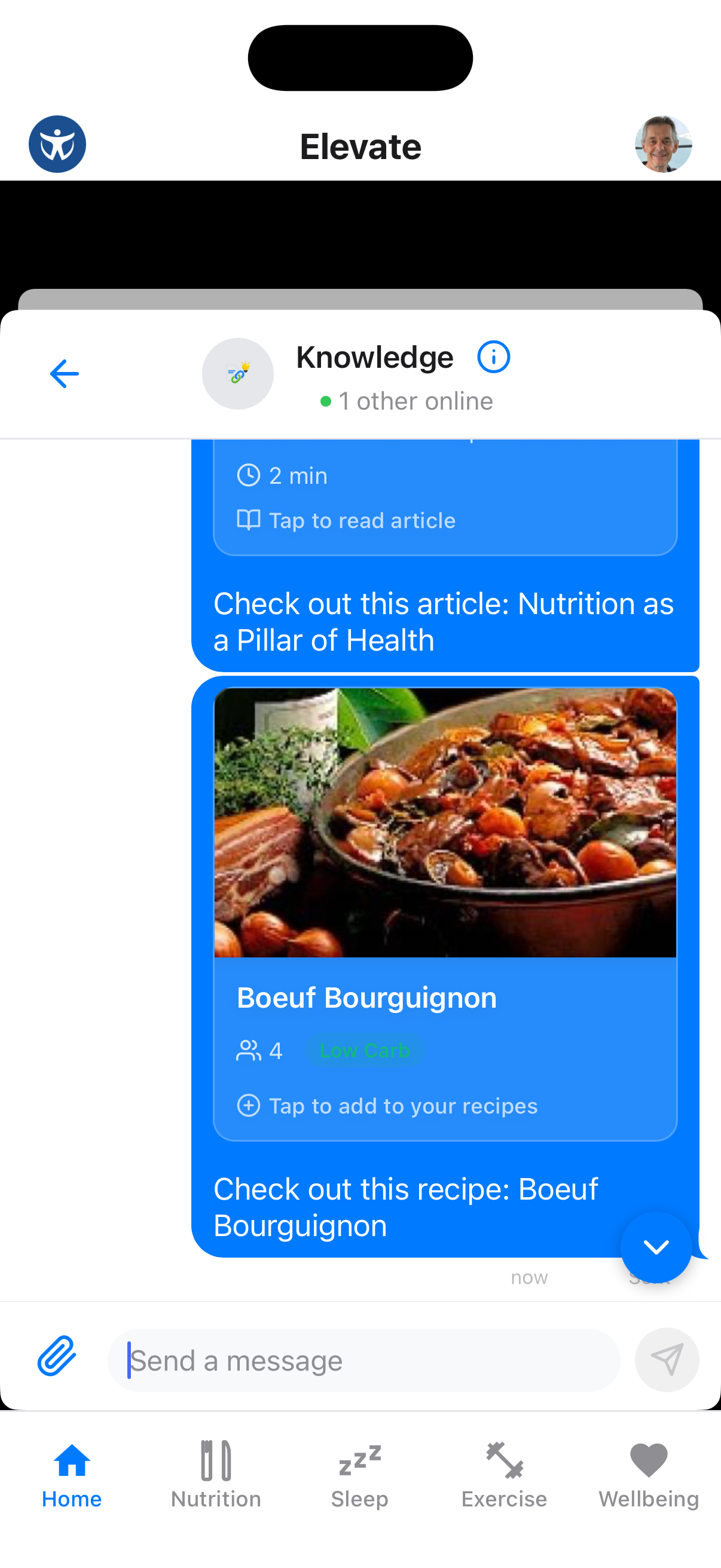
Build Community
Sharing recipes is a great way to inspire others and get feedback on your healthy meal ideas.