Now in beta on iPhone, iPad and Android
Your health,
in one conversation.
Elevate AI learns your routines, knows the devices you wear and tells you when there’s something worth seeing. Then it opens it, right there in the chat: your sleep, your glucose, your meals, your workouts.
Works with
- Oura ring
- Apple Health
- Glucose sensors
- Strava
 ElevatenowYour Oura night is in6 h 05 m · sleep score 4/5. Want to see it with your glucose?
Watch the films
See what Elevate can do for you.
Two short introductions, with English narration and captions.
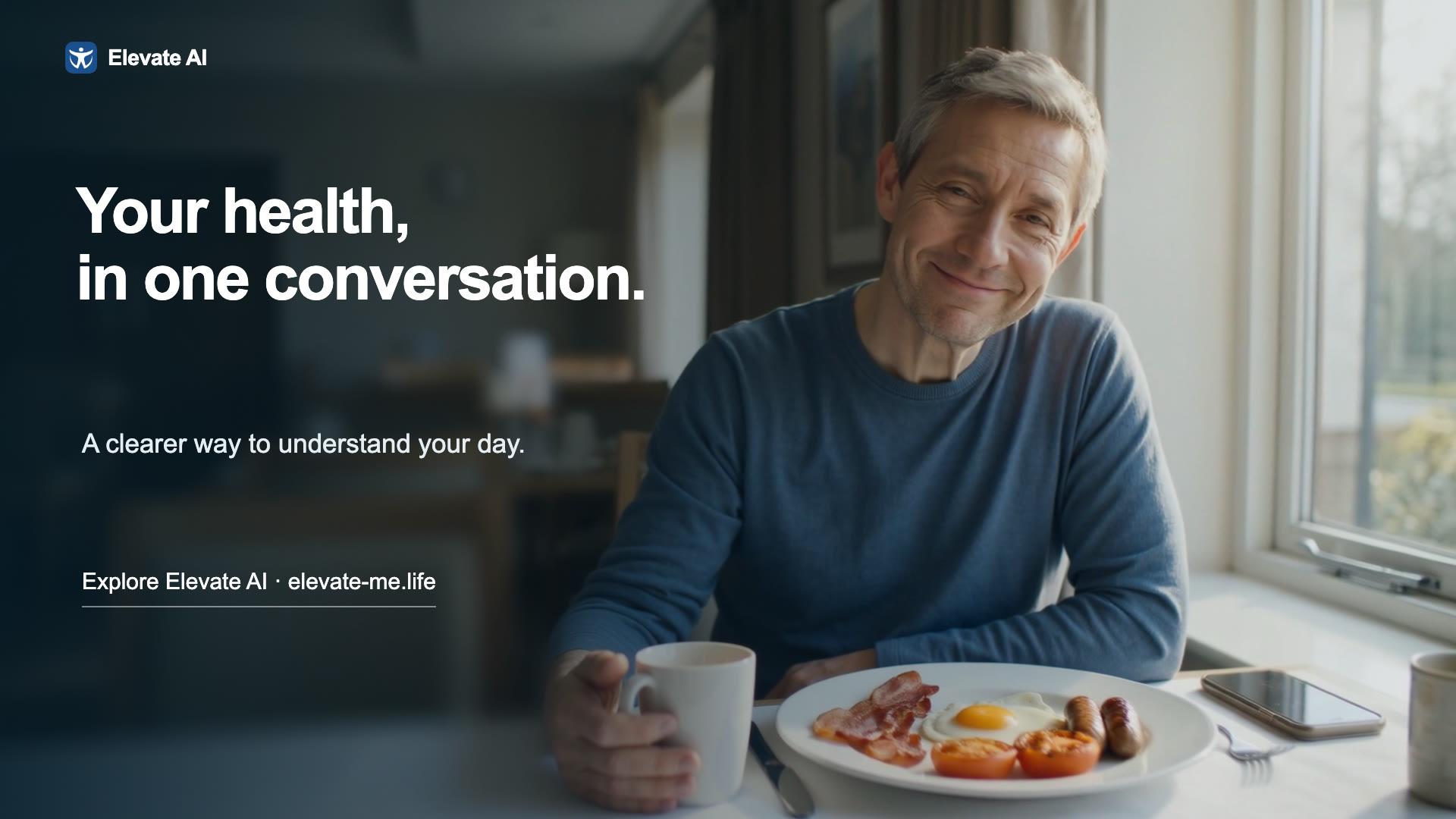
2 min 55 sec
Meet the new Elevate AI
The story behind a simpler app, with one conversation to explore your meals, glucose, movement and sleep.
Watch the film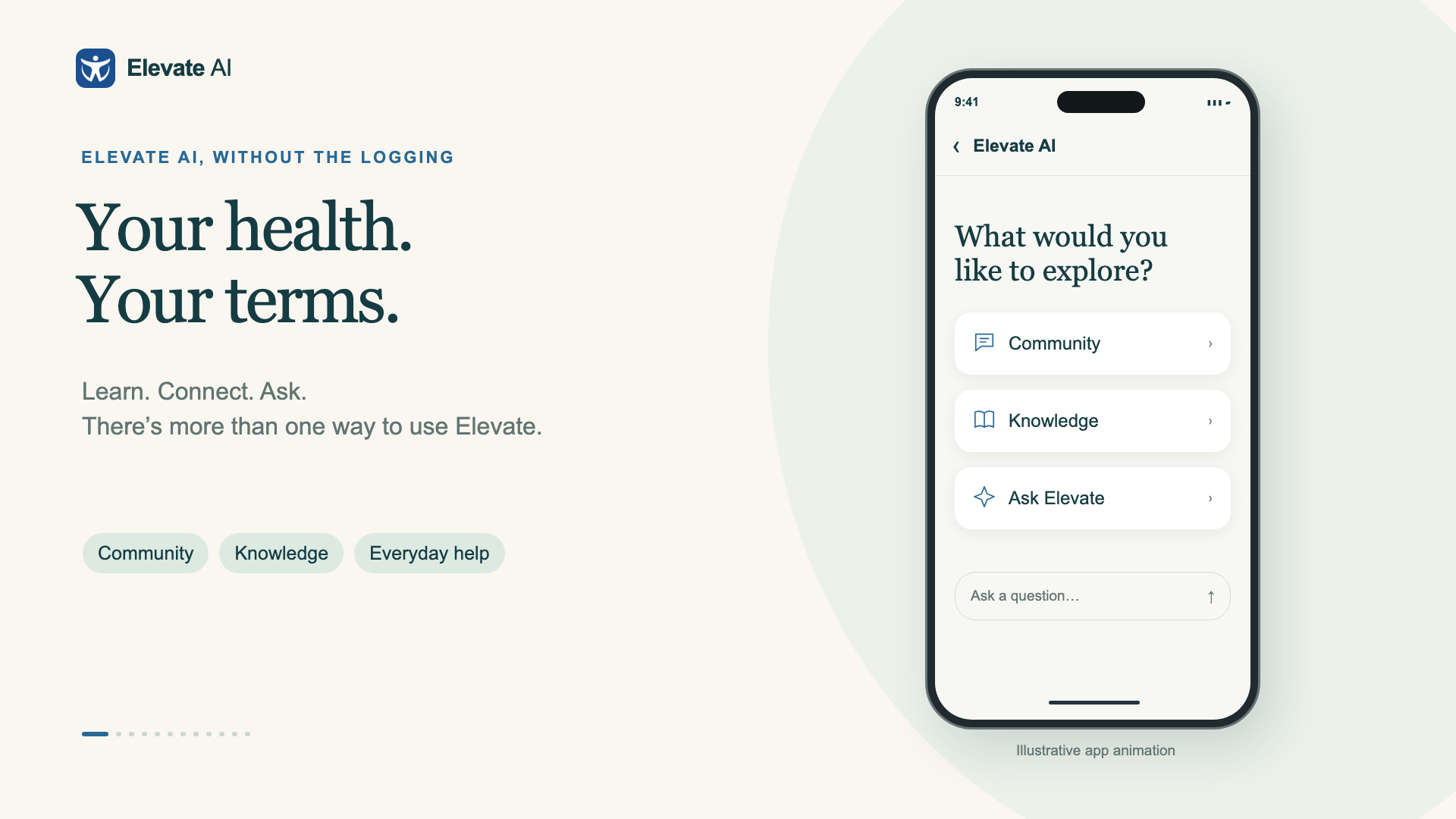
2 min 30 sec
Life without logging
Community, knowledge and everyday help with food — from meal planning and shopping lists to cook-along and menus.
Watch the filmYou don’t open a dashboard.
Elevate comes to you.
Most health apps wait for you to go looking. Elevate speaks first. When you open the app it already knows what changed since you last looked, and puts the relevant shortcuts on top.
- It knows what you wear
- An Oura ring, a glucose sensor, a watch, Strava. Elevate notices what you connect and only shows what you actually track.
- It learns your routines
- When you eat, when you train, what you prefer. Ask it to remember something and it will — you can see and edit every memory.
- It tells you when there's news
- New readings arrive quietly. A fresh night of sleep or a day of glucose turns up in the Now tray, one tap from the full picture.
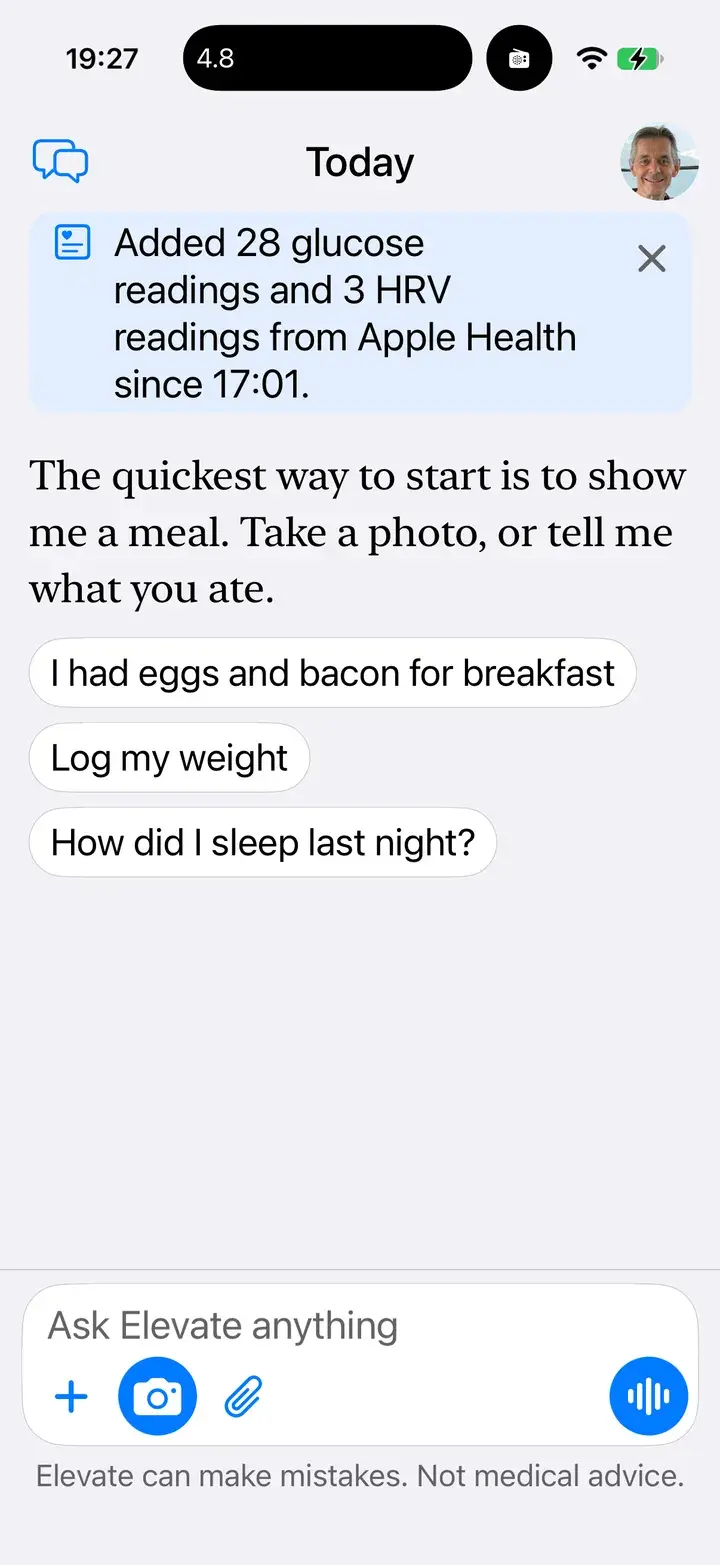
New readings, noticed
Glucose and HRV arrived from Apple Health while you were busy.
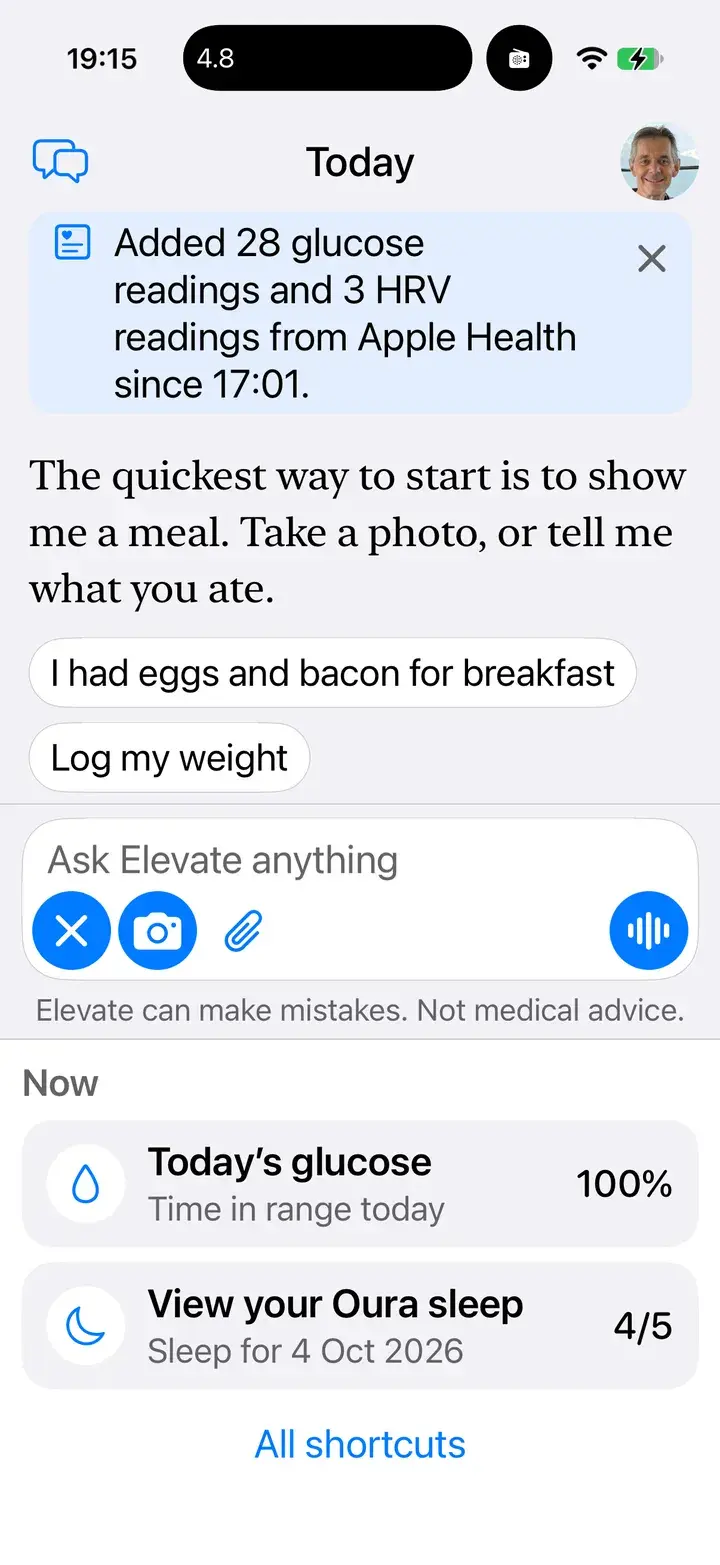
Now, on top
Today’s glucose and last night’s Oura sleep, suggested the moment you wake the app.
How did I sleep?
6 h 05 m. Your heart rate was lowest at 47 bpm at 04:09, and glucose stayed between 5.1 and 5.9 all night.
Connect your Oura ring directly. When a new night lands, Elevate lays your sleep stages, overnight heart rate and glucose on one timeline, so you can see what happened at the same moment, not in three different apps.
- Your ring sees your sleep.
- Your sensor sees your glucose.
- Your watch sees your heart.
- Elevate sees them together.
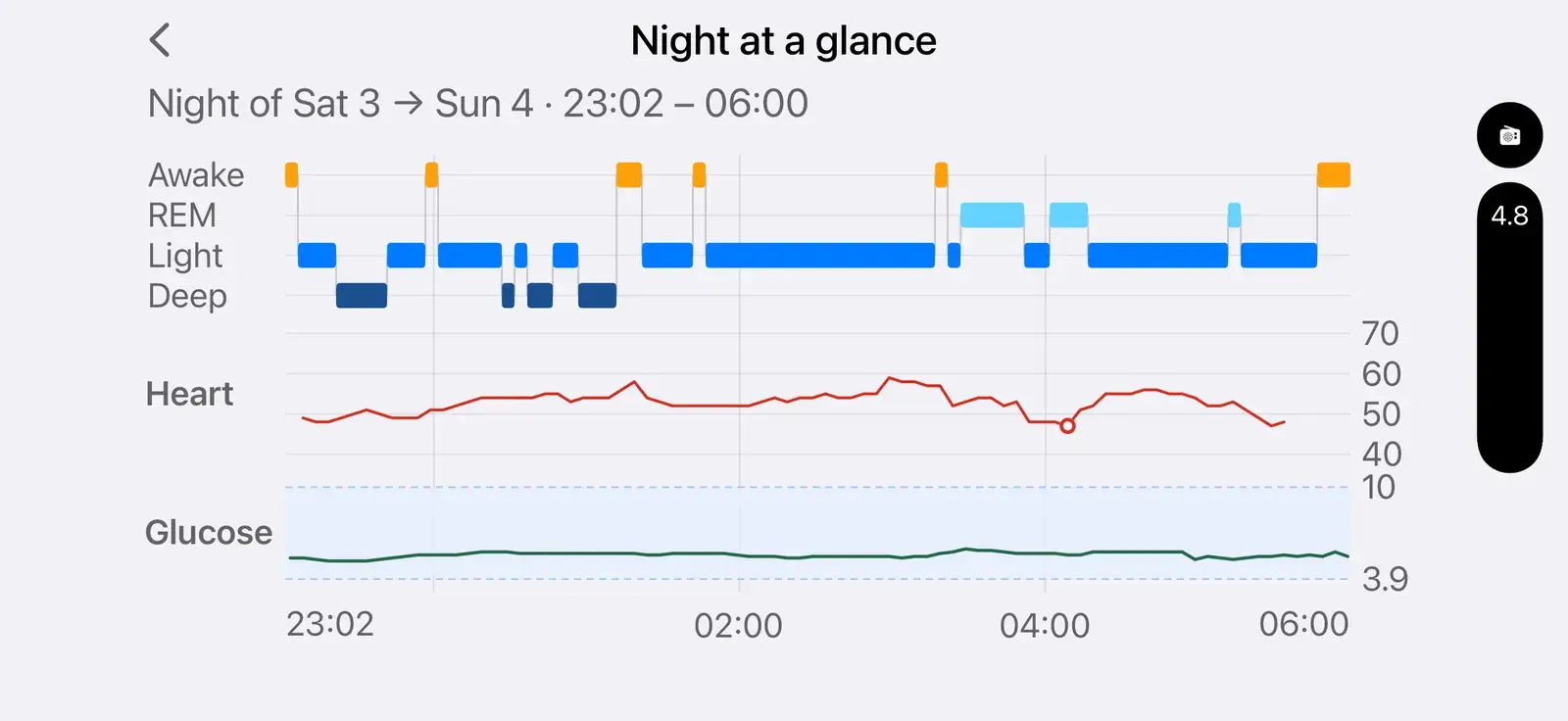
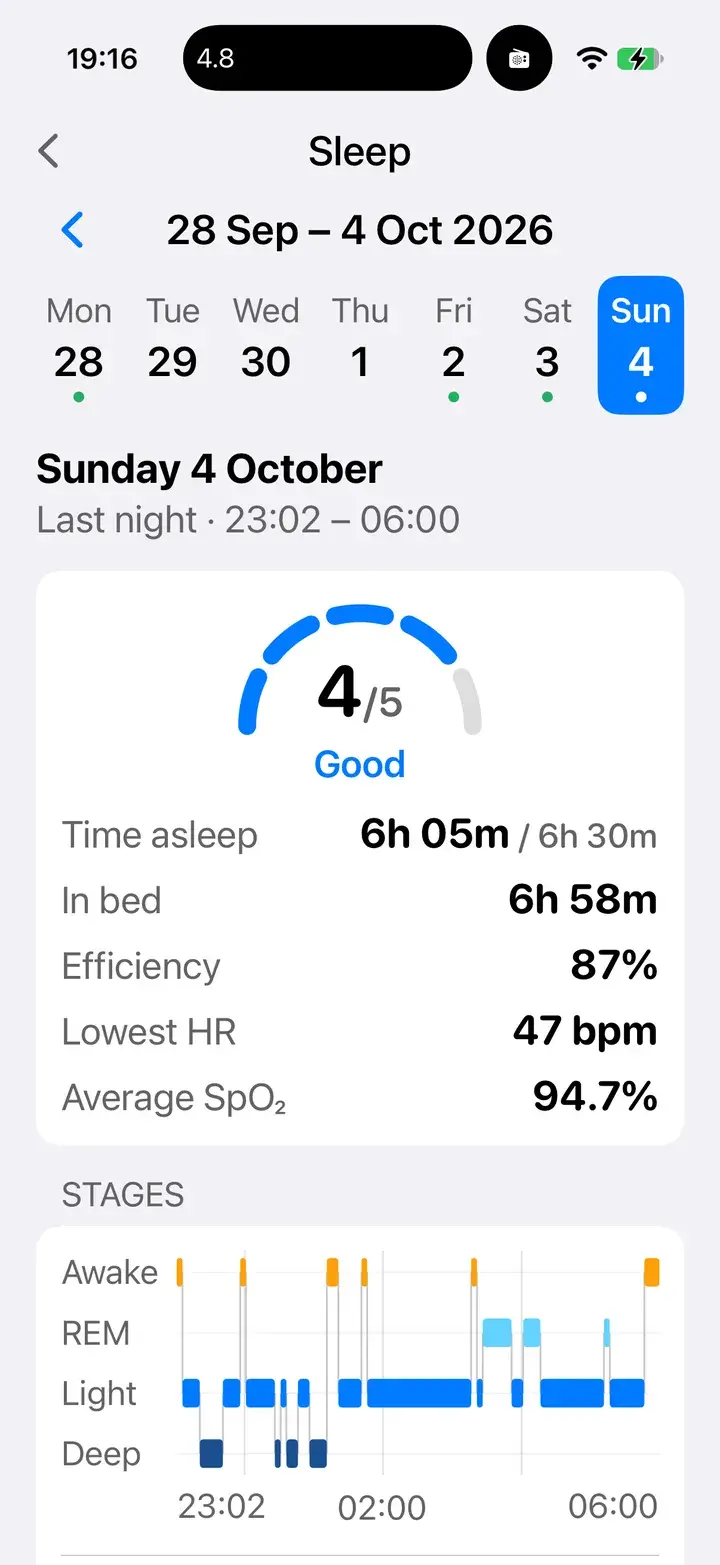
The night, scored
Oura’s score, efficiency, lowest heart rate and blood oxygen.
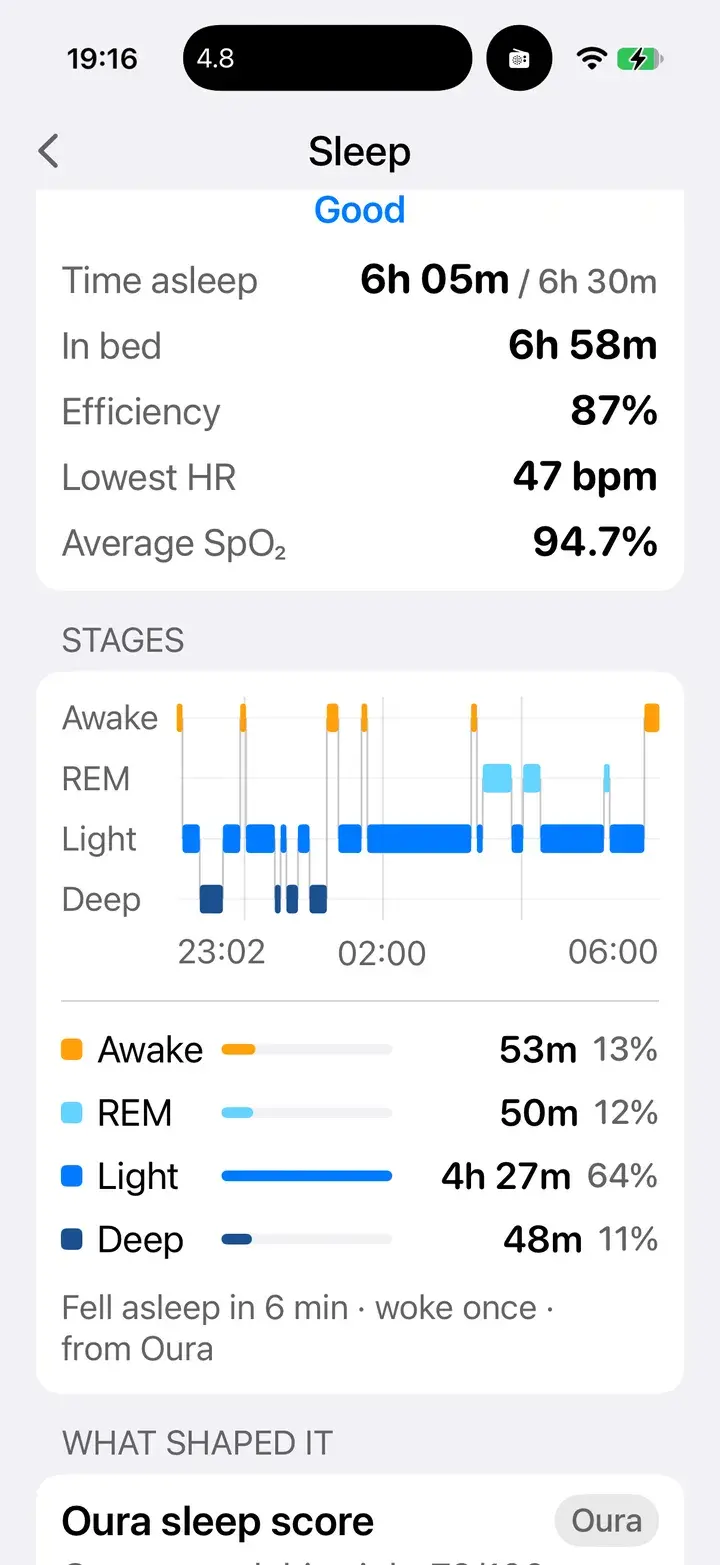
Every stage
Awake, REM, light and deep, minute by minute.
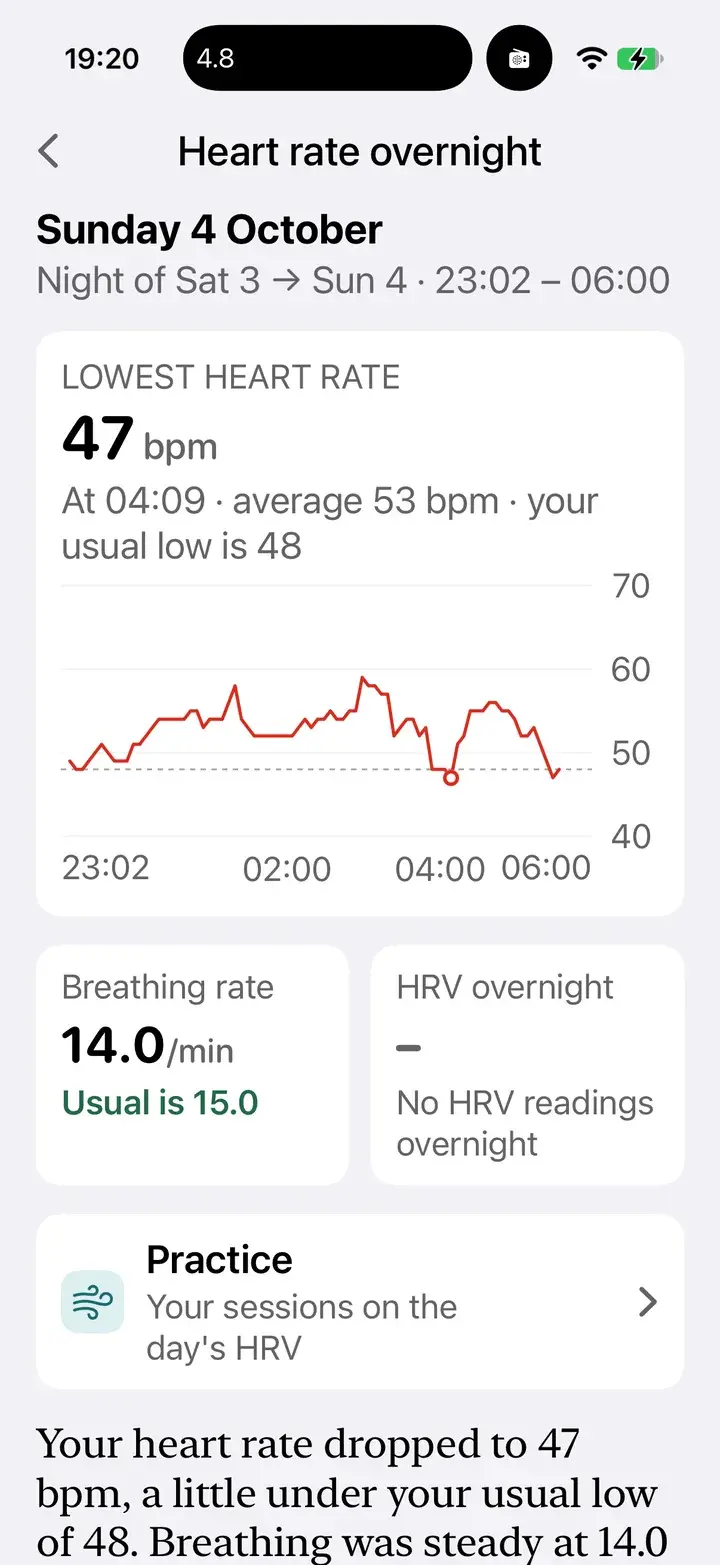
Heart rate overnight
Your lowest, compared with your usual, and your breathing rate.
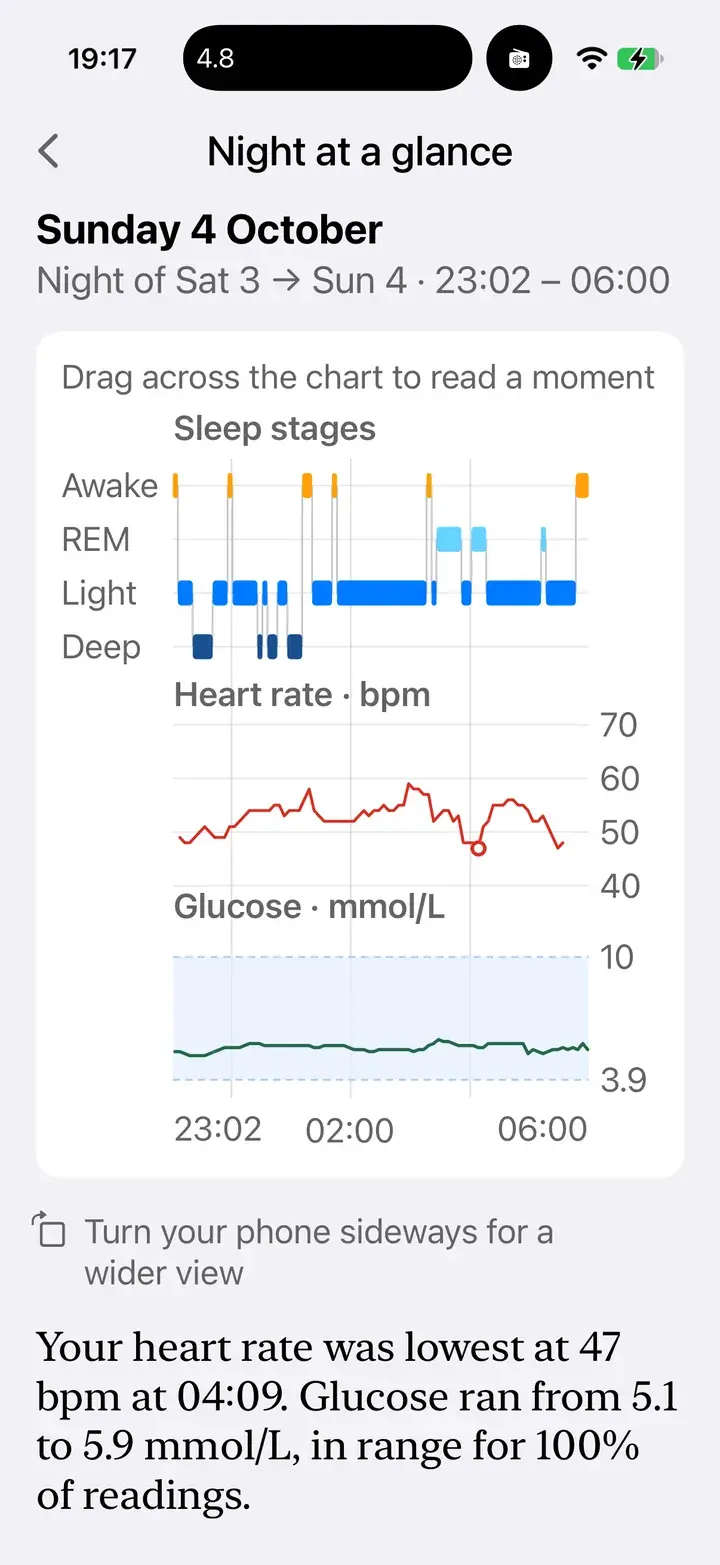
Said in plain words
Elevate sums up the night in a sentence you can ask about.
What did porridge do to my glucose?
It peaked at 11.2 fifty minutes after you ate, and you were back in range by 08:55.
Every glucose day shows what you ate, when you moved and how you slept, on the same line as your readings. Tap a meal and Elevate zooms in on the hours after it: the rise, the peak, and when you were back.
- Meals — Each meal sits where you ate it, sized by its sugar in teaspoons.
- Workouts — From Apple Health and Strava, on the same line.
- Your night — Sleep shaded in, so the morning makes sense.
Zoom from the whole day to the hours after a meal
- 24 h
- 12 h
- 6 h
- 3 h
Zoom into a meal
Tap it on the chart; the hours after it open up.
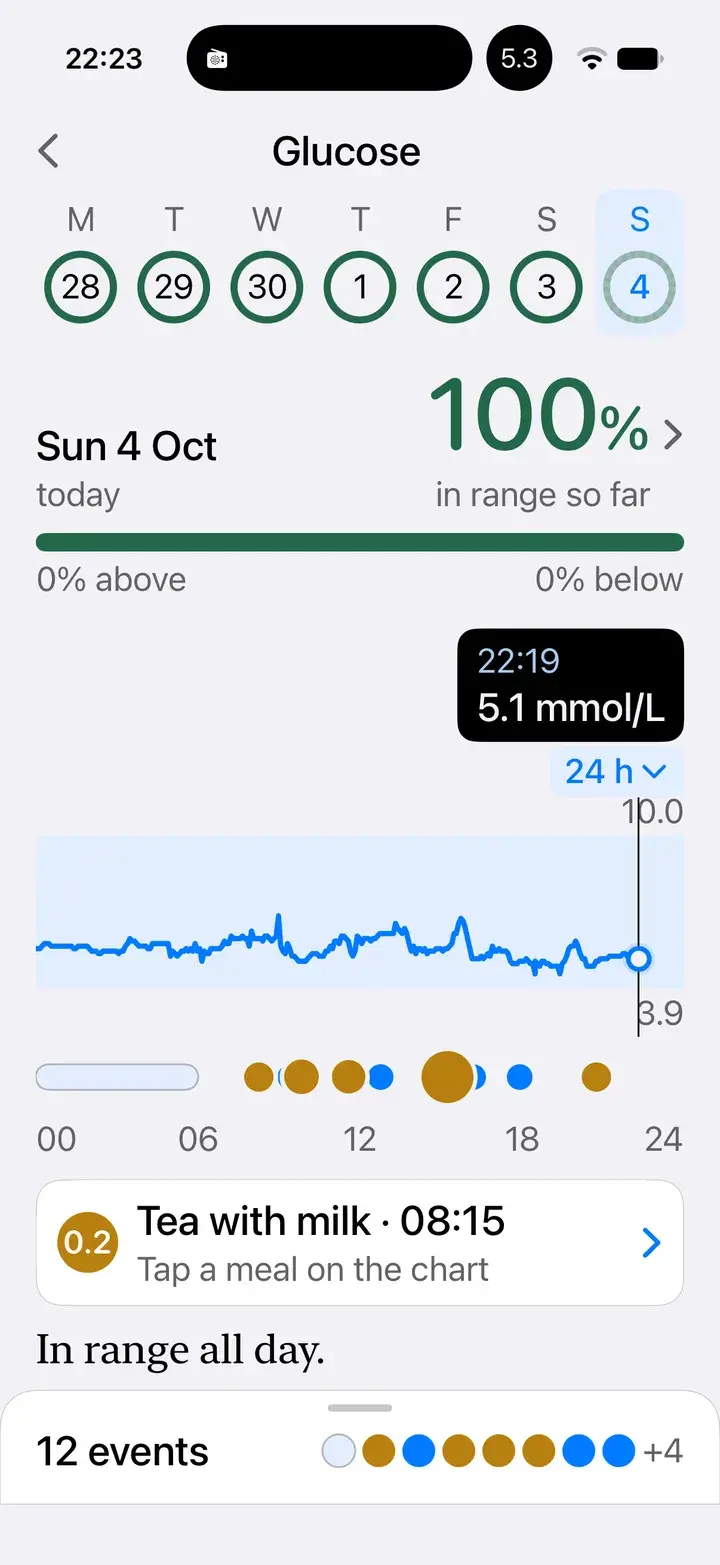
A real day
100% in range, with meals, workouts and the night marked along it.
What did breakfast do to my glucose?
A low-carb start: 9 g of net carbs. Your glucose rose gently to 6.0 and was back by 11:39.
Snap a photo or just say what you ate. Elevate works out the nutrition, logs it and opens the meal full-size, with the numbers that matter for metabolic health.
- Sugar, in teaspoons
- Every meal's carbohydrate shown as the sugar it becomes. Easy to picture, hard to ignore.
- Glycaemic load
- How hard a meal is likely to push your glucose, rated low, medium or high.
- Glucose after the meal
- With a sensor connected, the meal shows what your glucose actually did: when it peaked and when it was back.
- Vitamins and minerals
- What the meal gave you, as a share of your day.
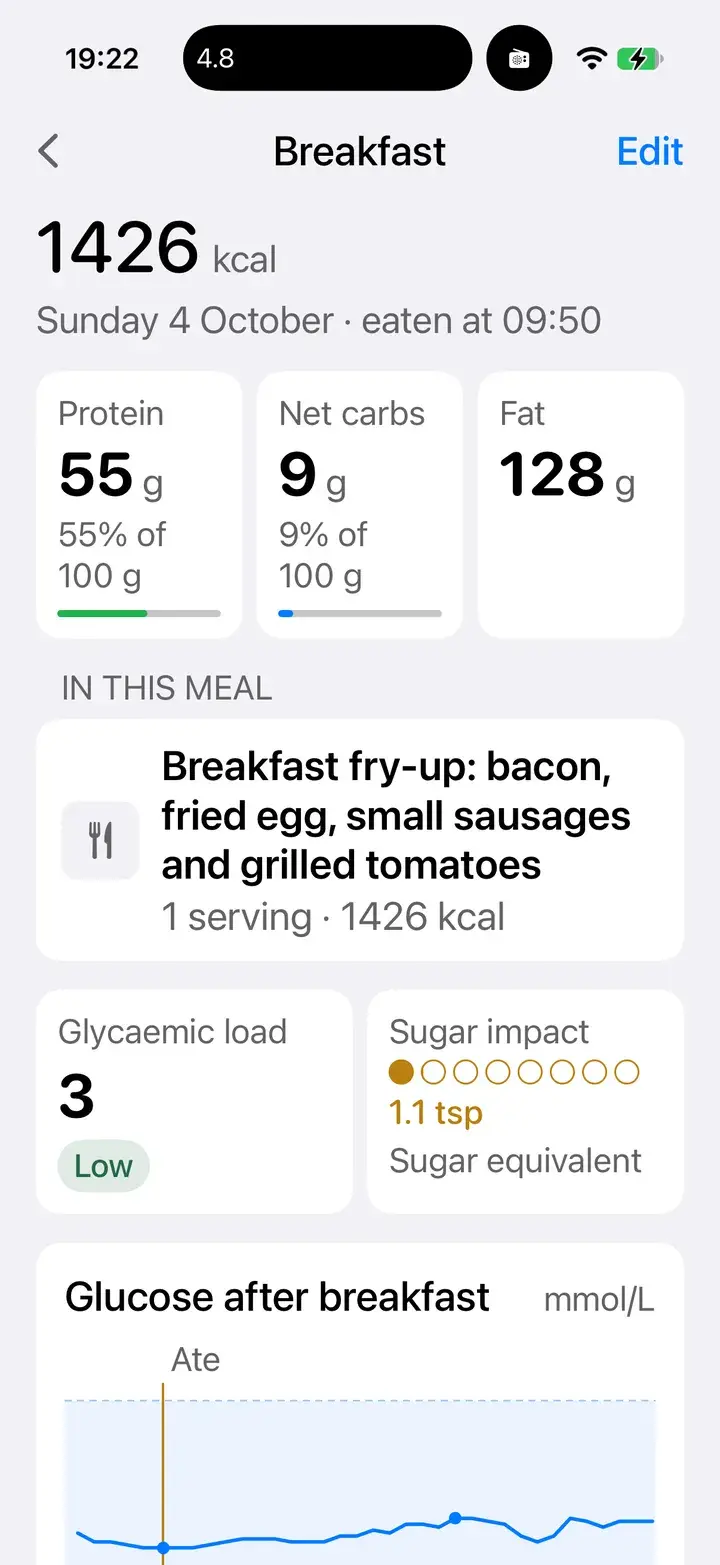
The meal, opened
Protein, net carbs, fat, glycaemic load and sugar in teaspoons.
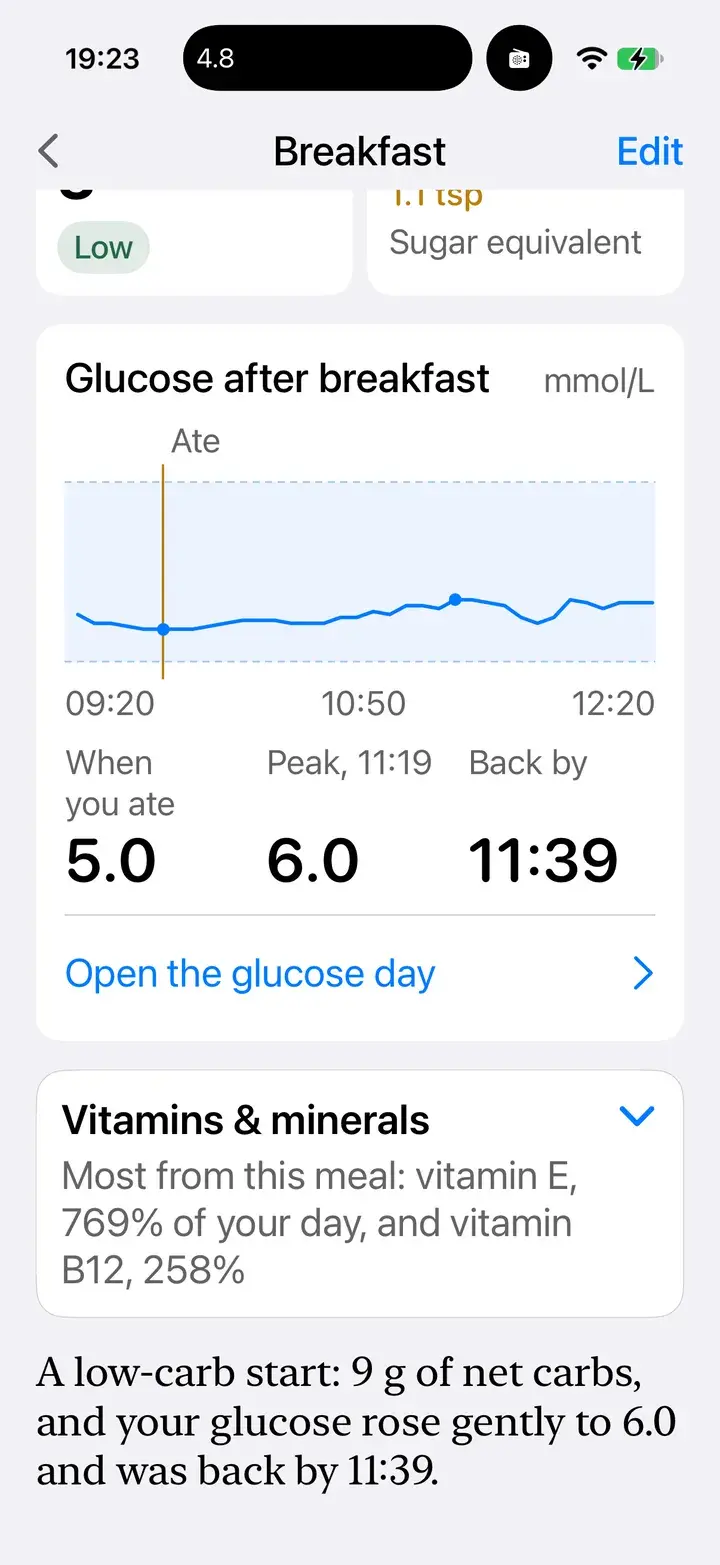
Glucose after breakfast
When you ate, the peak, and when you were back.
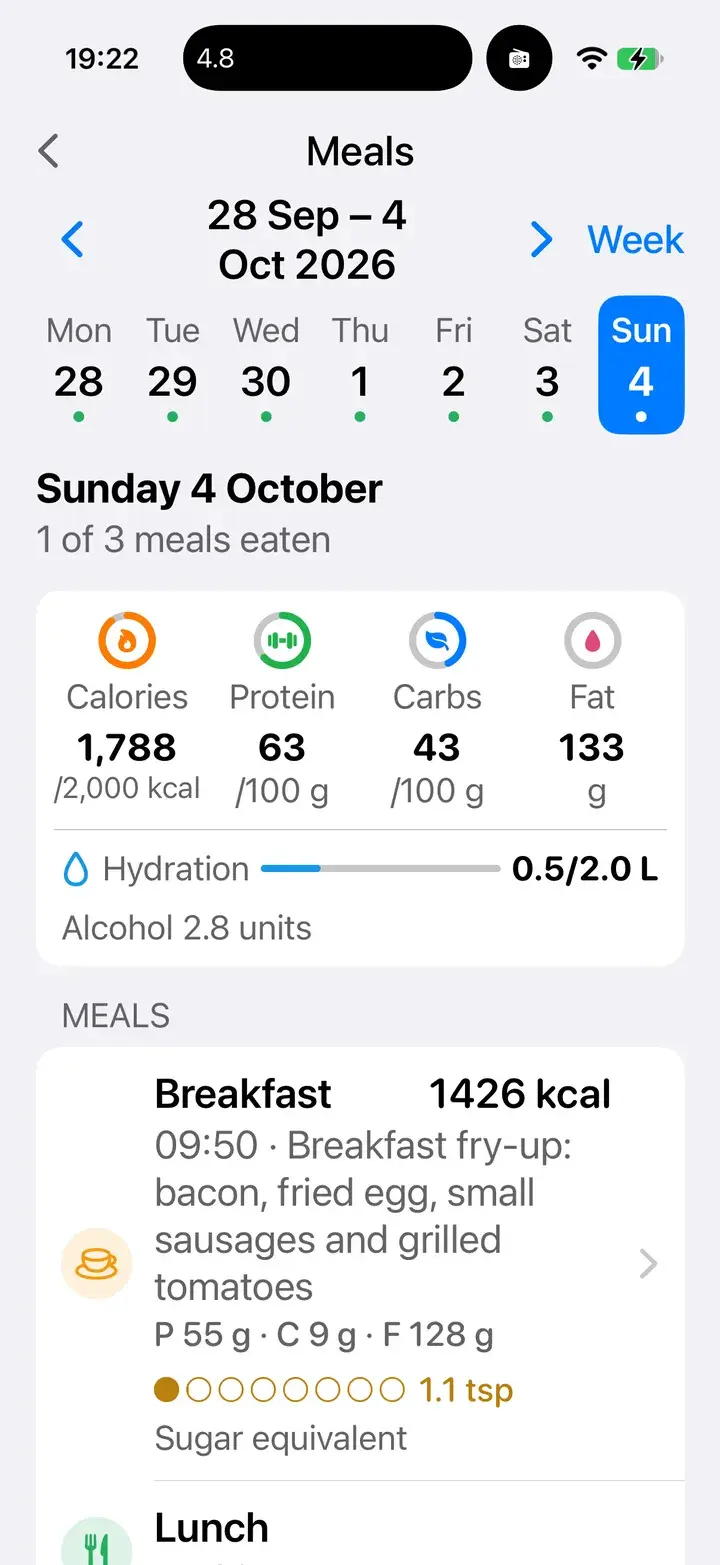
Your day of meals
Calories, protein, carbs, fat and hydration against your own targets.
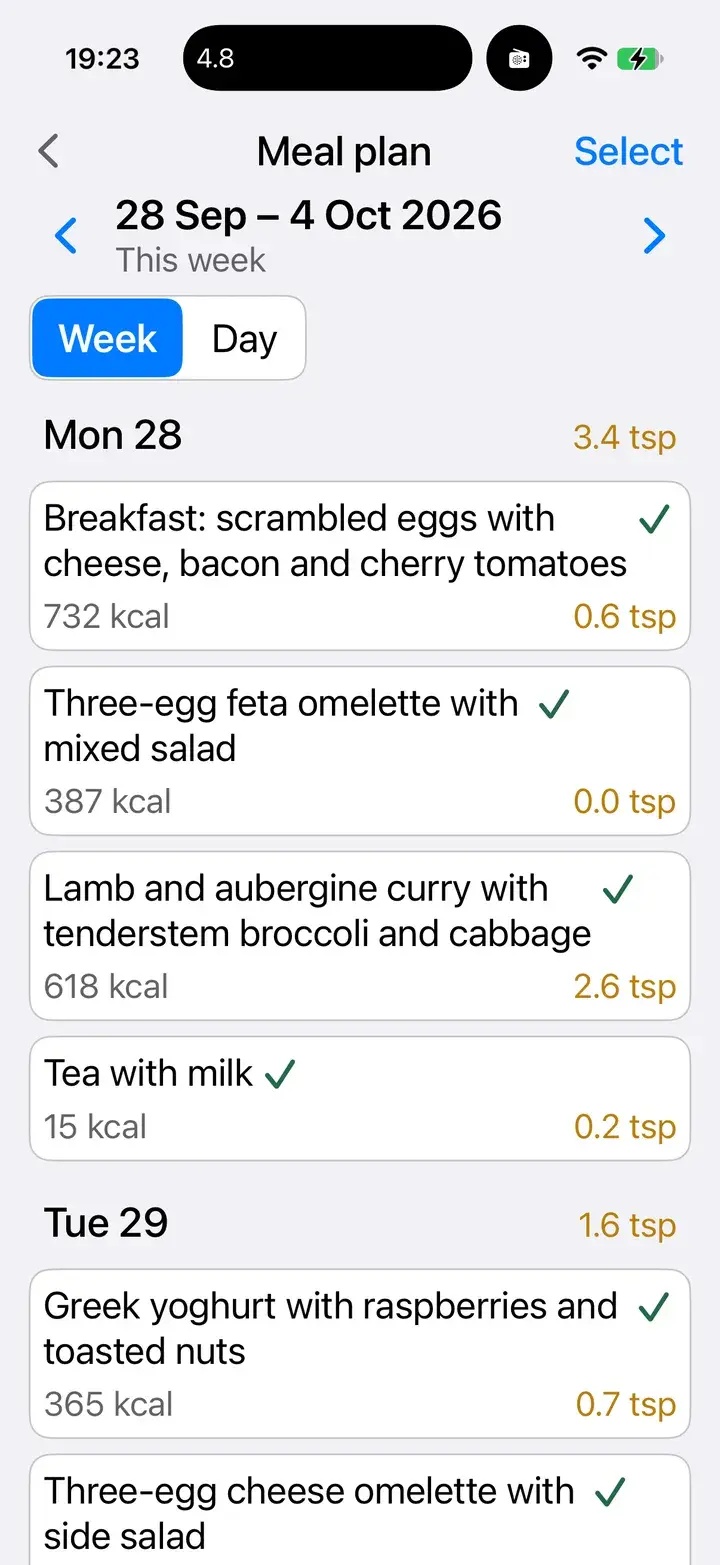
A week, planned
Plan meals ahead; tick them off as you eat. The sugar for each day is totalled.
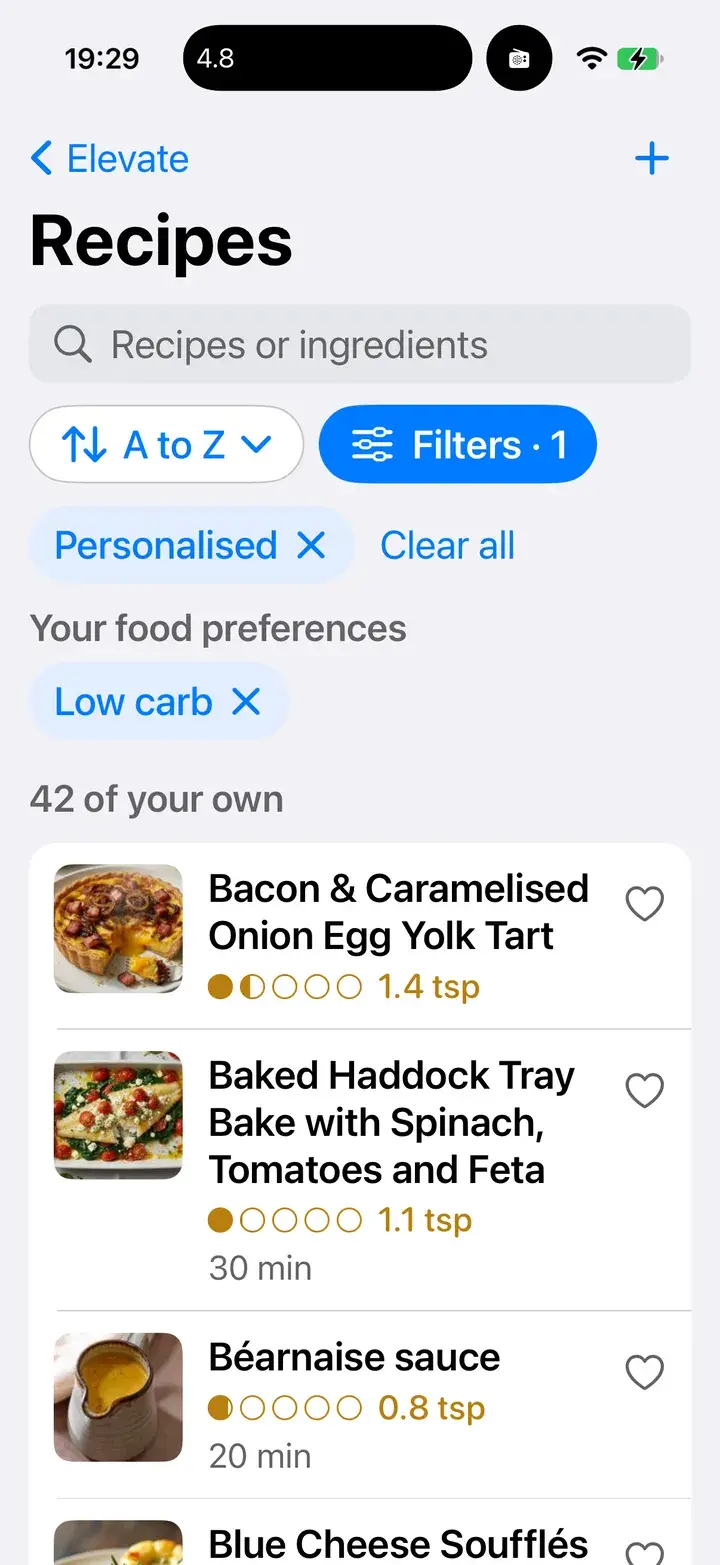
Recipes that fit you
Filtered by your food preferences, with sugar per serving.
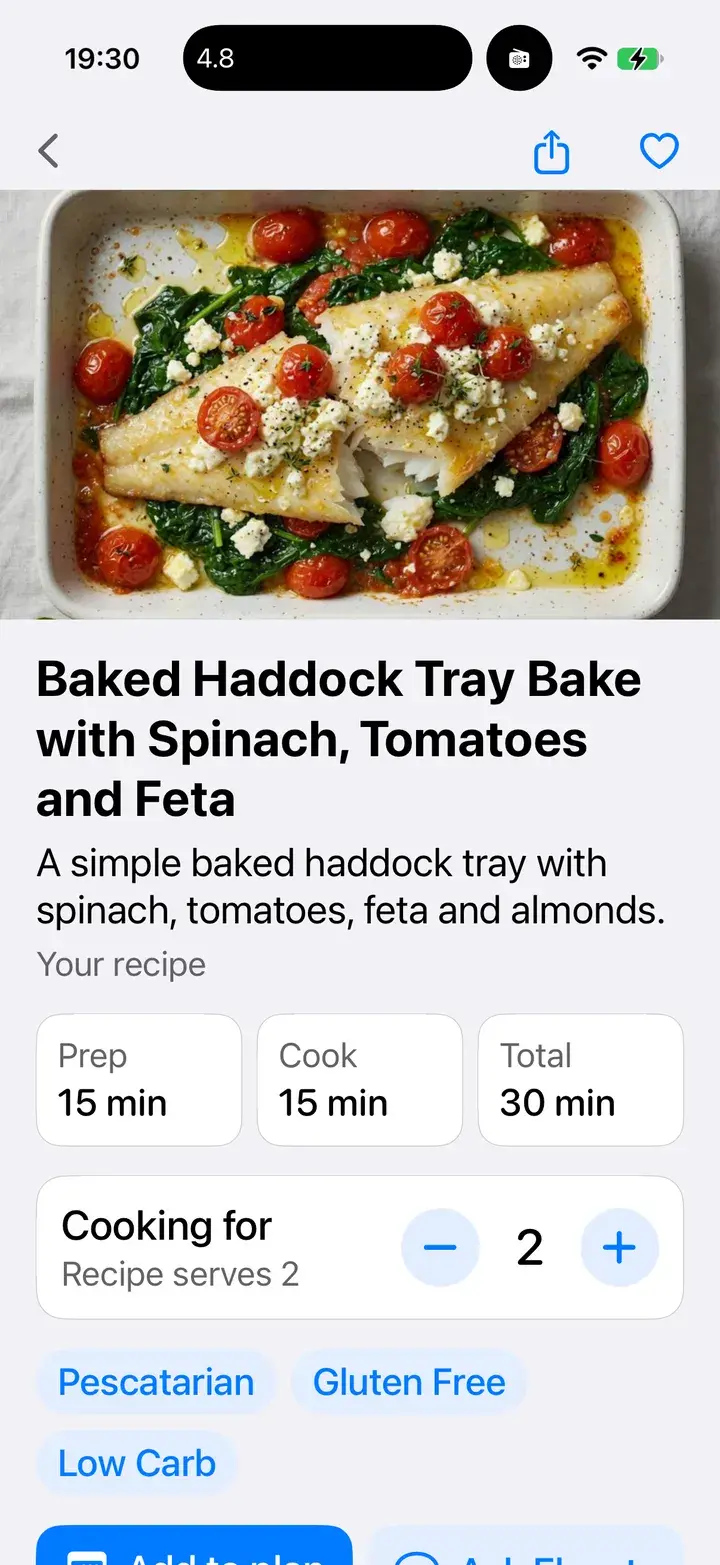
Cook, then log in one tap
Scale the servings, add it to your plan, mark it eaten.
Am I in ketosis?
GKI 4.5 today: moderate ketosis. Glucose 4.5 divided by ketones 1.0.
Log a blood ketone reading and Elevate pairs it with your glucose to work out your glucose ketone index. The metabolic state canvas shows today’s reading on a dial, both inputs on their own gauges, and the last 14 days against the zones.
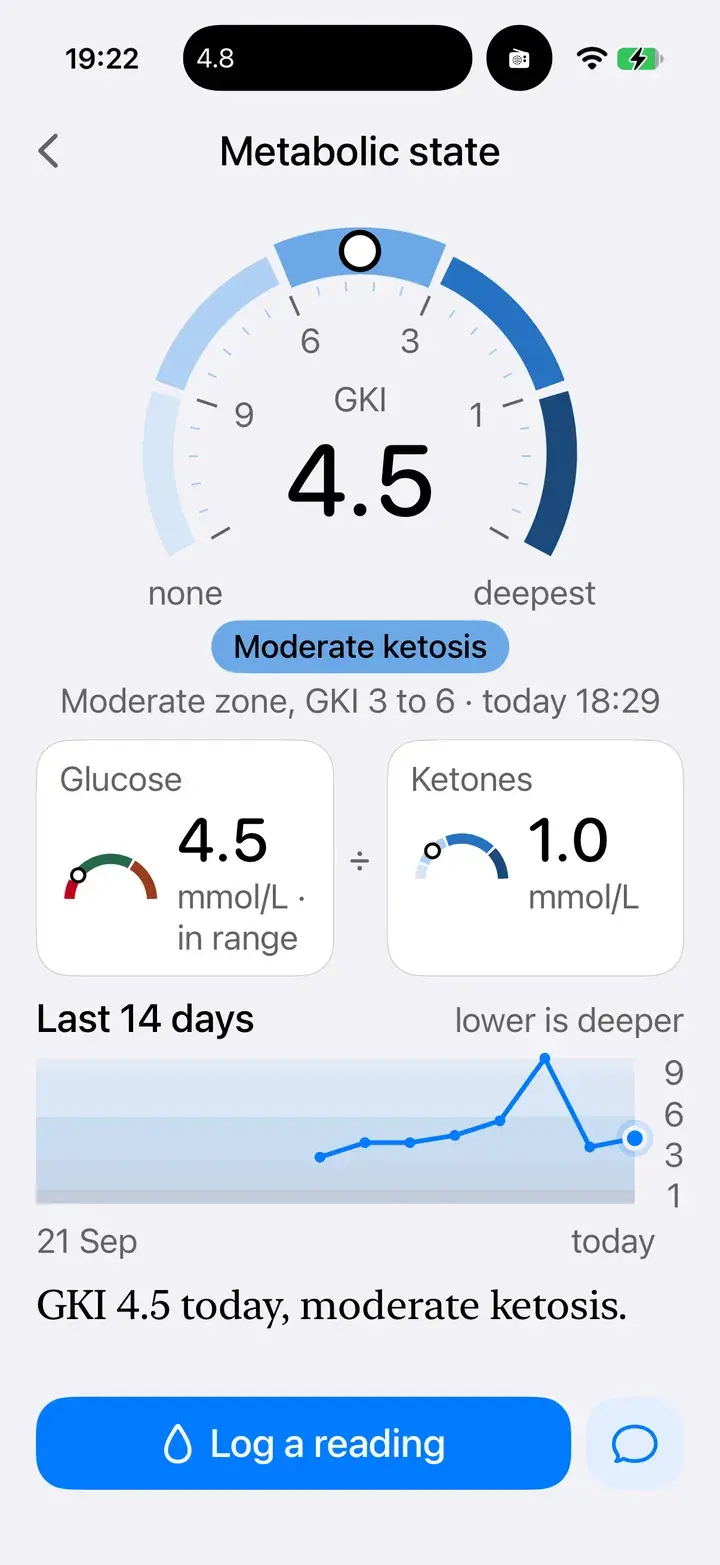
Metabolic state
The dial, the two readings behind it, and two weeks of trend.
Try it: glucose ÷ ketones
GKI
4.5
Zones as shown in the app: under 1 highest, 1–3 high, 3–6 moderate, 6–9 low, 9 and above not in ketosis. For understanding your own readings, not a diagnosis.
What did my strength session do to my glucose?
It started at 5.9, finished at 6.1 and settled to 5.3 an hour later.
Workouts arrive from Apple Health and Strava on their own. Each one shows its heart-rate zones and, with a sensor connected, your glucose before, during and an hour after.
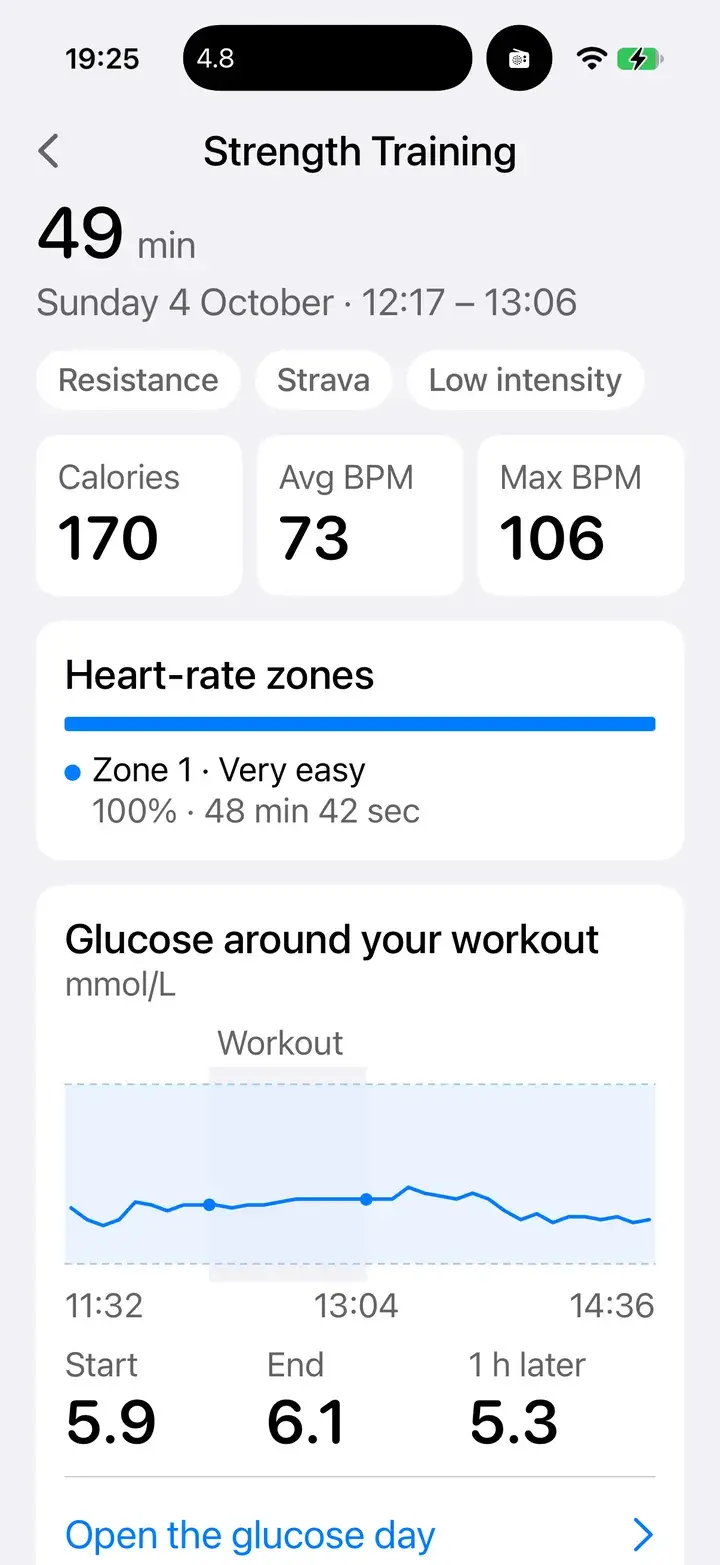
Glucose around your workout
Start, end, and an hour later, on one chart.
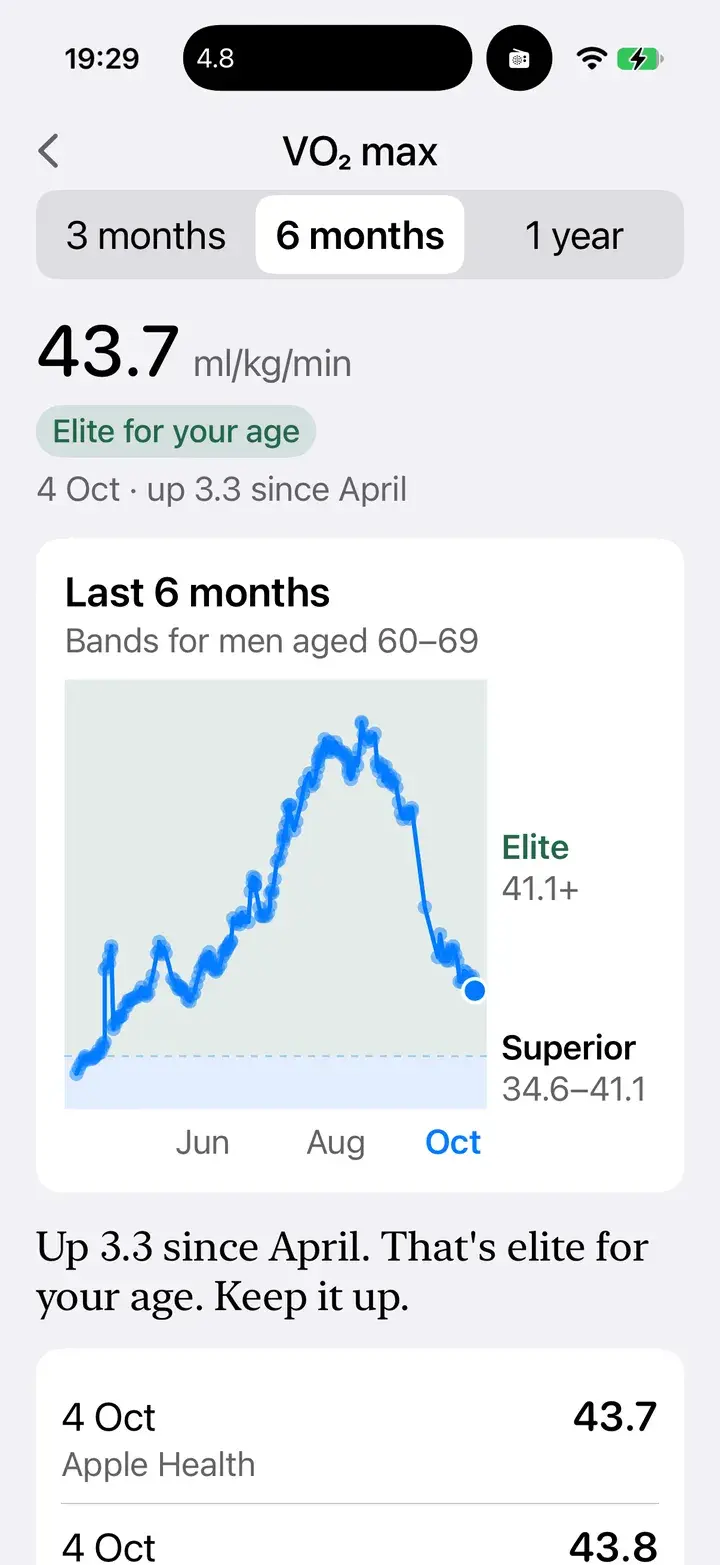
VO₂ max, in context
Your fitness against bands for your age, tracked over months.
Can I just talk to you?
Of course. I’ll answer out loud, and put what I find on screen while we talk.
Tap the voice button and have a conversation. Ask about last night’s sleep, log a meal while you cook, plan the week’s dinners, or follow a recipe step by step with timers, hands free.
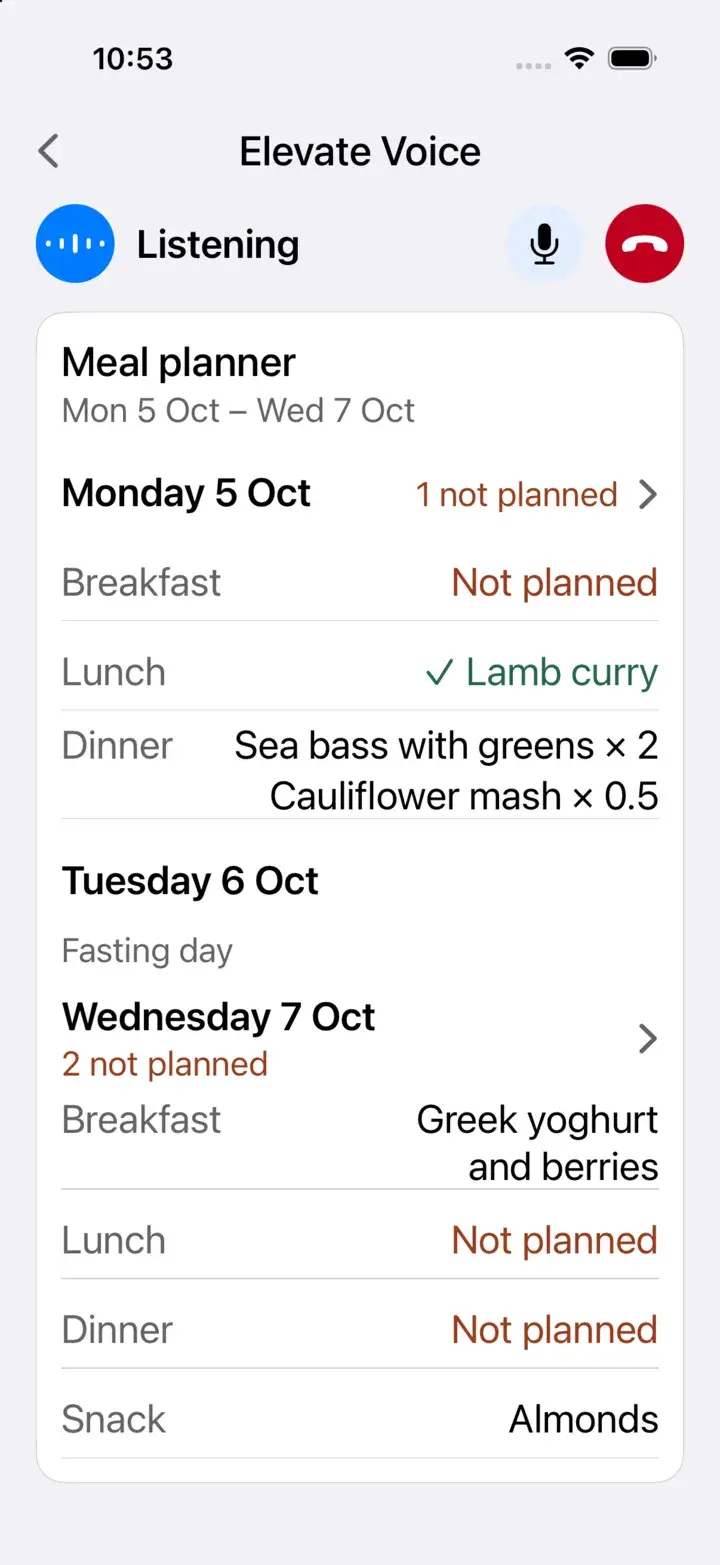
Plans, while you talk
The week’s meals appear as you discuss them.
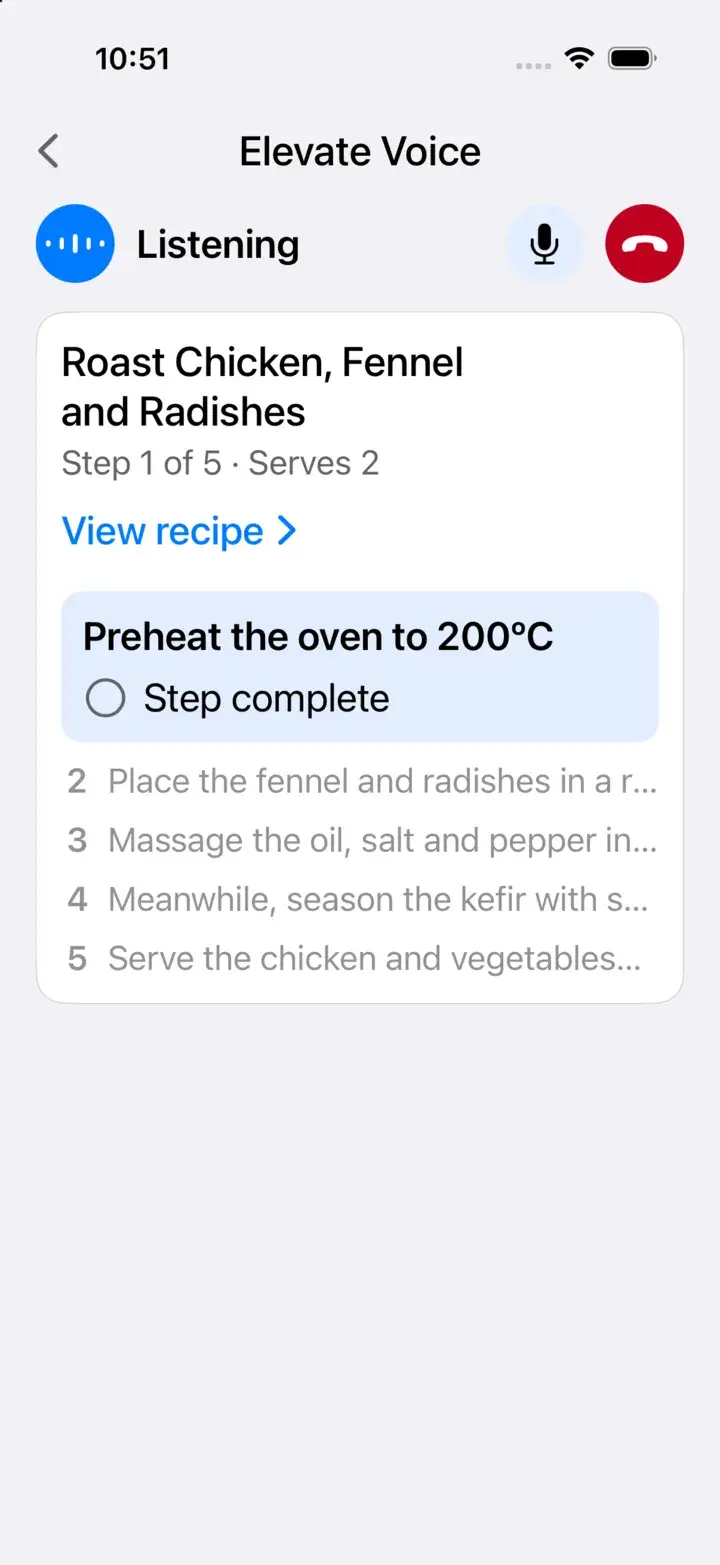
Cook along
Step by step, out loud, with timers, so your hands stay in the kitchen.
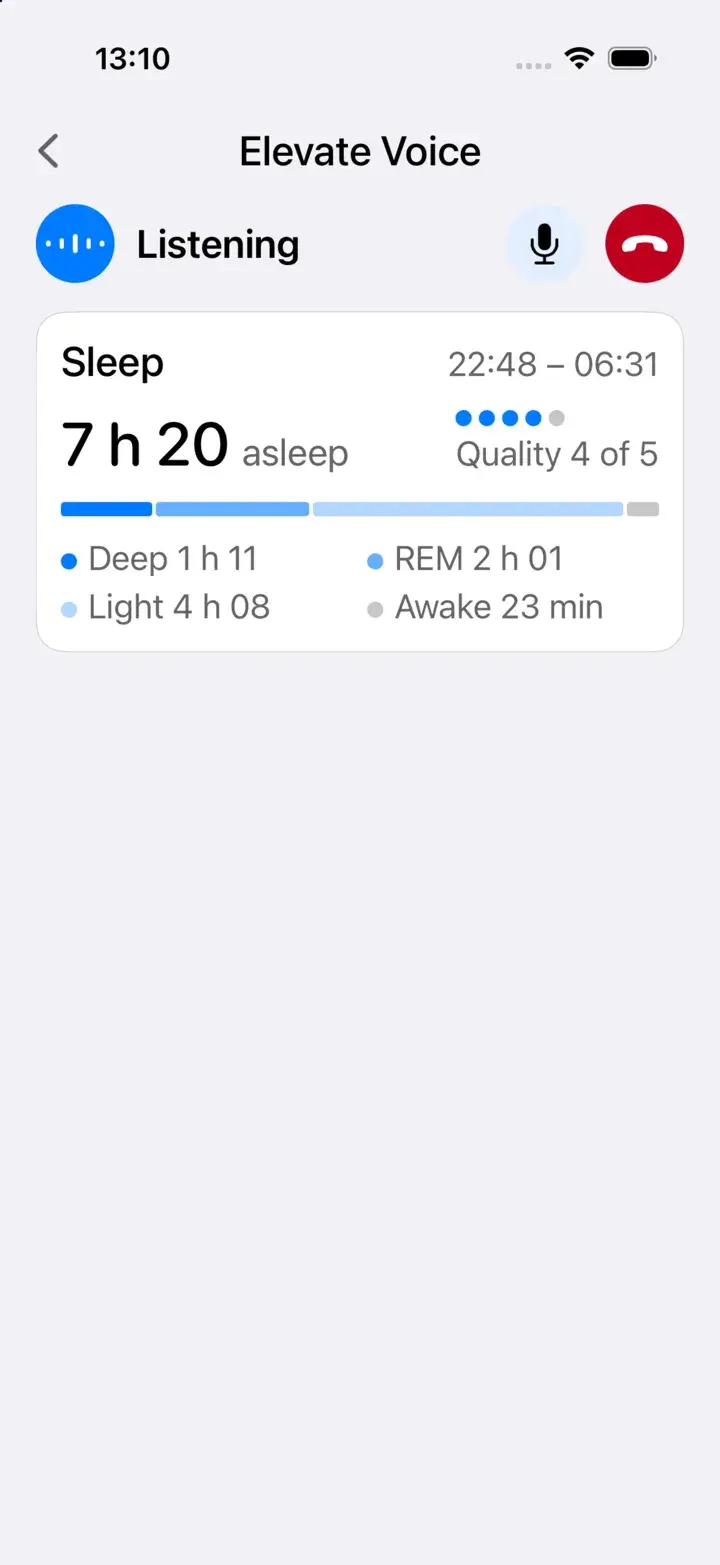
Ask about your night
Your sleep, on screen, while Elevate talks it through.
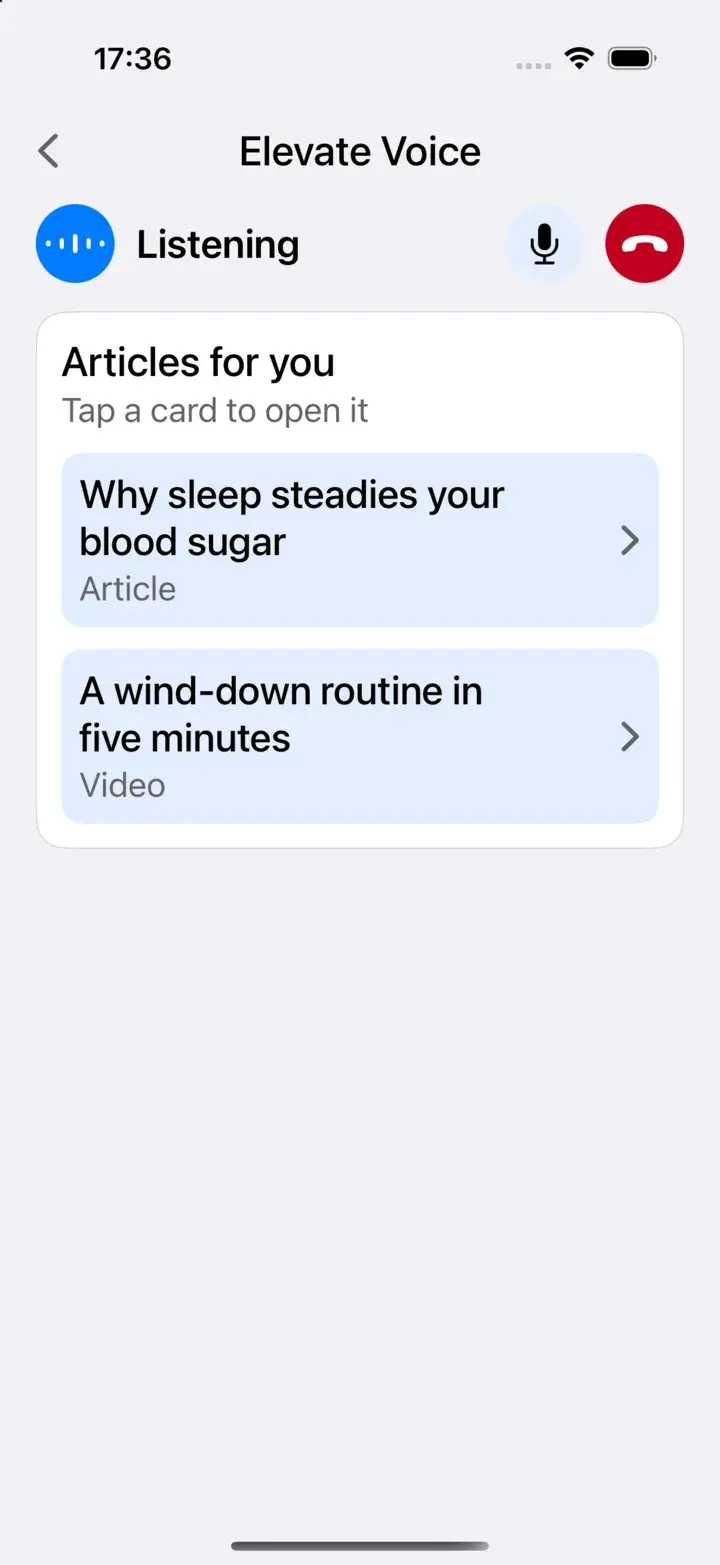
Something to read next
Articles and short videos picked for what you just asked.
Where's the menu?
There isn’t one. Everything is a shortcut away.
No tabs, no maze of screens. Tap + under the chat and the shortcuts that matter right now are on top; everything else is one more tap.
- 1The conversationWhere everything starts. Ask, log, or let Elevate tell you what's new.
- 2CanvasesAny card opens full-size — a meal, a night, a workout, a recipe — with everything you can do to it.
- 3SettingsYour goals, devices, memories and privacy, in one place.
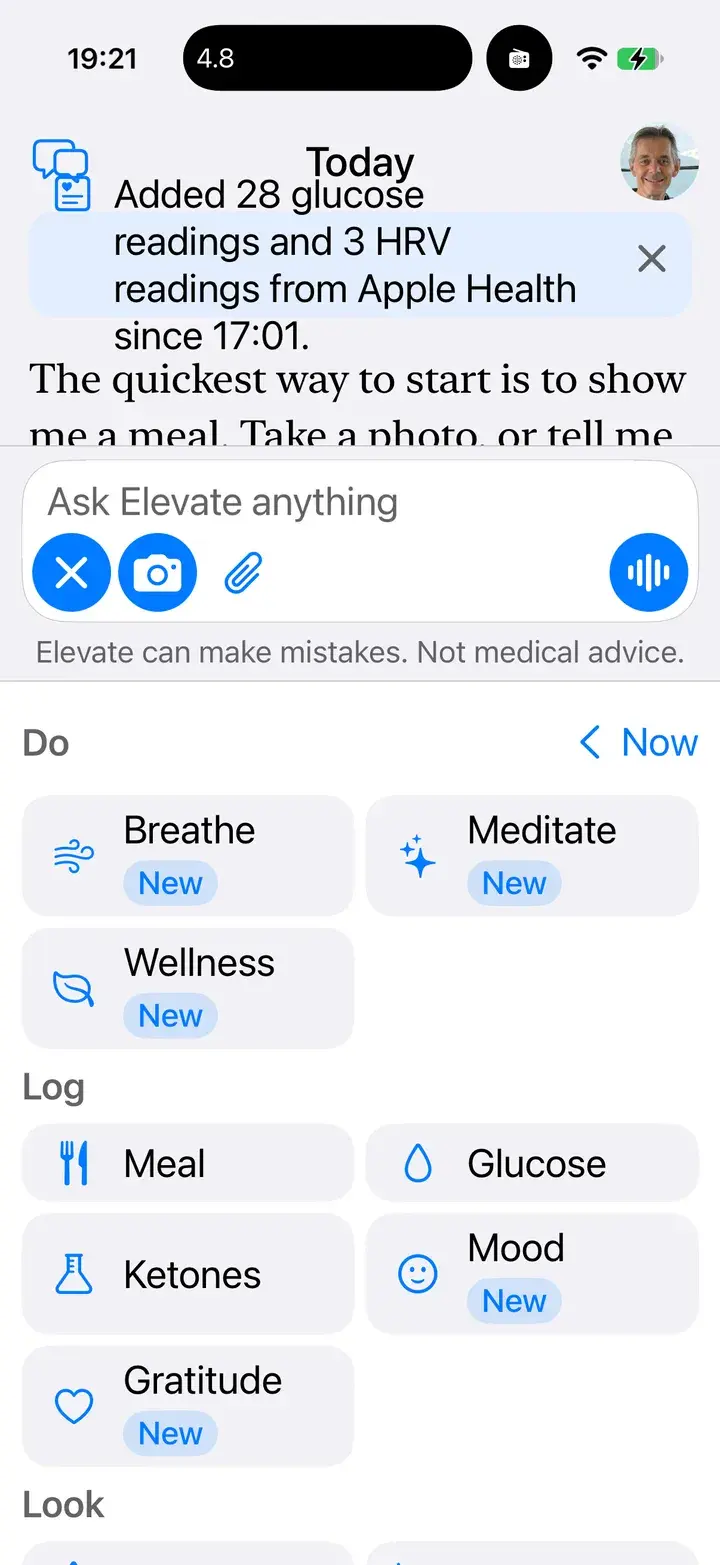
Shortcuts under the chat
Do, Log and Look. Relevant ones are suggested first.
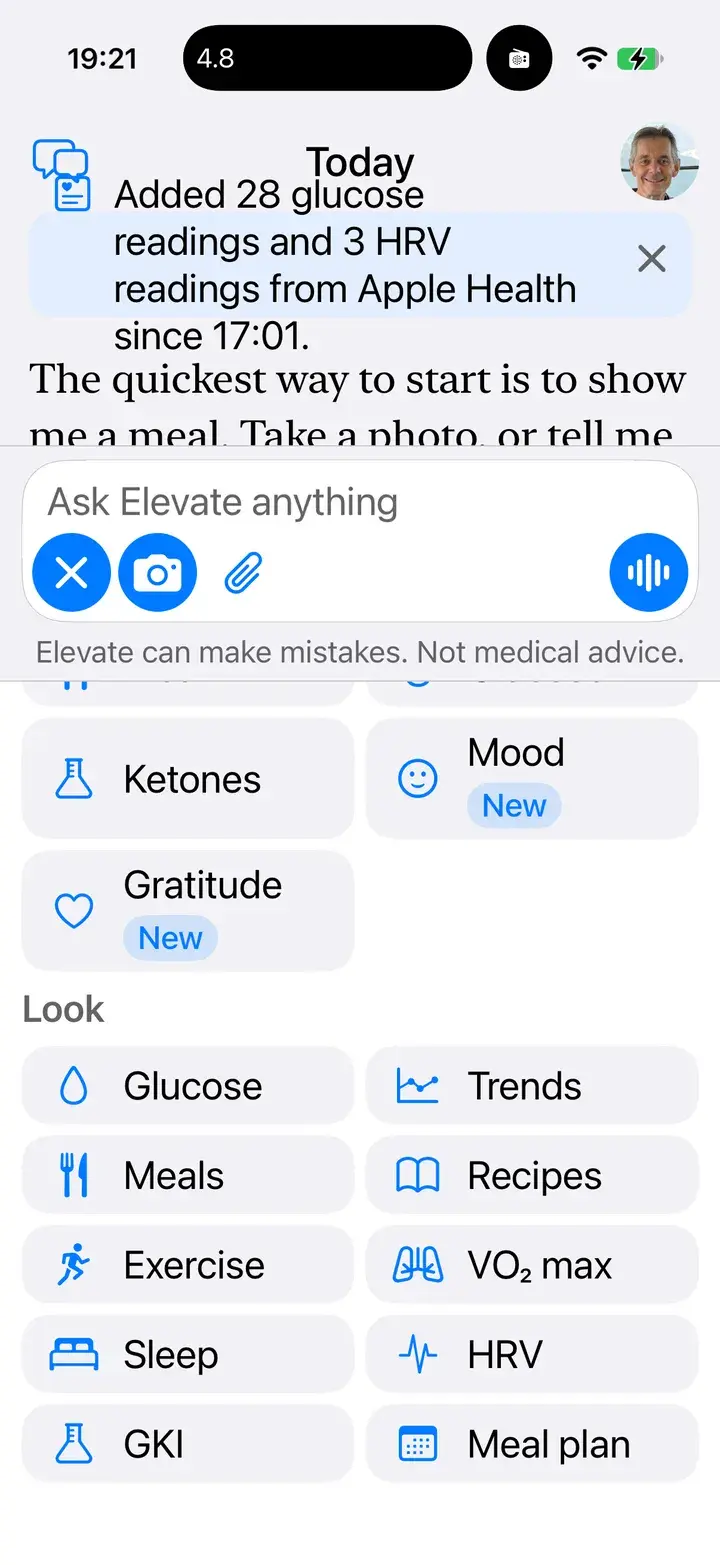
Every canvas, one tap
Glucose, sleep, meals, GKI, VO₂ max and more.
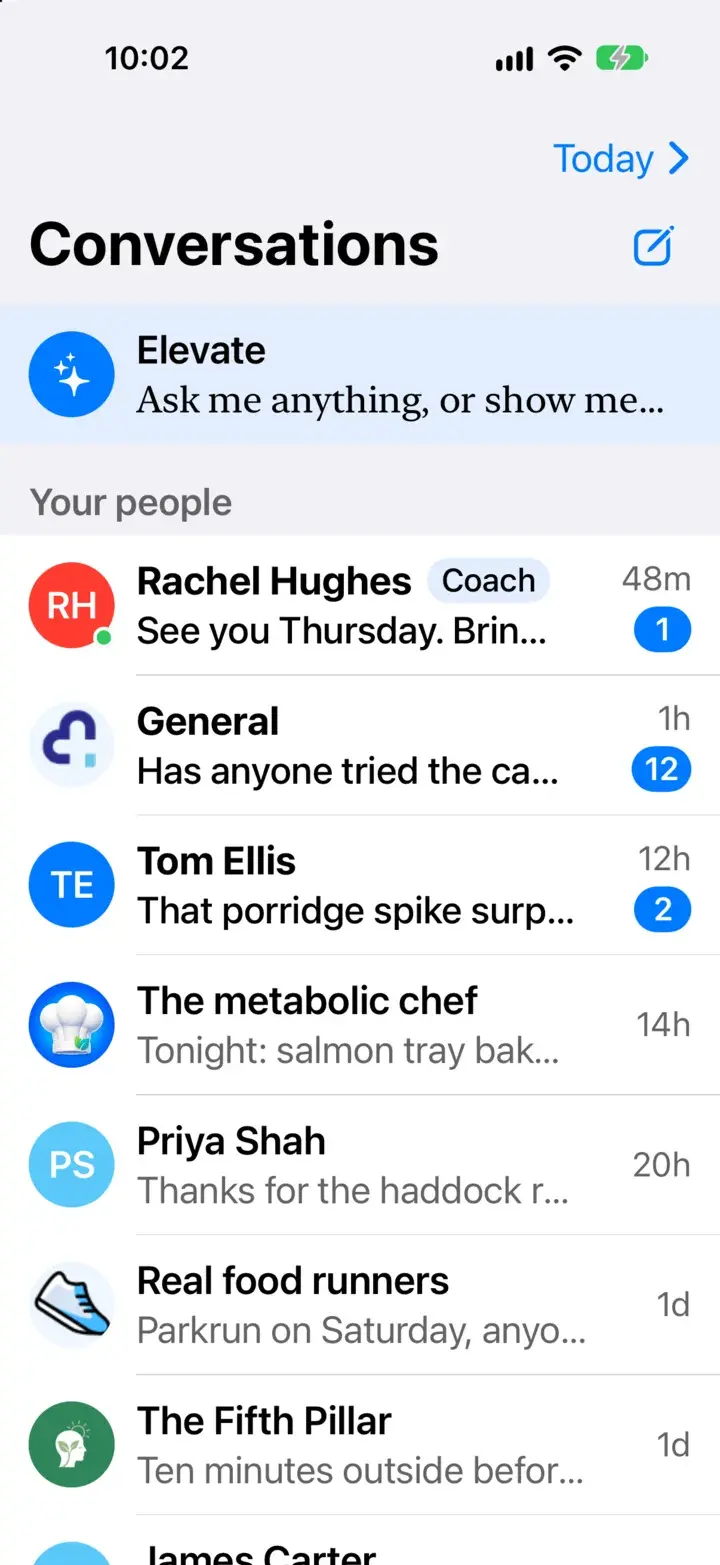
One list for everyone
Elevate, your groups and your direct messages, side by side. Elevate never reads your messages with people.
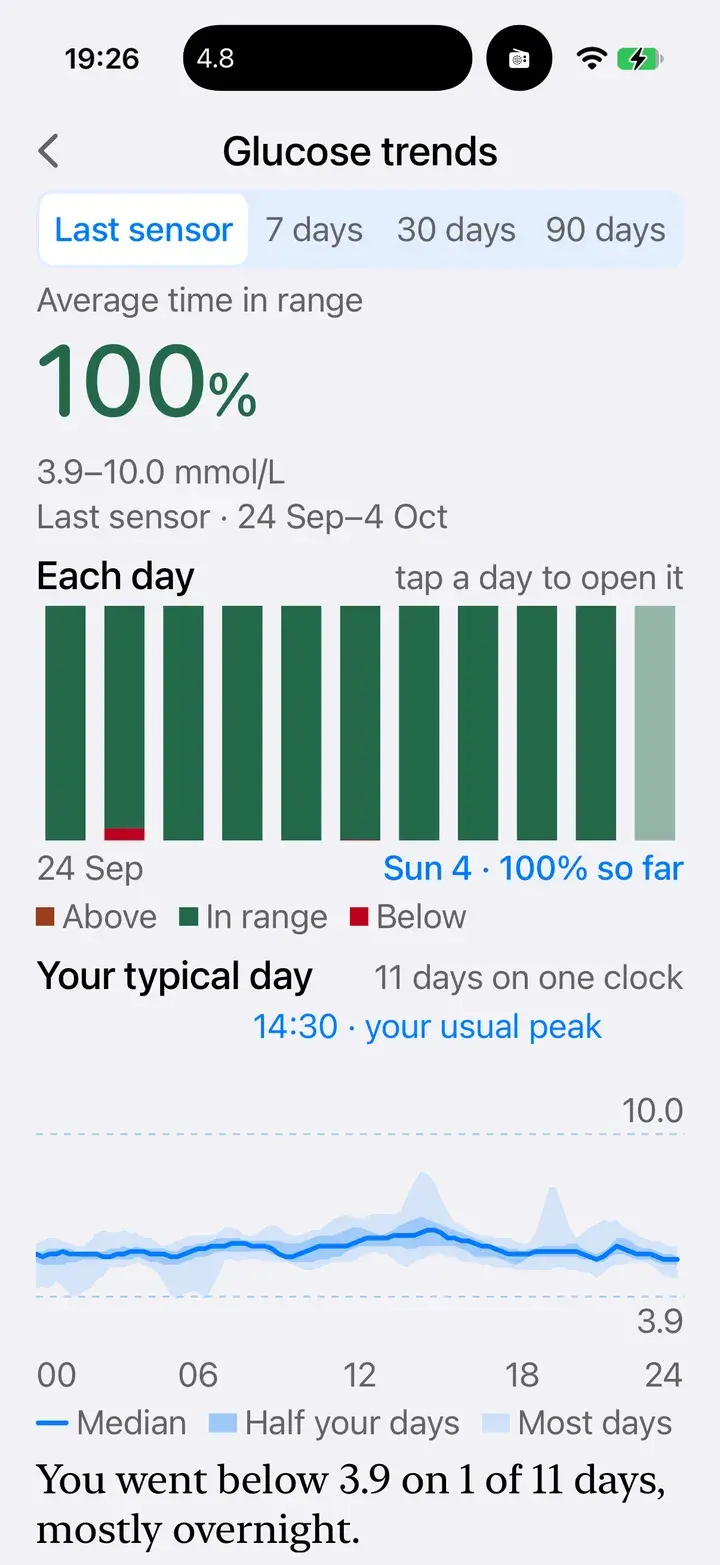
A canvas
Glucose trends: every day of a sensor, and your typical day.
I keep getting an energy slump after lunch. Is there anything I should read?
The post-lunch slump often comes down to what's on your plate. Here are three articles that get right to the heart of it.
Elevate has its own comprehensive library of evidence-based articles and short videos on food, sleep, movement and metabolic health, with references you can follow. You don’t have to go looking. Ask, and the right pieces come to you.
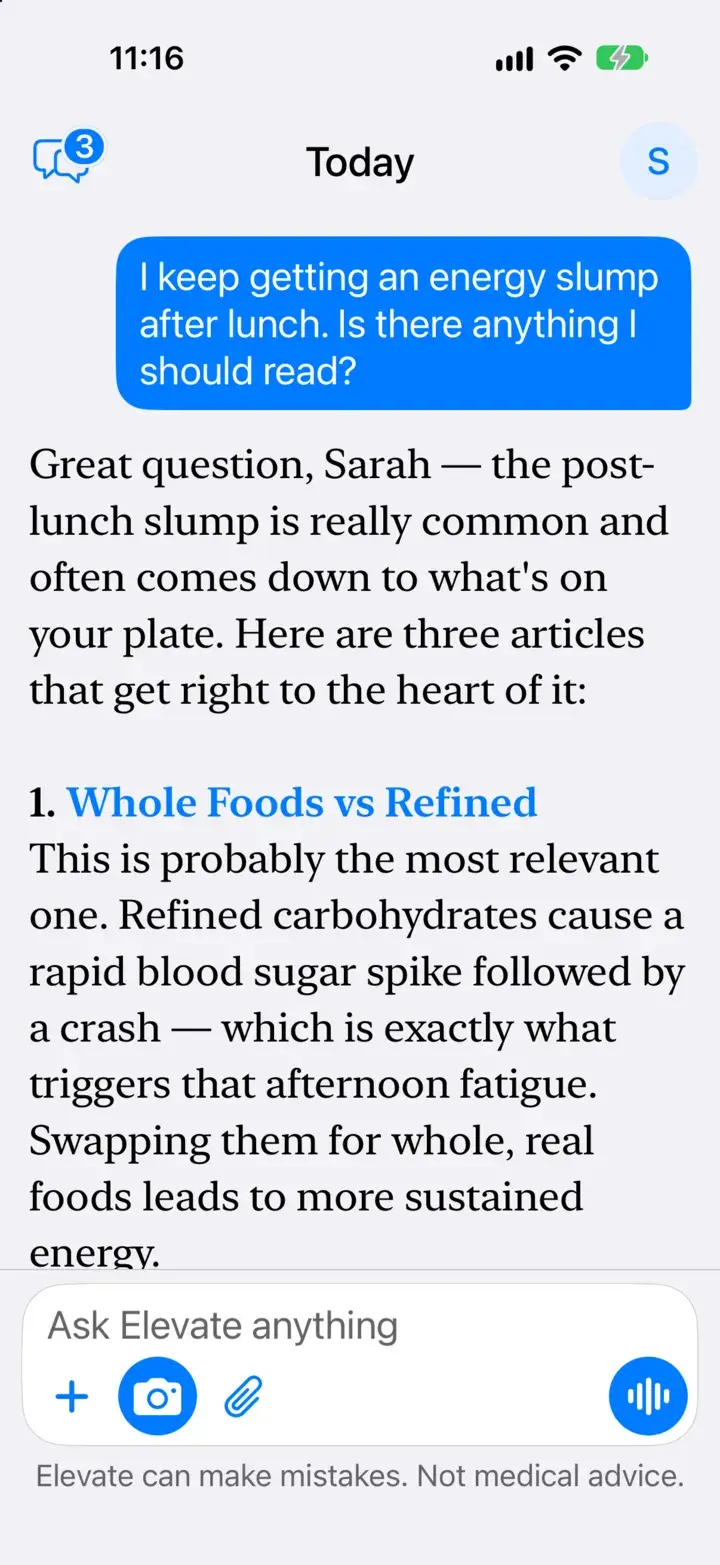
Found from a question
Three articles, each with why it’s worth your time.
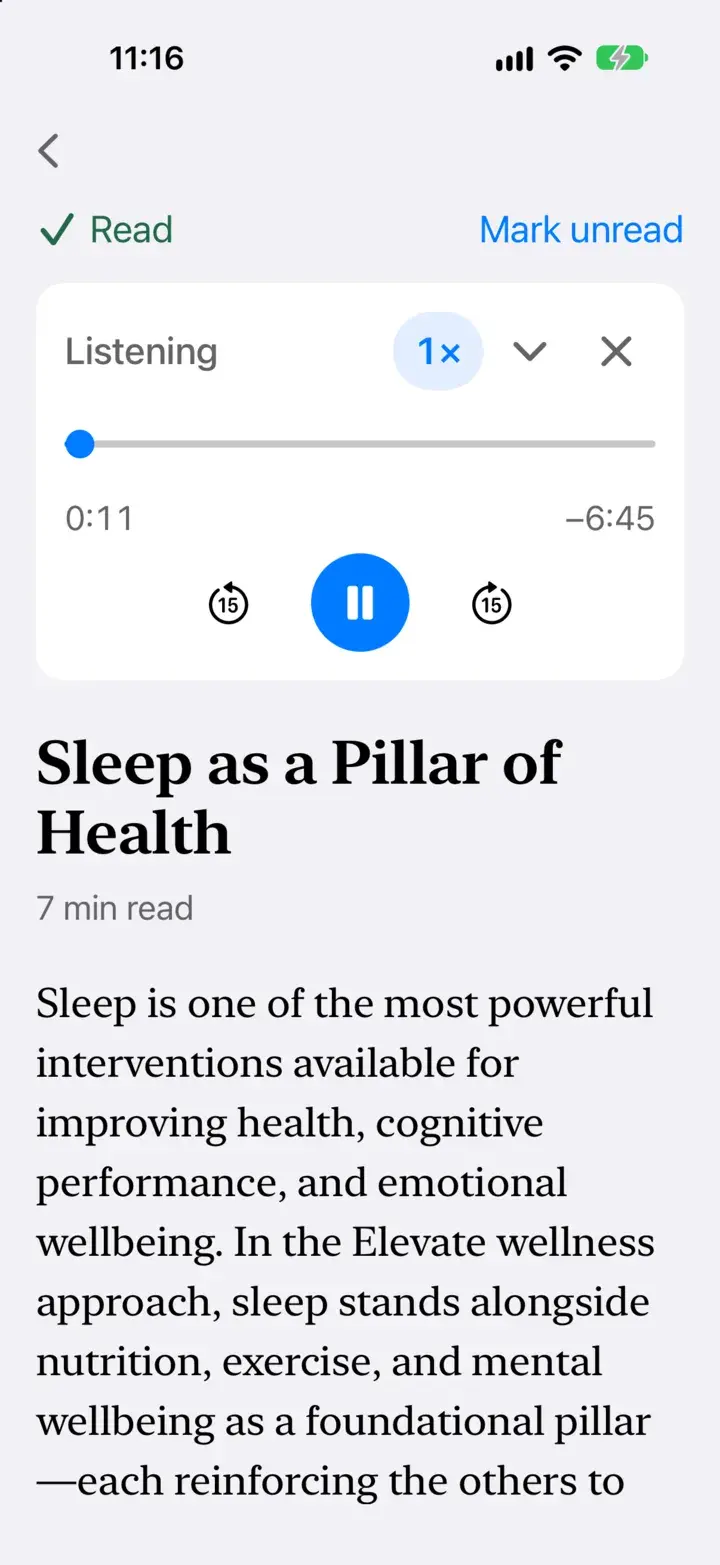
Read it or listen
Narration with speed control and 15-second skips.
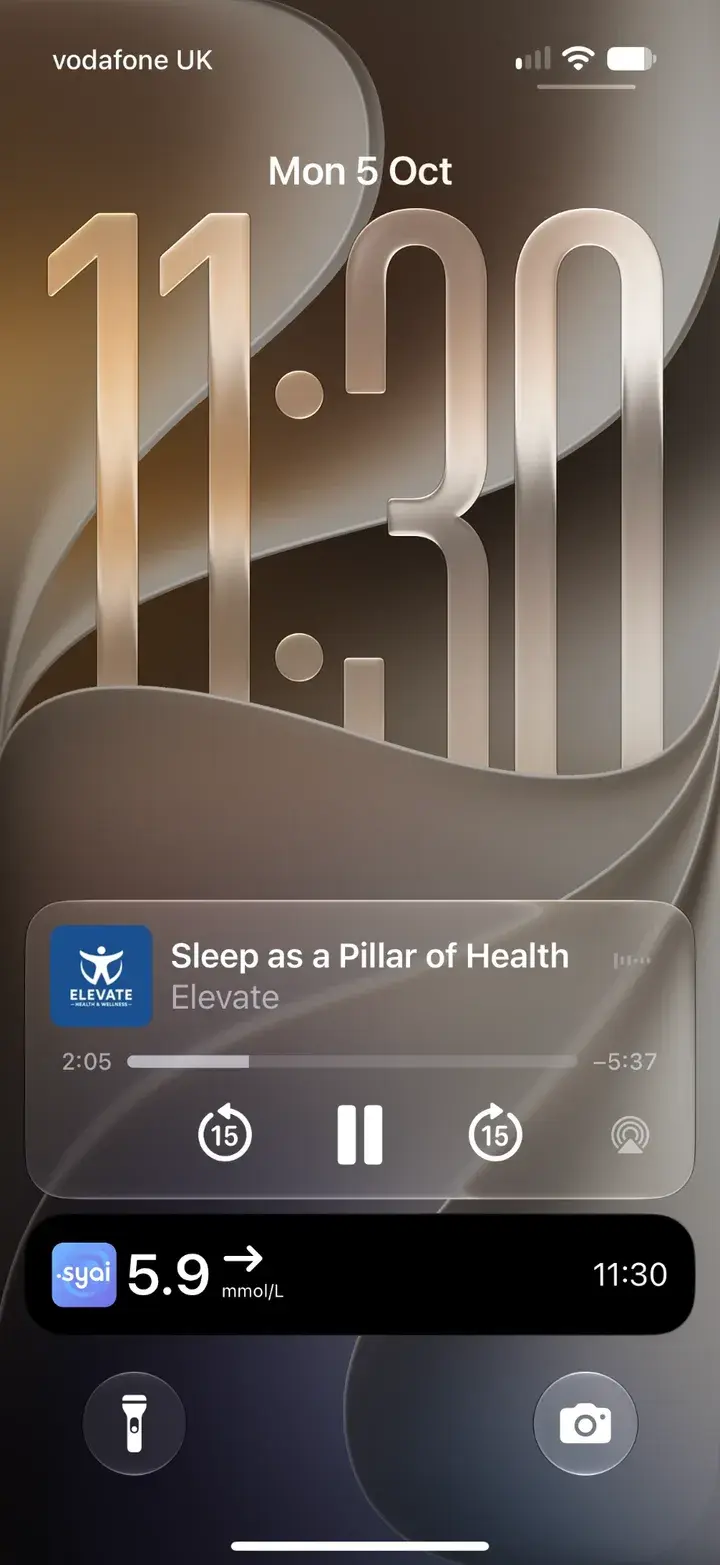
Keeps playing when you lock
Lock-screen controls, like any audiobook.
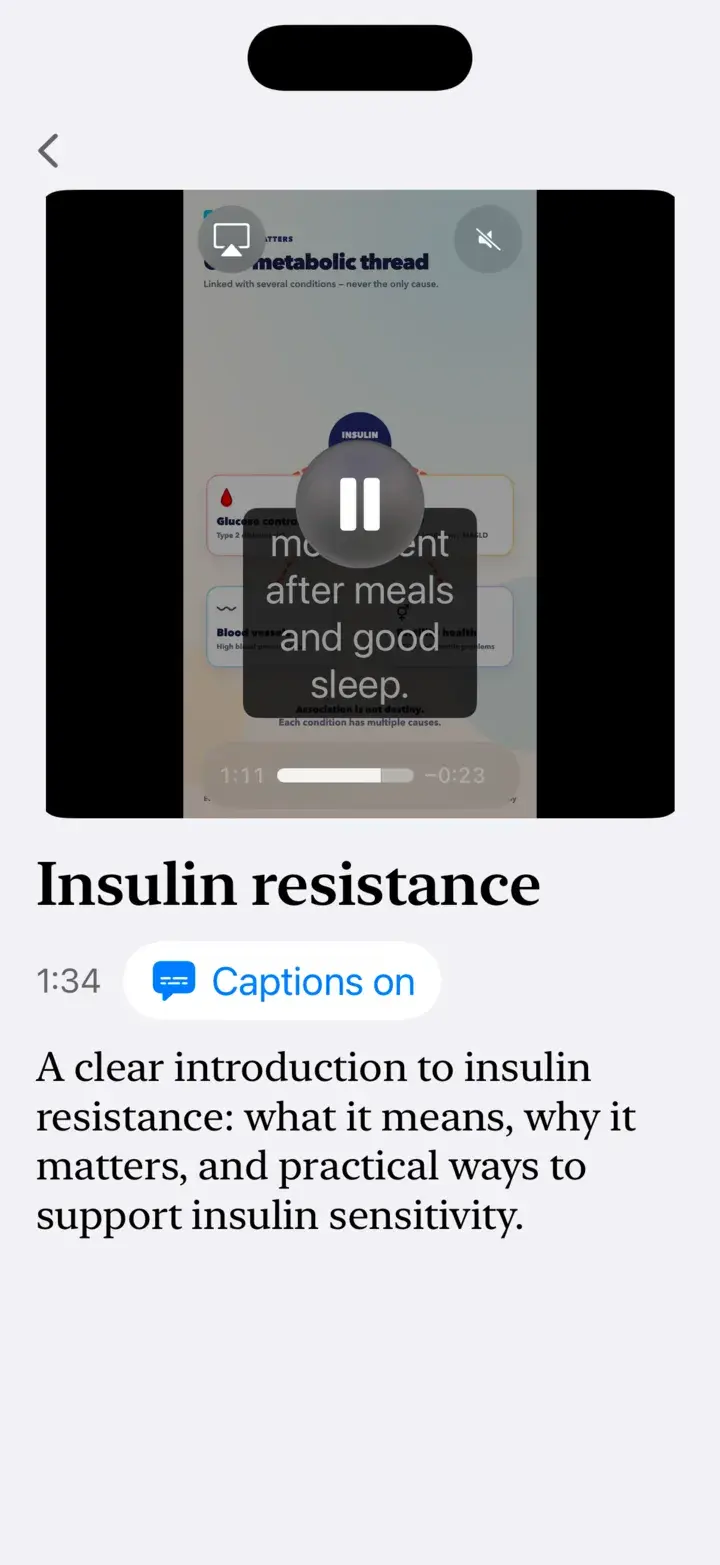
Short videos, captioned
Watch a lesson, then ask Elevate about it.
- Ask in your own words
- No browsing, no search terms. Describe what's going on and Elevate finds the articles that answer it, in moments, even when they never use your words.
- Listen like an audiobook
- Narrated articles play at your speed and pick up where you left off. Keep listening on the lock screen, or while you carry on chatting.
- Watch with captions
- Short videos from Elevate’s library, full-screen with captions, and marked as watched when you finish.
- Something worth reading, regularly
- Elevate posts a recommended article or video to your chat on a regular basis, picked for the goals you chose, and never one you've already read.
Now on iPad
What happened here?
The beer took you to 6.7. Your walk started right at the peak, and you were back to 5.4 by 17:15.
On iPad, the conversation and the canvas share the screen. Highlight part of a chart and ask about it: Elevate sees what you’re looking at, so the answer is about that moment, not your whole day.
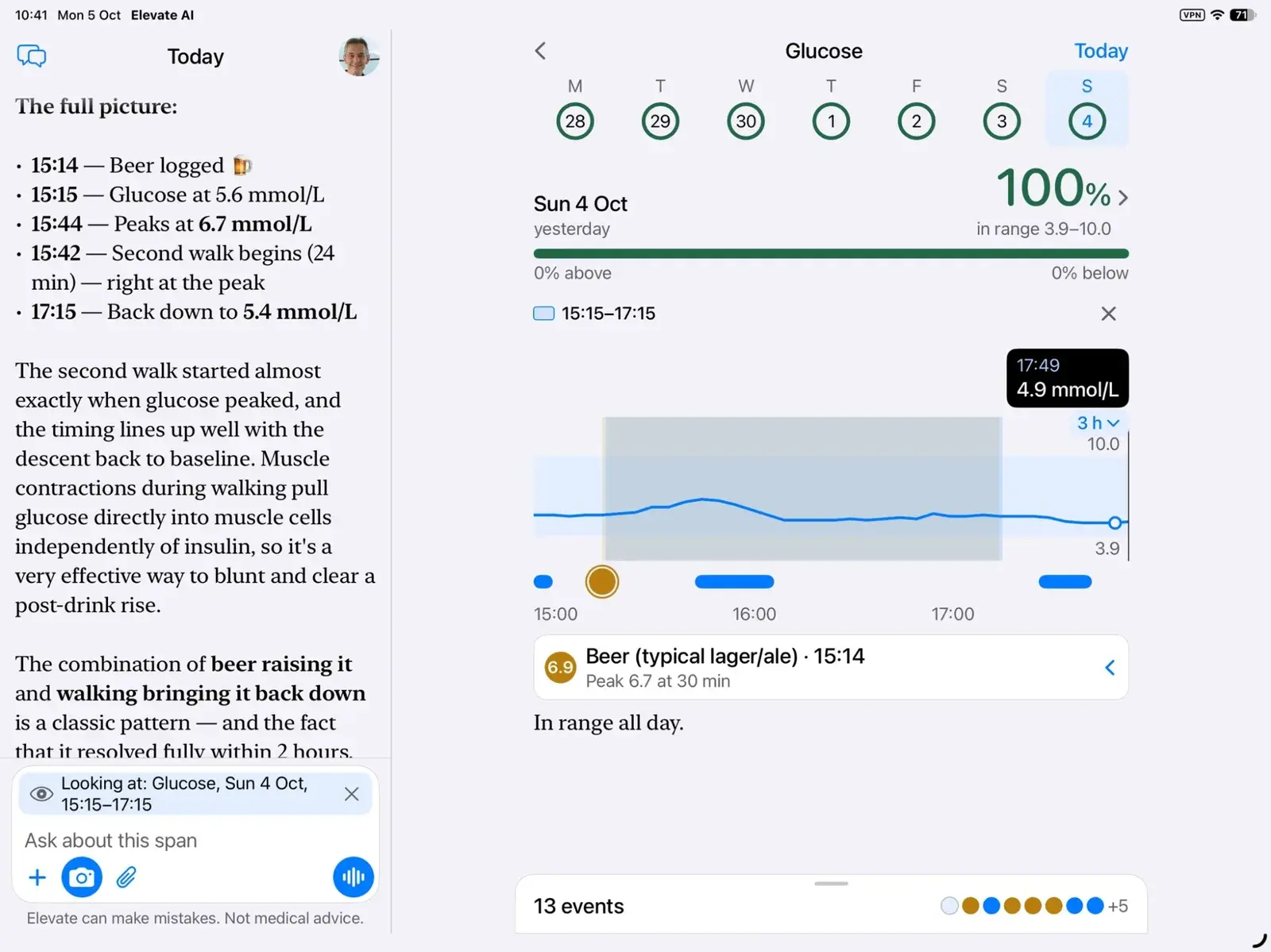
- Chat and canvas, side by side
- The conversation on the left, what it's about on the right. Ask for a change and watch it happen.
- Point at it, then ask
- Mark a stretch of your glucose and it goes with your question as “Looking at”. Elevate answers about exactly that span.
- Plan the week by talking
- A full week of meals on screen. Ask for changes, drag meals between days, and nothing is saved until you tap Keep.
Now on iPhone Duo
What happens when I open my Duo?
Folded, I’m a phone.
Open, I’m a book.
Open it and Elevate splits at the fold: your conversation on one side, and what you’re talking about on the other. Fold or unfold at any time and you keep your place, even in the middle of a voice call.
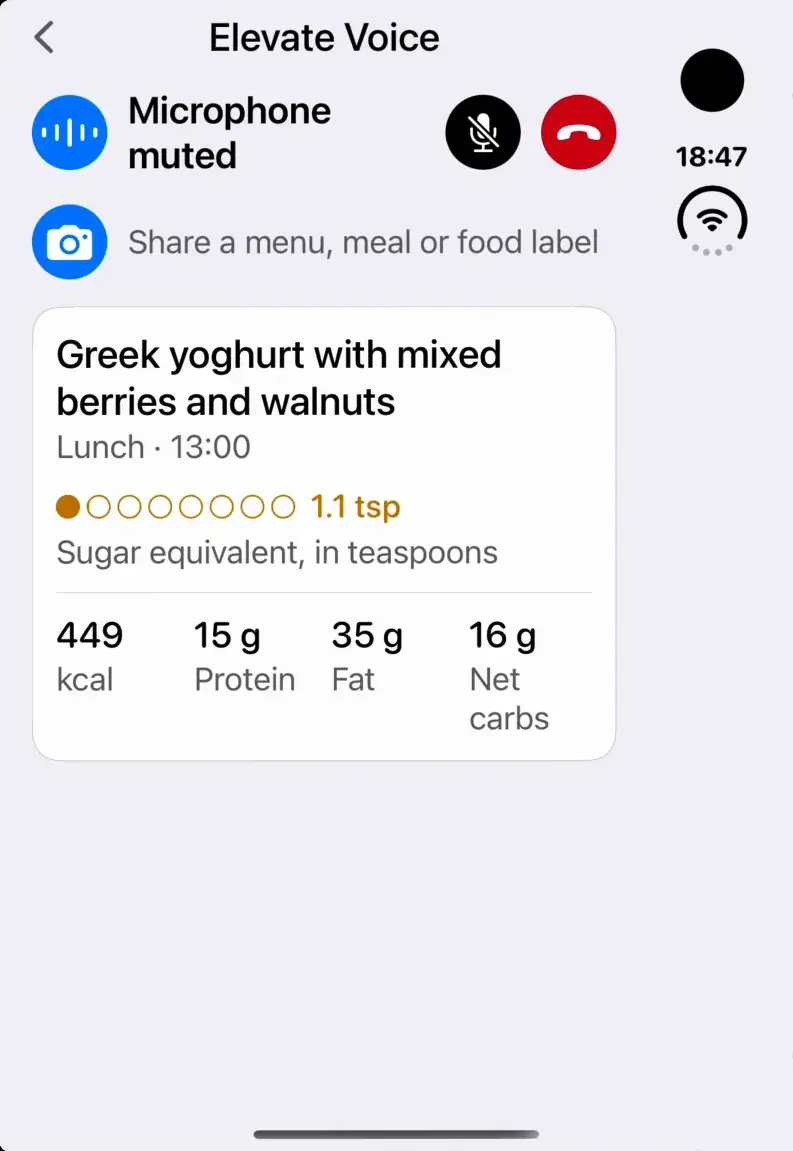
Folded, a phone
Say what you had for lunch and the card appears on the cover screen.
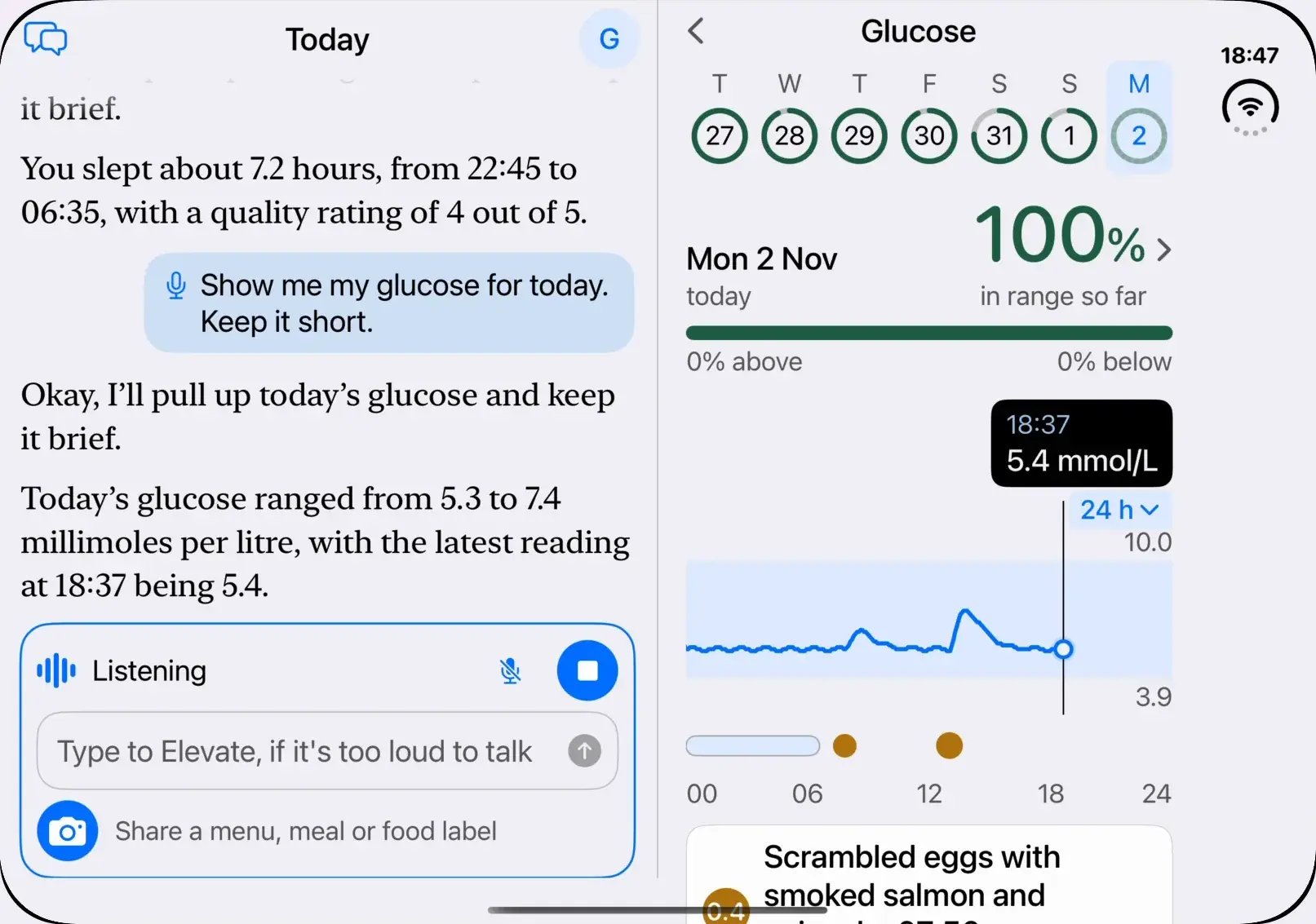
Open, a book
Ask about your glucose and the chart opens beside your words.
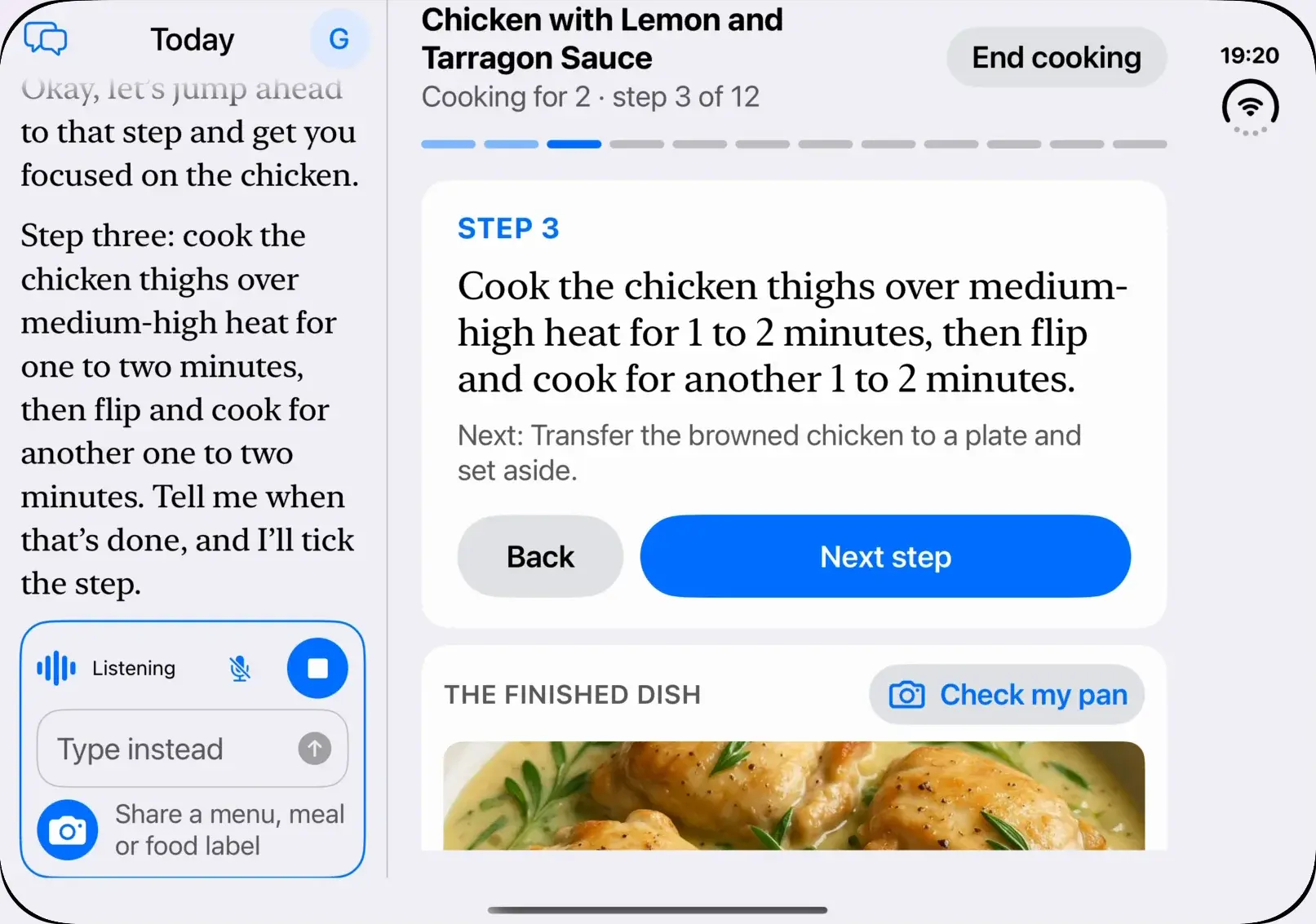
On the counter, a cookbook
Tell Elevate what you’ve got out and move between steps by voice.
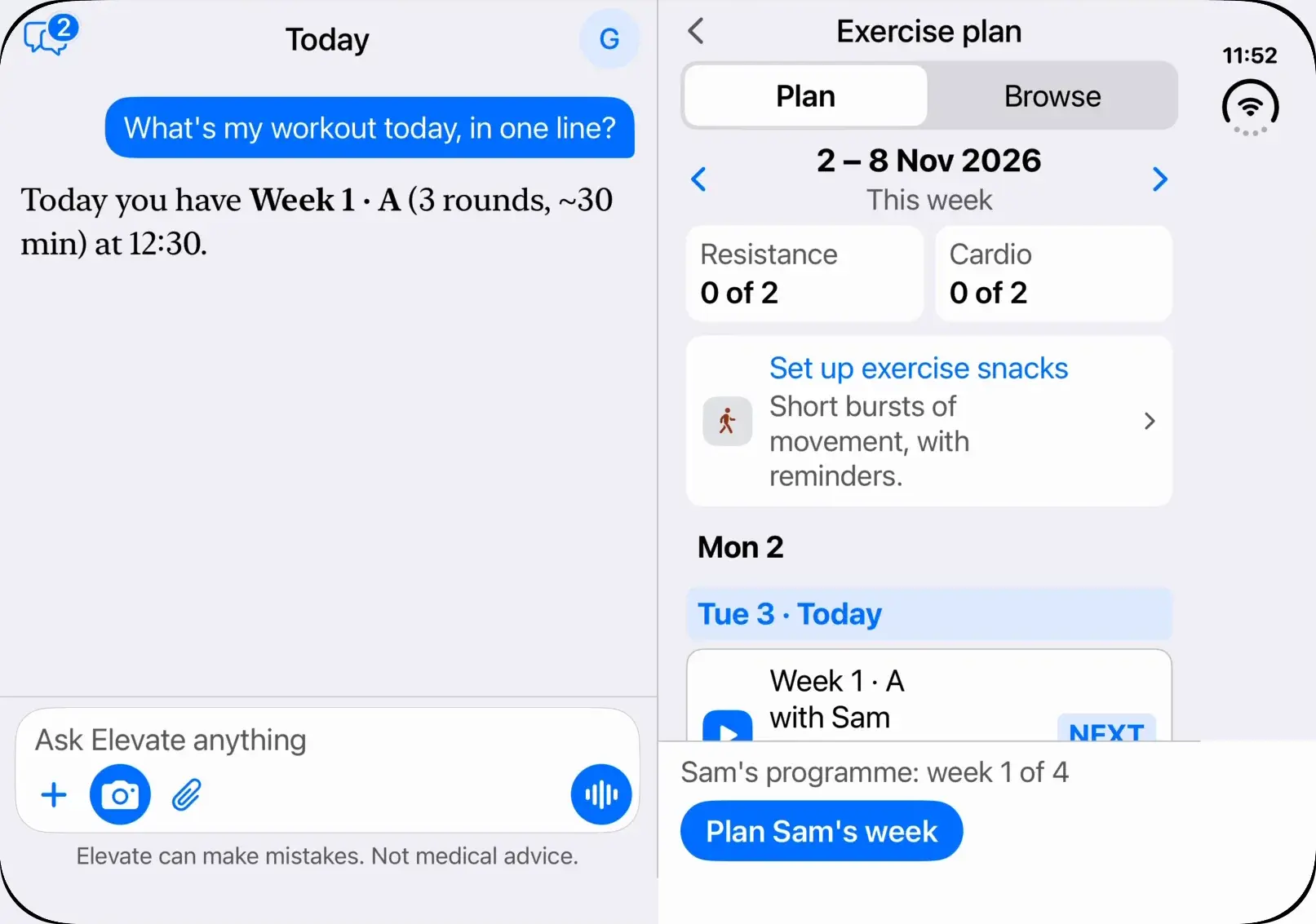
On its side, a personal trainer
Ask for today’s workout and your plan opens beside the answer.
I'm wound up. Anything quick?
Try a minute of 4-7-8 breathing. I'll pace you.
Guided breathing and meditation sit one tap from the chat, and Elevate notices how you felt before and after.
Breathe
Slow, belly, box and 4-7-8, paced on screen and by haptics.
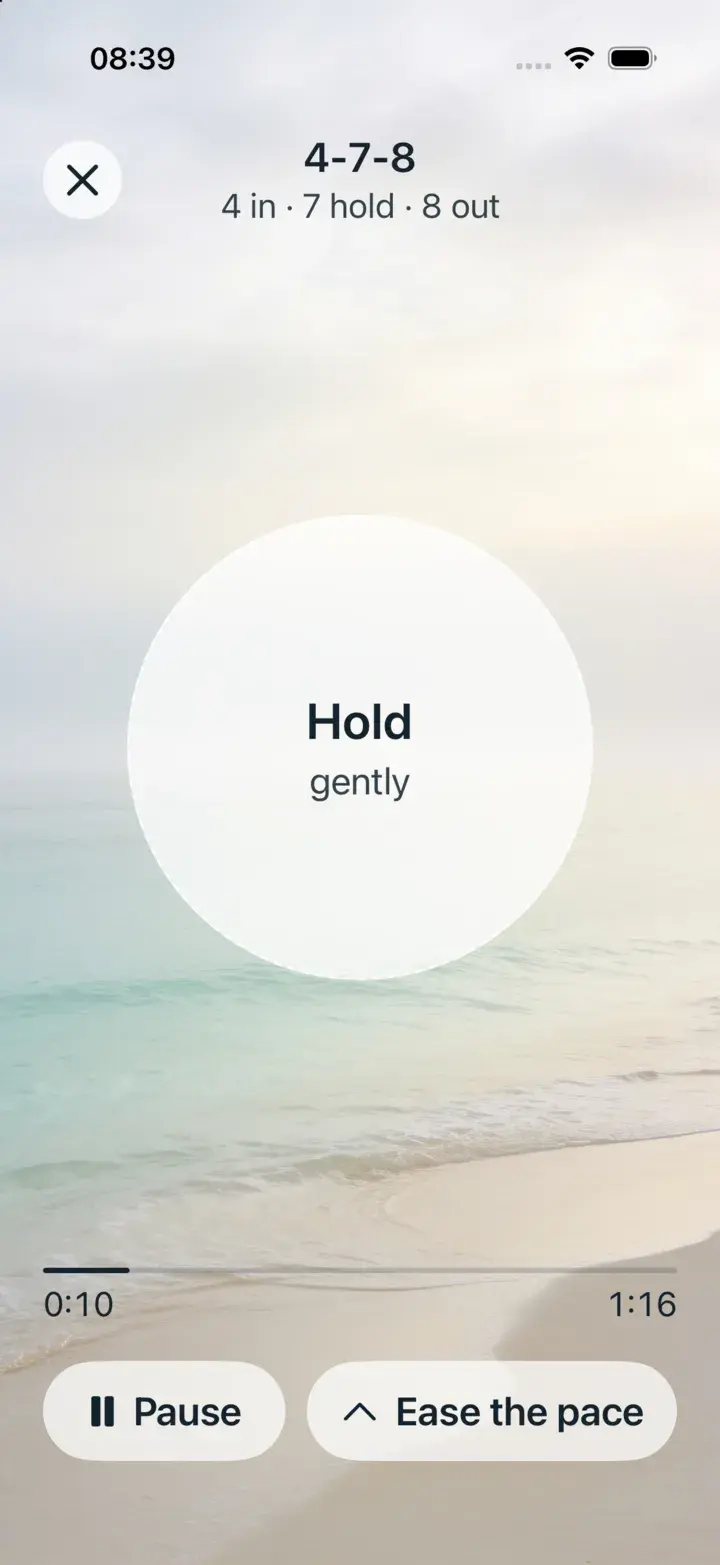
Scenes and sound
Quiet Coast: sea, music and voice cues you can mix.
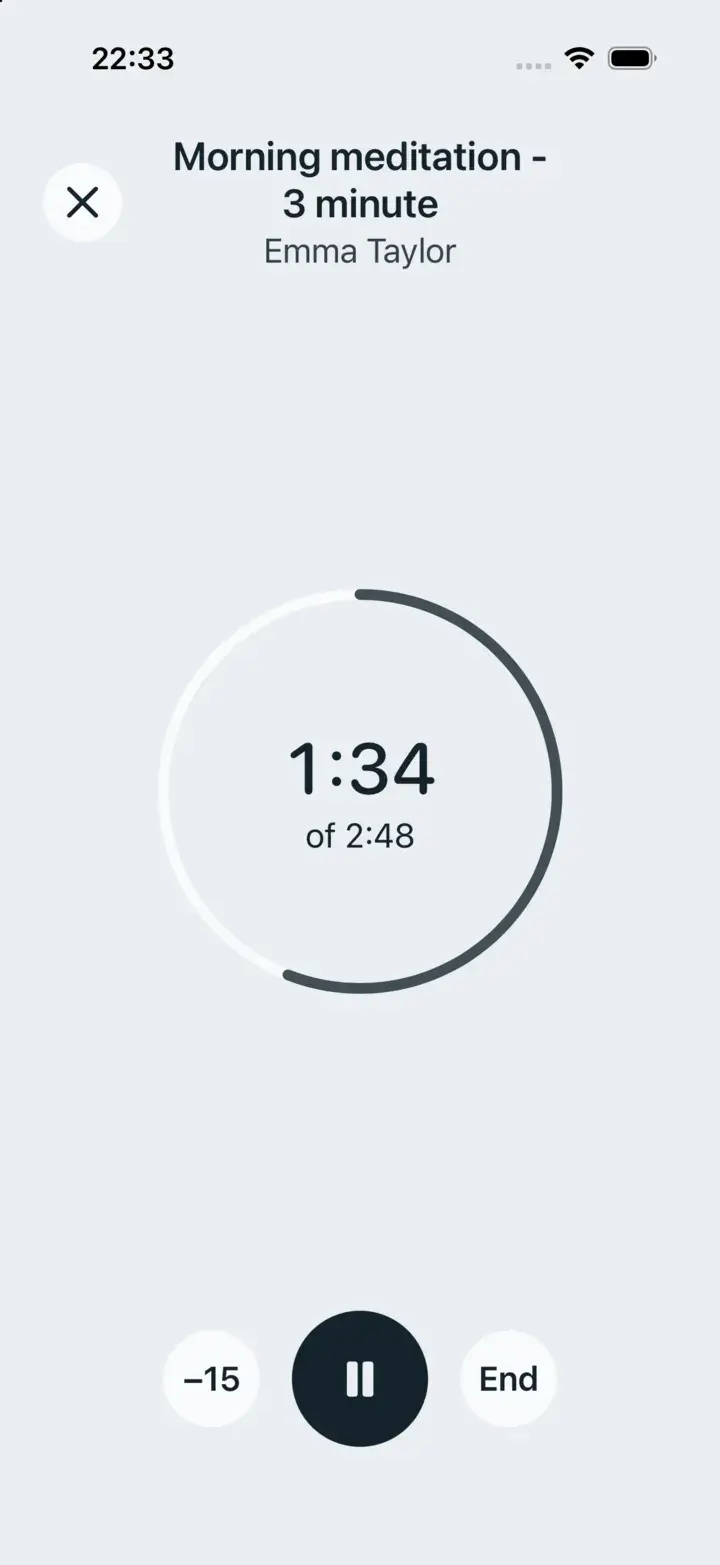
Meditate
Recorded sessions and an unguided timer.
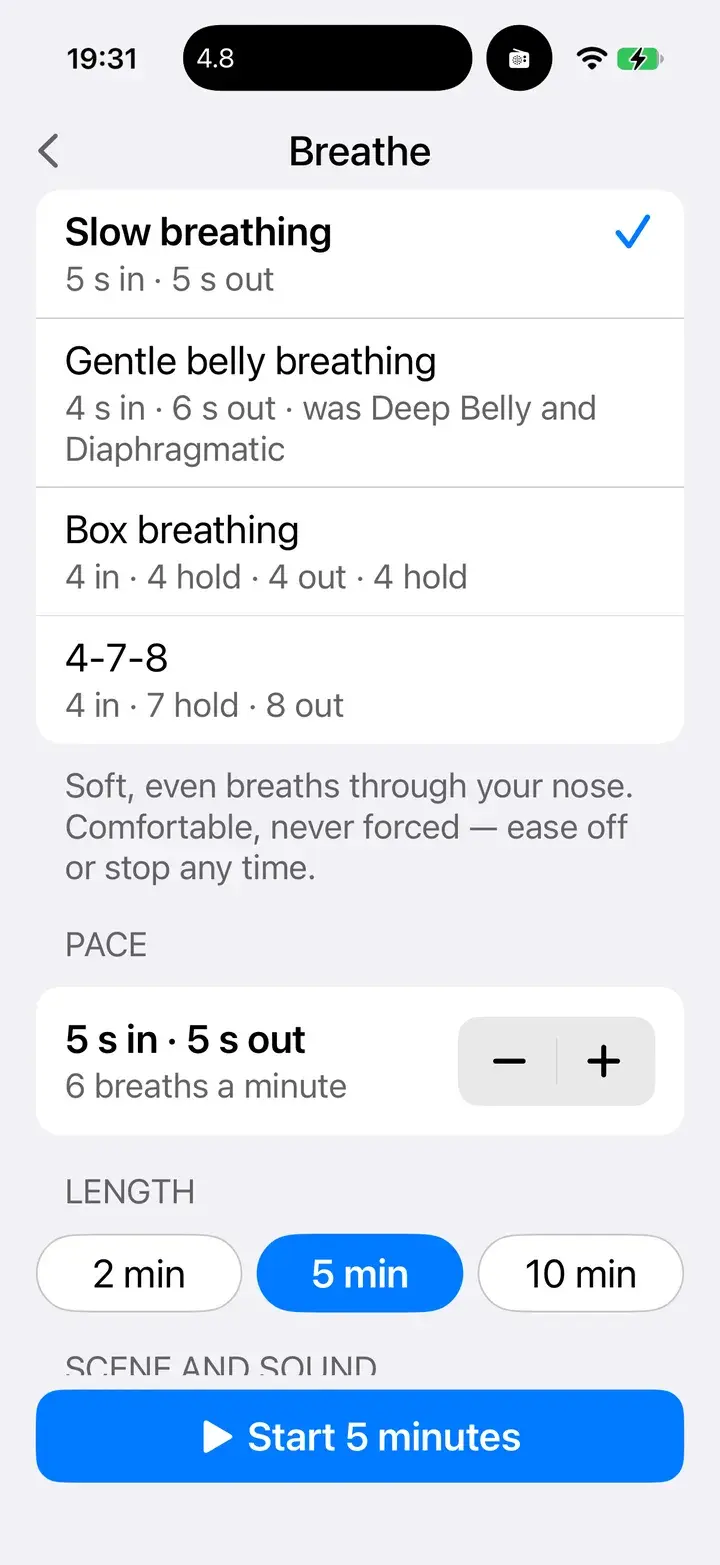
Choose your pattern
Pick a pattern and a length, or repeat your last session.

Made by people who care how you feel in ten years, not ten minutes.
- From the Preventive Health Collaboration
- Built with the UK charity behind the award-winning PHC Lifestyle Club, and grounded in its evidence-based approach to food and lifestyle.
- Honest about what it is
- Elevate supports healthy habits. It can make mistakes and it isn't medical advice. It says so right under the chat.
- Your data, your call
- You choose what to connect. Elevate never reads your messages with people, and you can see, edit or clear what it remembers.

Where would you like to start?
Elevate AI is in beta on iPhone, iPad and Android. Join, connect what you wear, and show it your next meal.
Join the Elevate AI betaQuestions? Email elevate-signup@blackpear.com