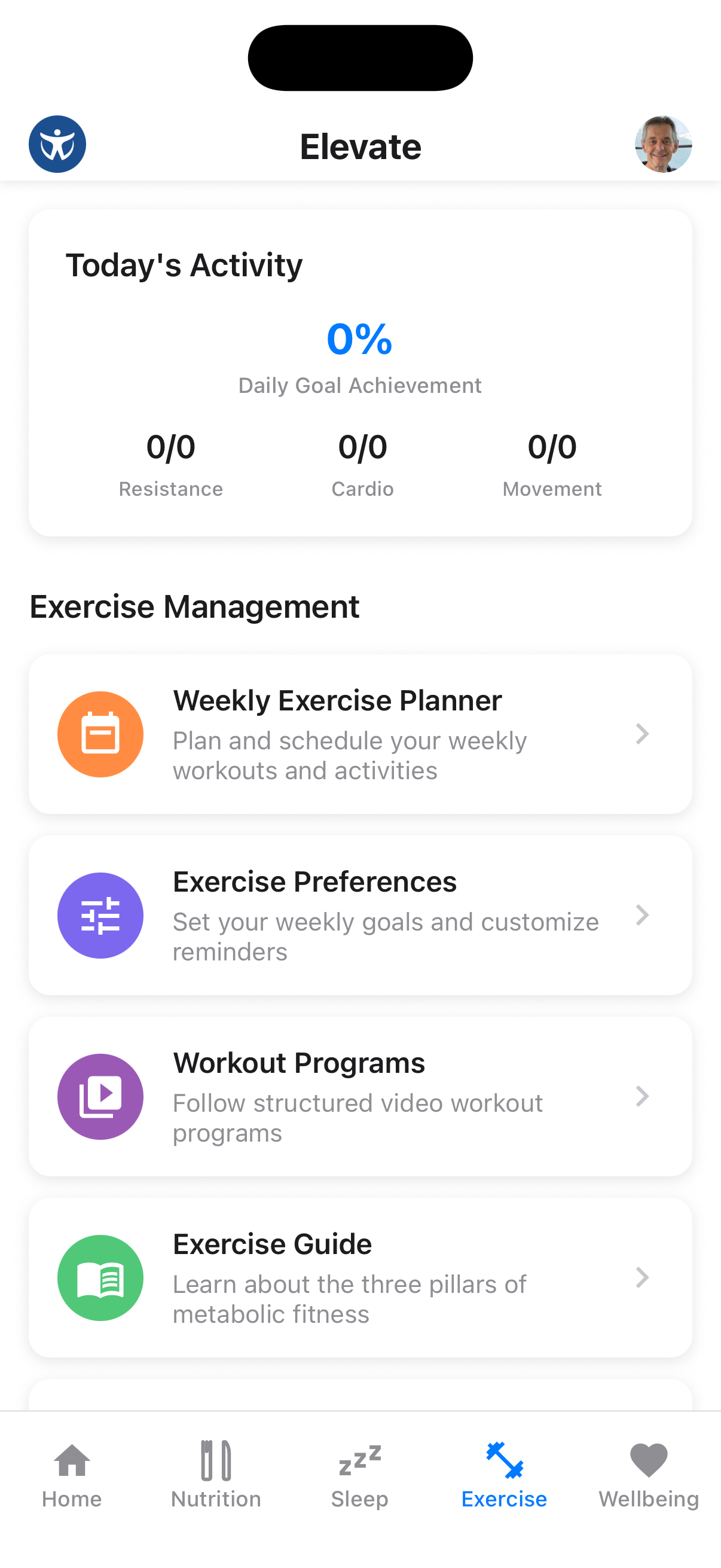
The Exercise tab is your fitness hub, providing access to workout programs, exercise planning, and activity tracking.
What You'll Find Here
The Exercise tab includes:
- Today's Activity: See your daily goal achievement for resistance, cardio, and movement
- Weekly Exercise Planner: Schedule your workouts throughout the week
- Exercise Preferences: Set your weekly goals and customize reminders
- Workout Programs: Follow structured video workout programs
- Exercise Guide: Learn about the three pillars of metabolic fitness
- Exercise History: View your exercise patterns and achievements
Exercise Programs
Browse structured workout programs designed for your fitness goals.
Browse Programs
From the Exercise screen, tap on "Workout Programs" to see available workout plans.
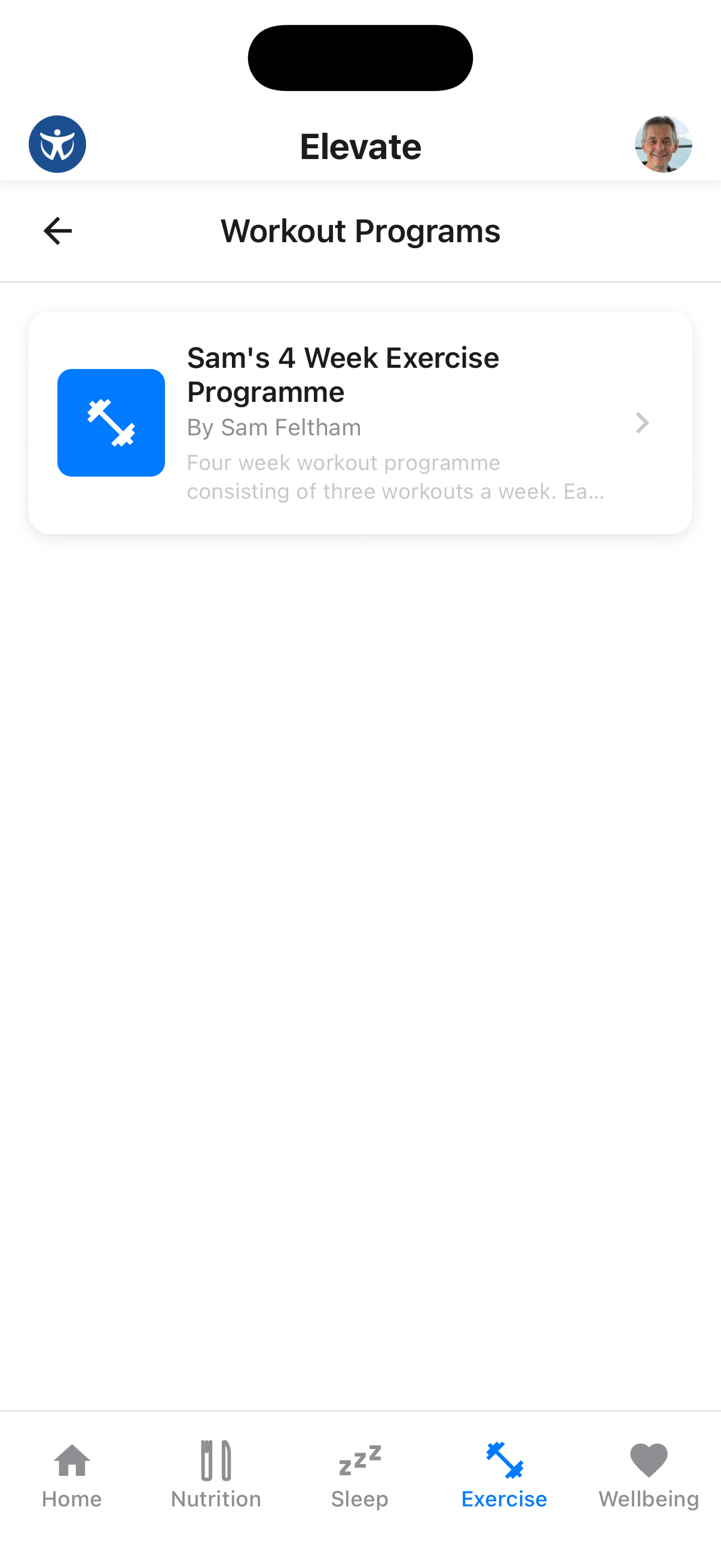
Select a Program
Tap on any program to view its details, including duration, difficulty, and workout schedule.
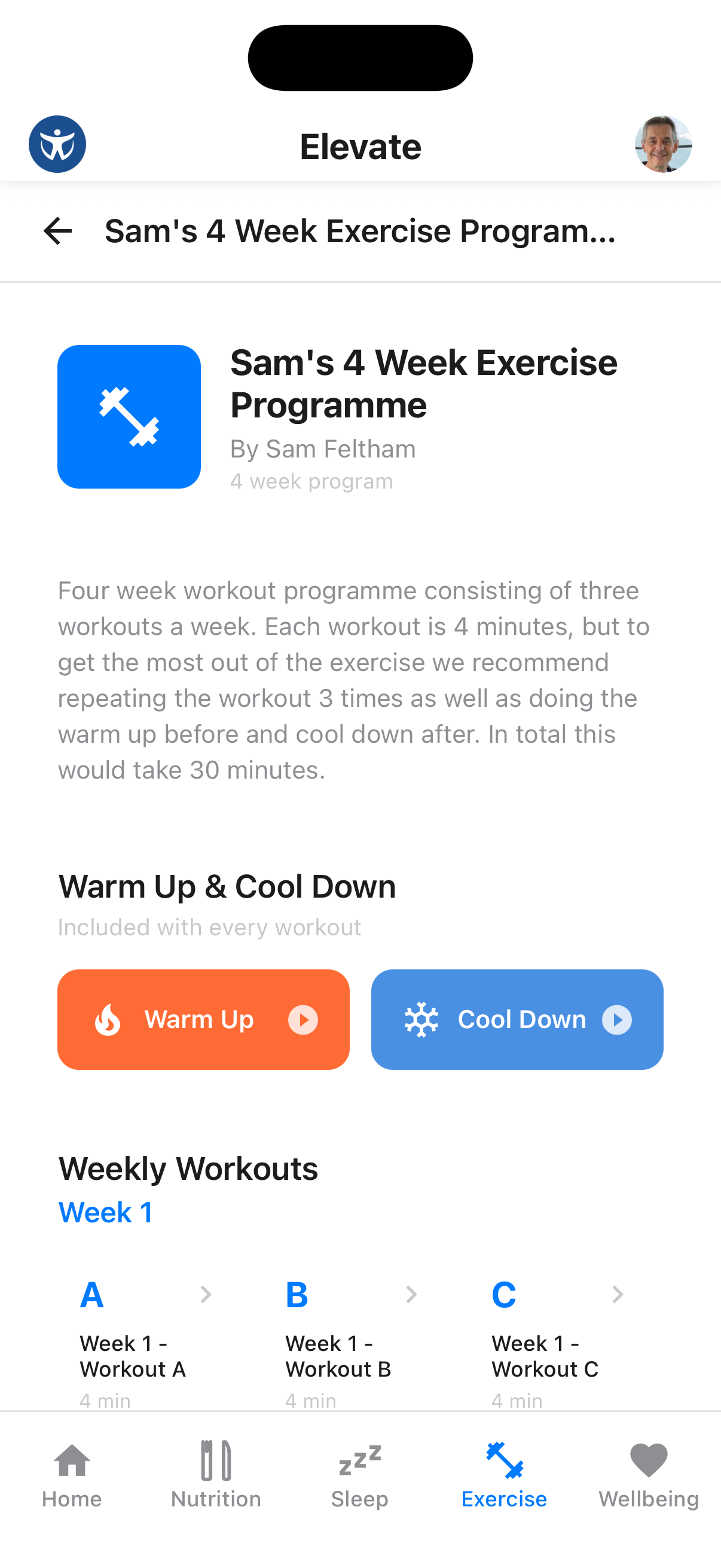
The program detail shows:
- Program overview with description and duration
- Warm Up & Cool Down videos included with every workout
- Weekly Workouts organized by week with individual workout sessions
Pro Tip
Each workout is designed to be 4 minutes, but repeating it 3 times with warm up and cool down takes about 30 minutes for a complete session.
Workouts
Access individual workouts with step-by-step guidance.
View Workout Details
Tap on any workout to see the exercises included, with video demonstrations and timing.
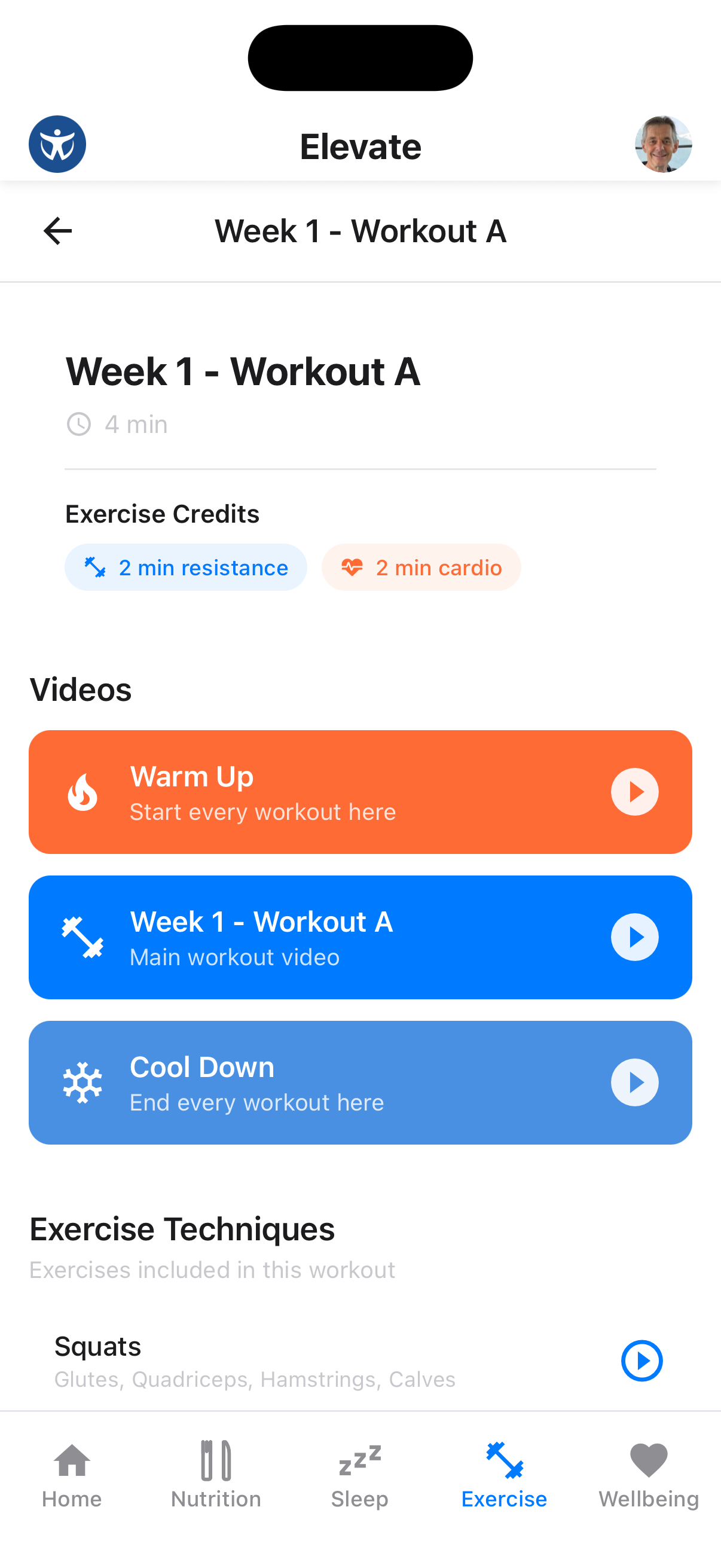
Each workout shows:
- Exercise Credits: How much resistance and cardio time you'll earn
- Videos: Warm Up, Main Workout, and Cool Down videos
- Exercise Techniques: Individual exercises with muscle groups targeted
Video Guidance
Each exercise includes video demonstrations to ensure proper form and technique.
Weekly Planner
Schedule your workouts for the week ahead.
View Your Weekly Plan
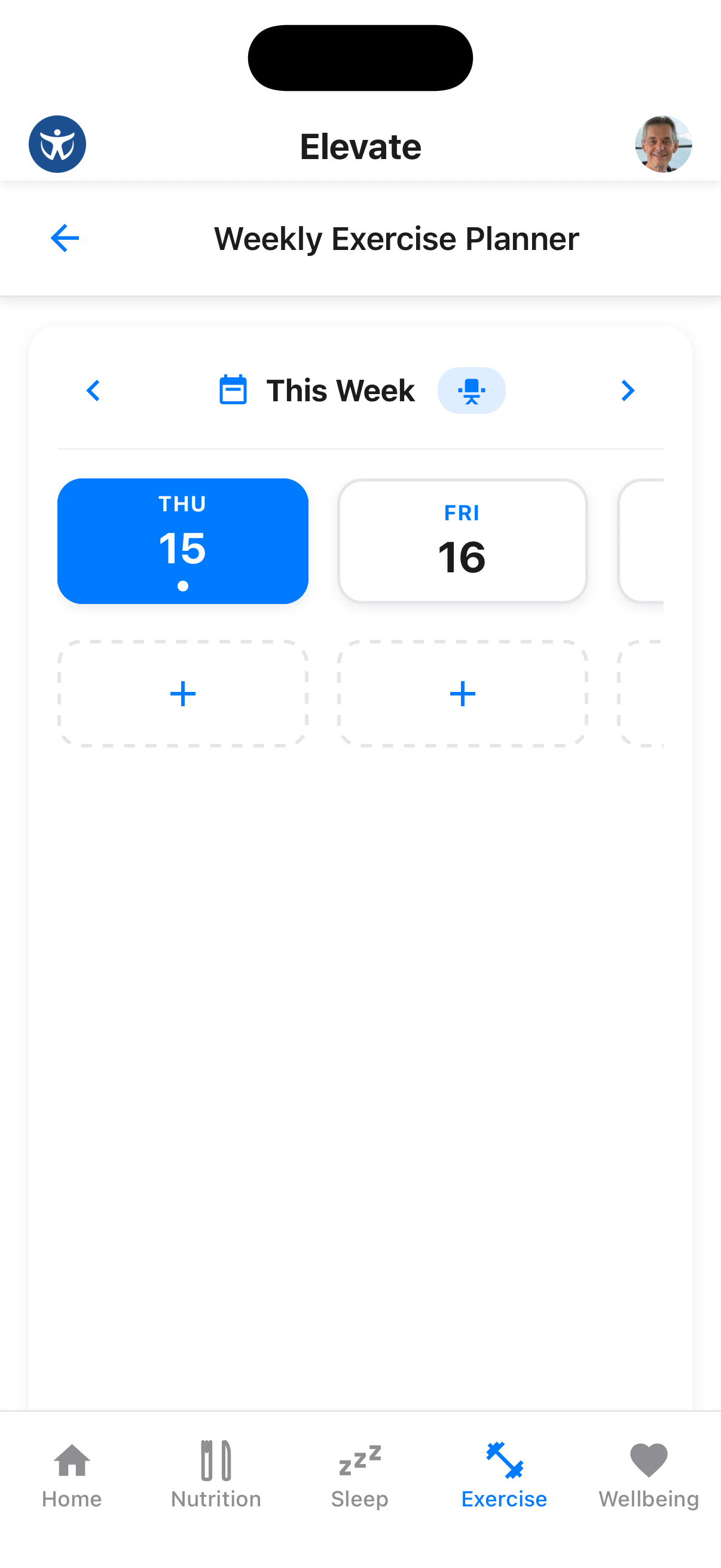
Access the Weekly Exercise Planner to see your scheduled workouts for each day.
Add Workouts
Tap the + button on any day to add a workout from your programs or create a custom session. If you have configured sharing from Apple Health or Health Connect, supported workouts recorded by other apps or devices can be added automatically.
Reuse Last Week's Plan
Choose Copy from previous week to bring the earlier week's planned sessions into the current week. Review the copied days and adjust anything that no longer fits.
Stay Consistent
Aim for at least 3-4 workout sessions per week for optimal results. The planner helps you visualize and commit to your exercise schedule.
Exercise History
Review your completed workouts and track your progress over time.
View History
Tap "Exercise History" to see your completed workouts, statistics, and achievement badges.
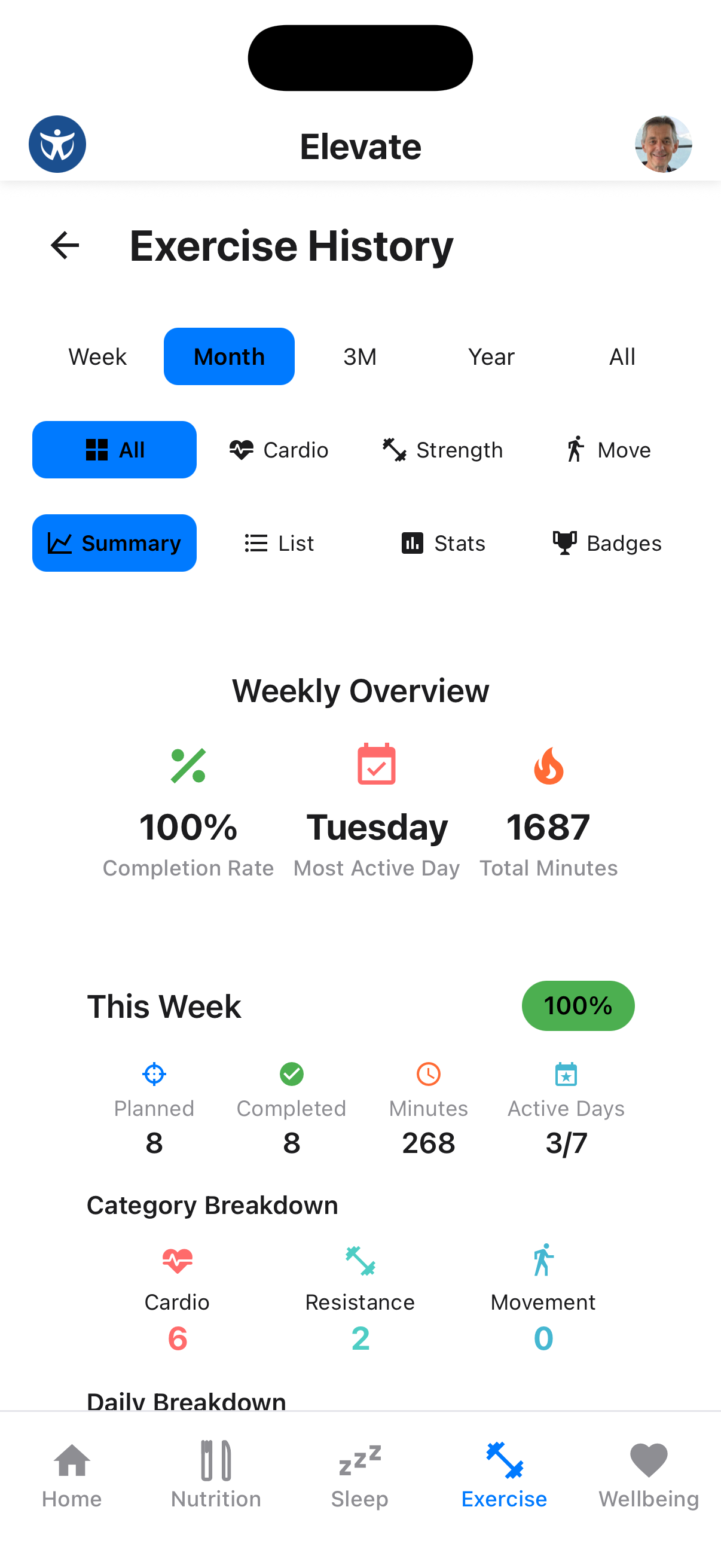
The Exercise History provides:
- Time Period Filters: View data by Week, Month, 3 Months, Year, or All time
- Activity Type Filters: Filter by All, Cardio, Strength, or Movement
- Weekly Overview: See completion rate, most active day, and total minutes
- This Week Summary: Planned vs completed workouts, total minutes, and active days
- Category Breakdown: Distribution of cardio, resistance, and movement activities
Activity Sync
Connect Apple Health on iPhone or Health Connect on Android under Profile → Health App Integration to import supported workouts from other apps and wearables.