Nobody at Elevate can see or tell you your password, but you can set a new one yourself from the sign-in screen. The steps are the same on iPhone and Android, and the pictures below are from an iPhone. Have your email inbox to hand, because we'll send you a code.
Open Forgot password?
Open Elevate AI. If you see the welcome screen, tap Sign in. Below the Sign in button, tap Forgot password?
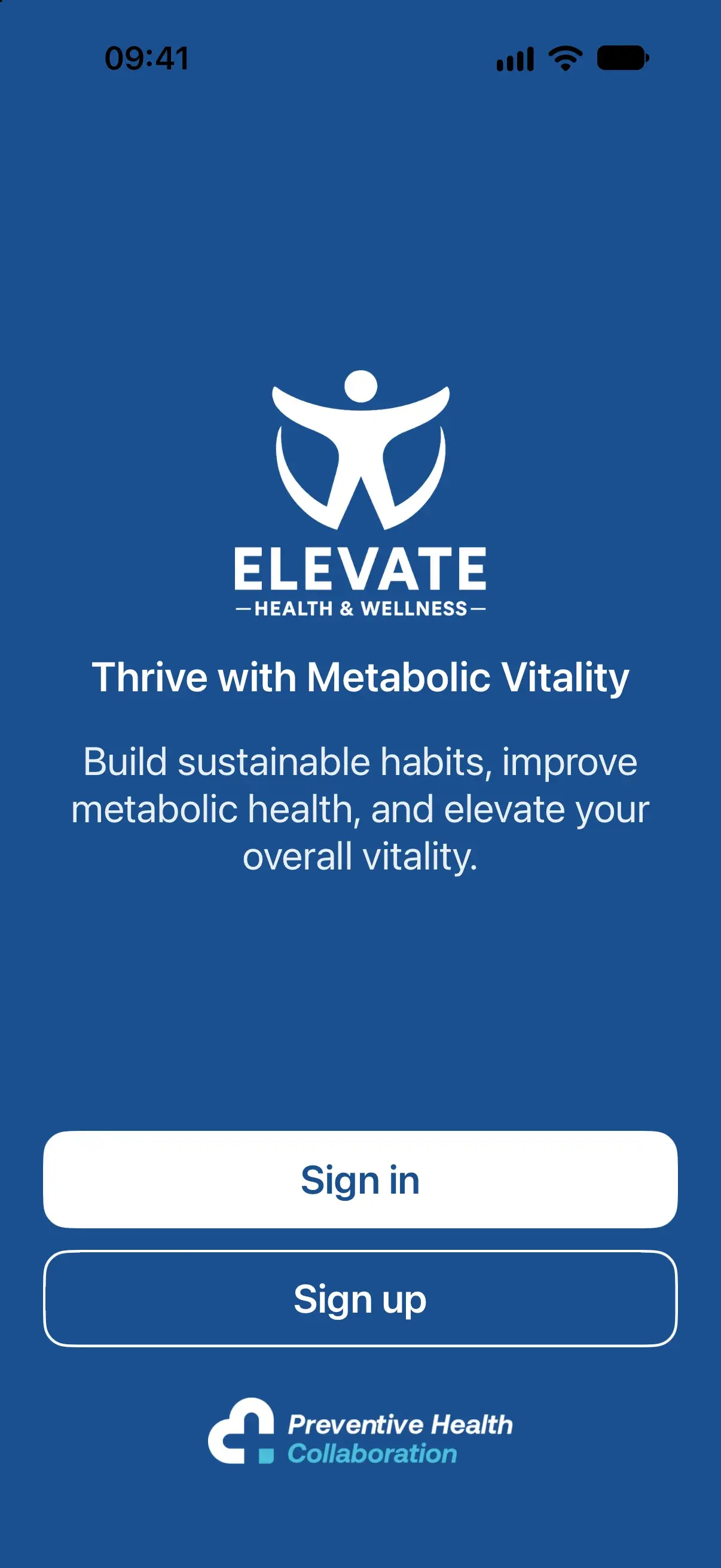
Welcome screen
Tap Sign in.
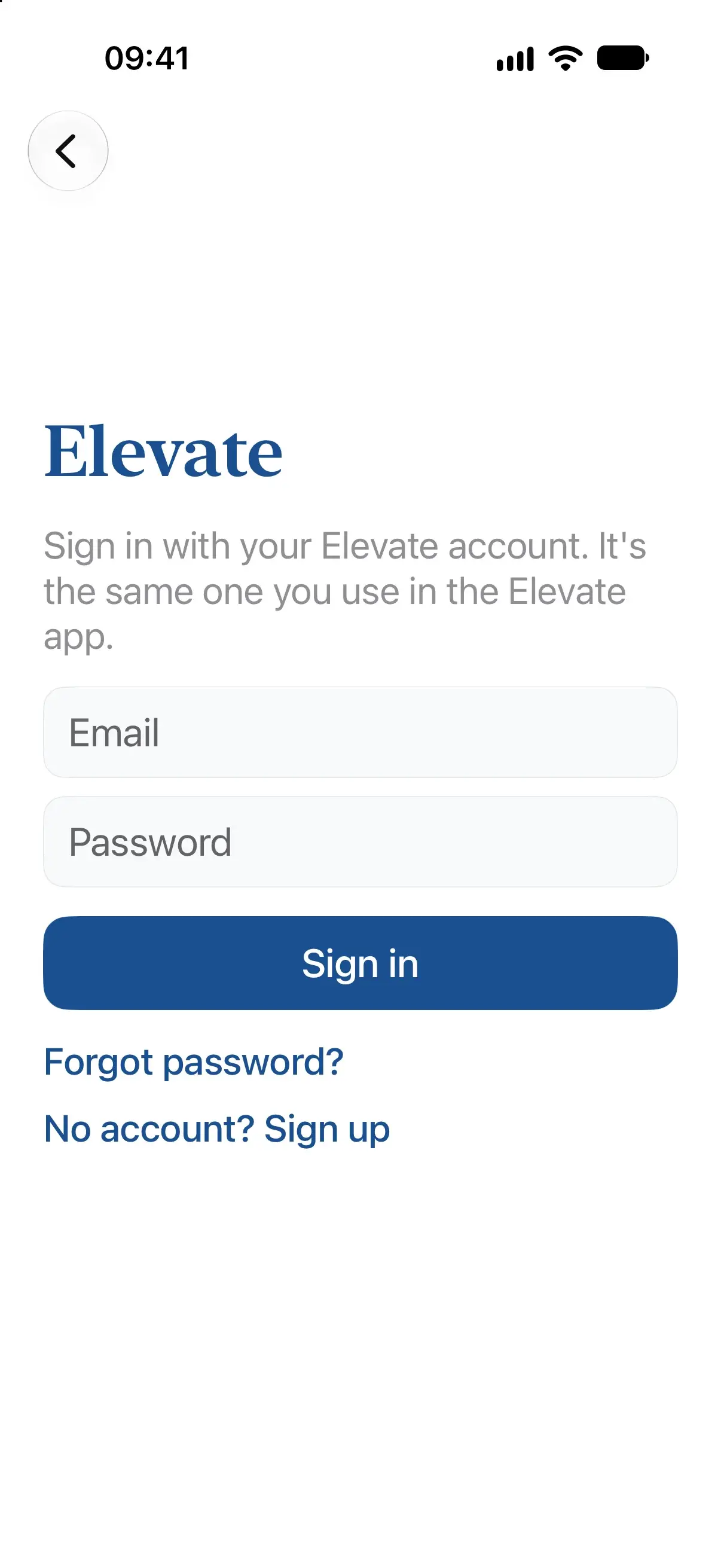
Sign-in screen
Tap Forgot password?
Ask for a code
Enter the email address you signed up with and tap Send reset code.
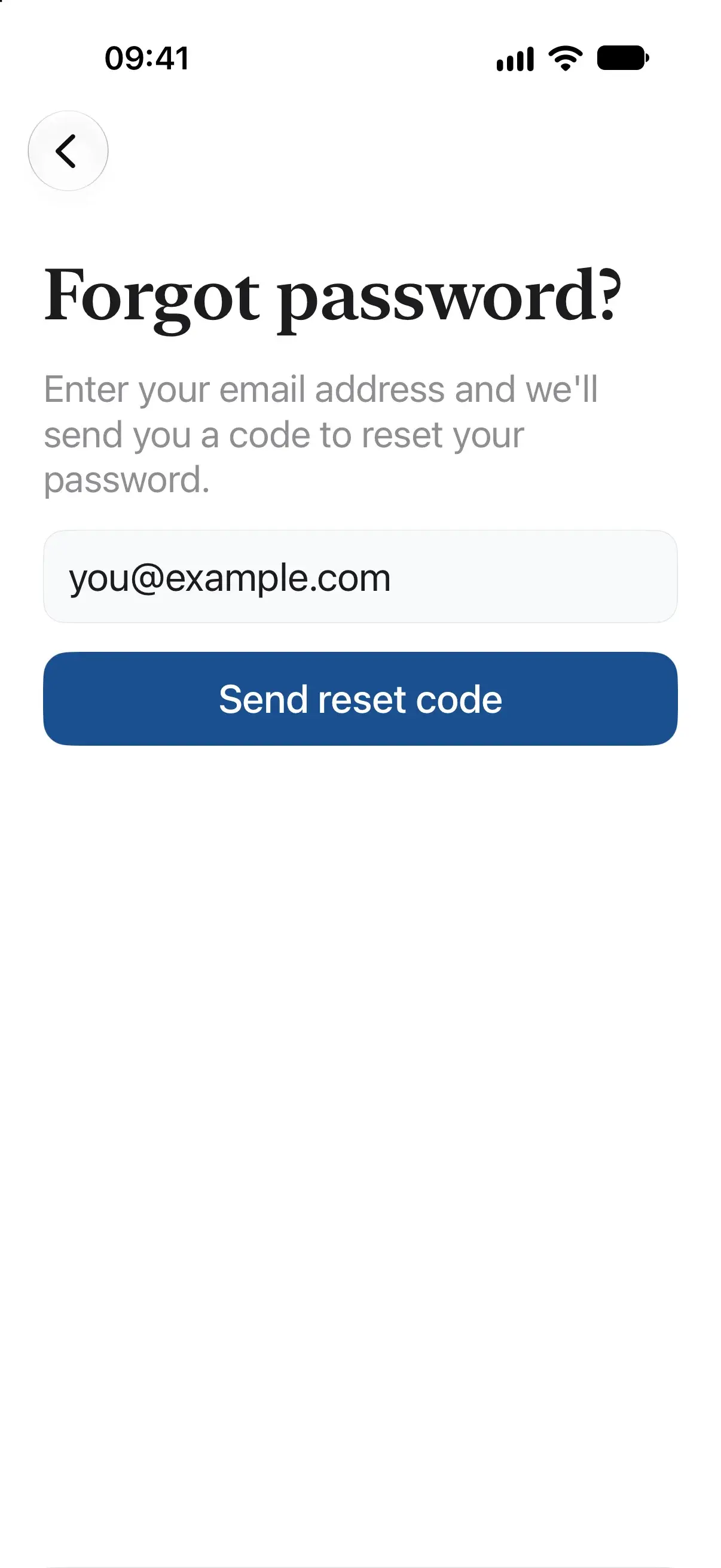
Forgot password?
Use the address you signed up with.
Enter the code and a new password
On Reset password, enter the 6-digit code from the email, then choose a new password. The checklist turns green as you meet each rule:
- 8+ characters
- Uppercase and lowercase letters
- At least one number
- A symbol such as !, ? or -
Enter it again in Confirm new password and tap Reset password.
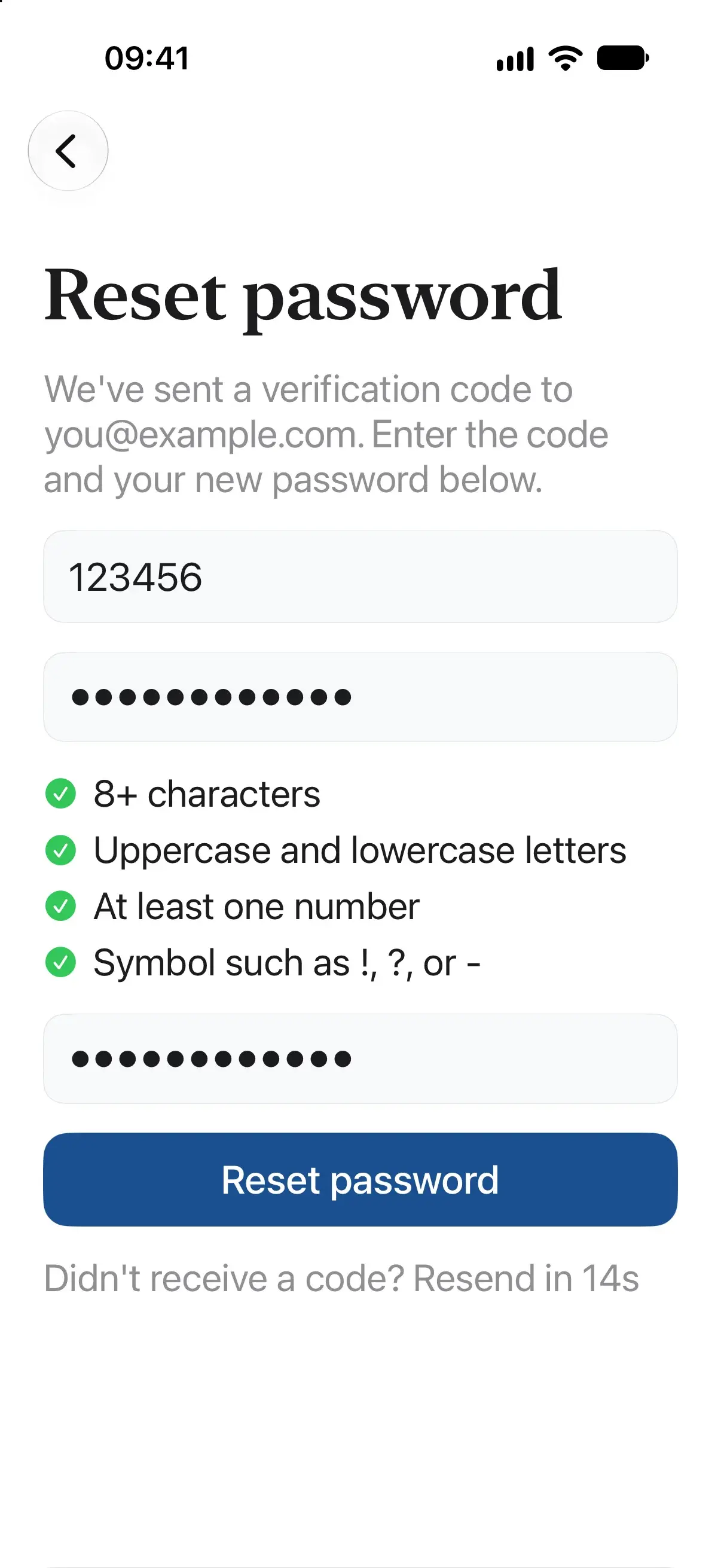
Reset password
All four rules are green, so it's ready to go.
Sign in
You return to the sign-in screen, which confirms your password has been reset. Enter your new password and tap Sign in.
If something does not work
The code hasn't arrived
Check your spam folder, then tap Resend code when the countdown ends. Make sure you entered the address you signed up with: if there's no account on that address, no email is sent.
It says "That email and password don't match"
If you see this on the Forgot password? screen, there may be no account on the address you entered. Check it for typos, or try another address you might have used.
I don't think I ever created an account
Elevate AI uses the same account and password as the Elevate app, so if you've used Elevate before, reset the password for the email address you used there. If you've never used Elevate, go back to the sign-in screen and tap No account? Sign up to create an account. If sign-up says your email is already registered, you do have an account, so use Forgot password? instead.
It says the code is invalid or has expired
Check you entered the latest code. If it still doesn't work, tap Resend code and use the new one.
It says too many requests
Wait a while before trying again.
Still stuck?
Email the Elevate team with the email address you signed up with and whether you use iPhone or Android. Please don't include your password or any codes.