Metabolic health is where everything meets. A glucose reading on its own says little; next to the meal you ate, the night you had and the walk you took, it starts to explain itself. Elevate puts those on one line, so you can see cause and effect for yourself.
What did porridge do to my glucose?
It peaked at 11.2 fifty minutes after you ate, and you were back in range by 08:55.
Glucose
Connect your sensor through Apple Health or Health Connect (see the iPhone and Android guides), or tell Elevate a finger-prick reading: “Glucose 5.4 before lunch.”
- The glucose day (+ → Look → Glucose): your readings with meals, workouts and the night marked along the line. Tap a meal and Elevate zooms in on the hours after it: the rise, the peak and when you were back. Zoom from 24 hours down to 3.
- Trends (+ → Look → Trends): your average time in range for the last sensor, 7, 30 or 90 days, each day in range, and your typical day.
Zoom into a meal
Tap it on the chart; the hours after it open up.
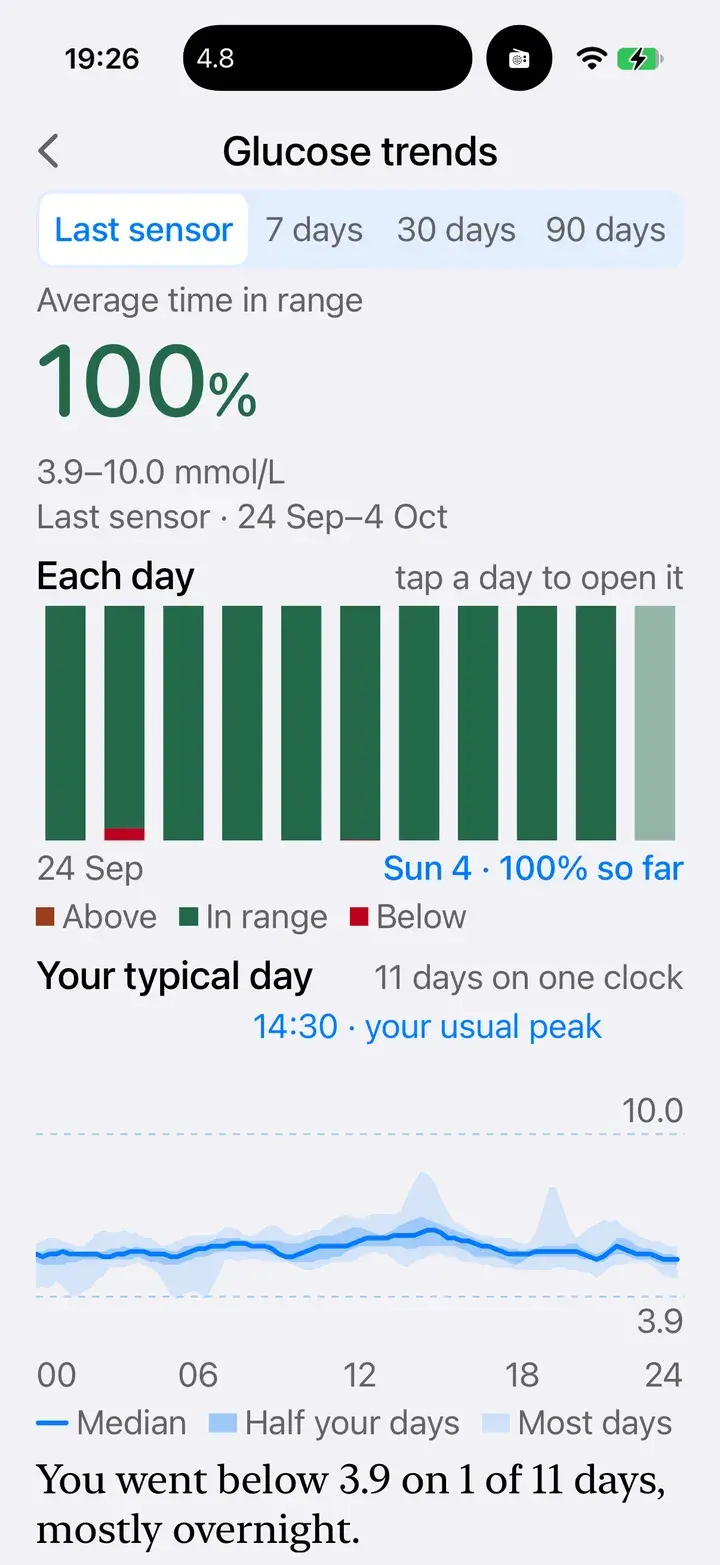
Trends
Every day of a sensor, and your typical day.
Ketones and GKI
Log a blood ketone reading with your glucose: tap + → Log → Ketones, or say “Glucose 4.5, ketones 1.0.” Elevate works out your glucose ketone index (GKI) and opens Metabolic state (+ → Look → GKI): today's reading on a dial, both inputs, and the last 14 days against the zones, from not in ketosis upwards.
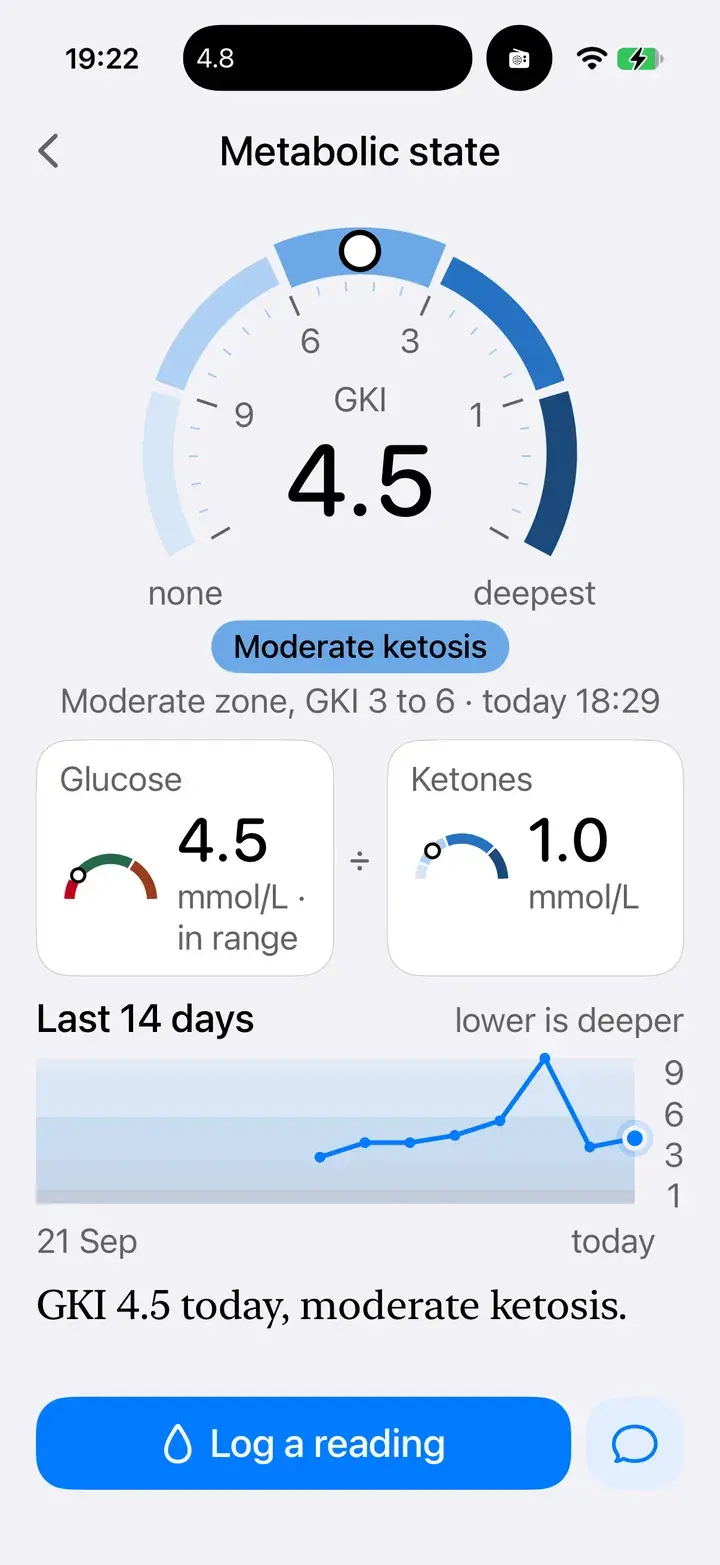
Metabolic state
The dial, the two readings behind it, and two weeks of trend.
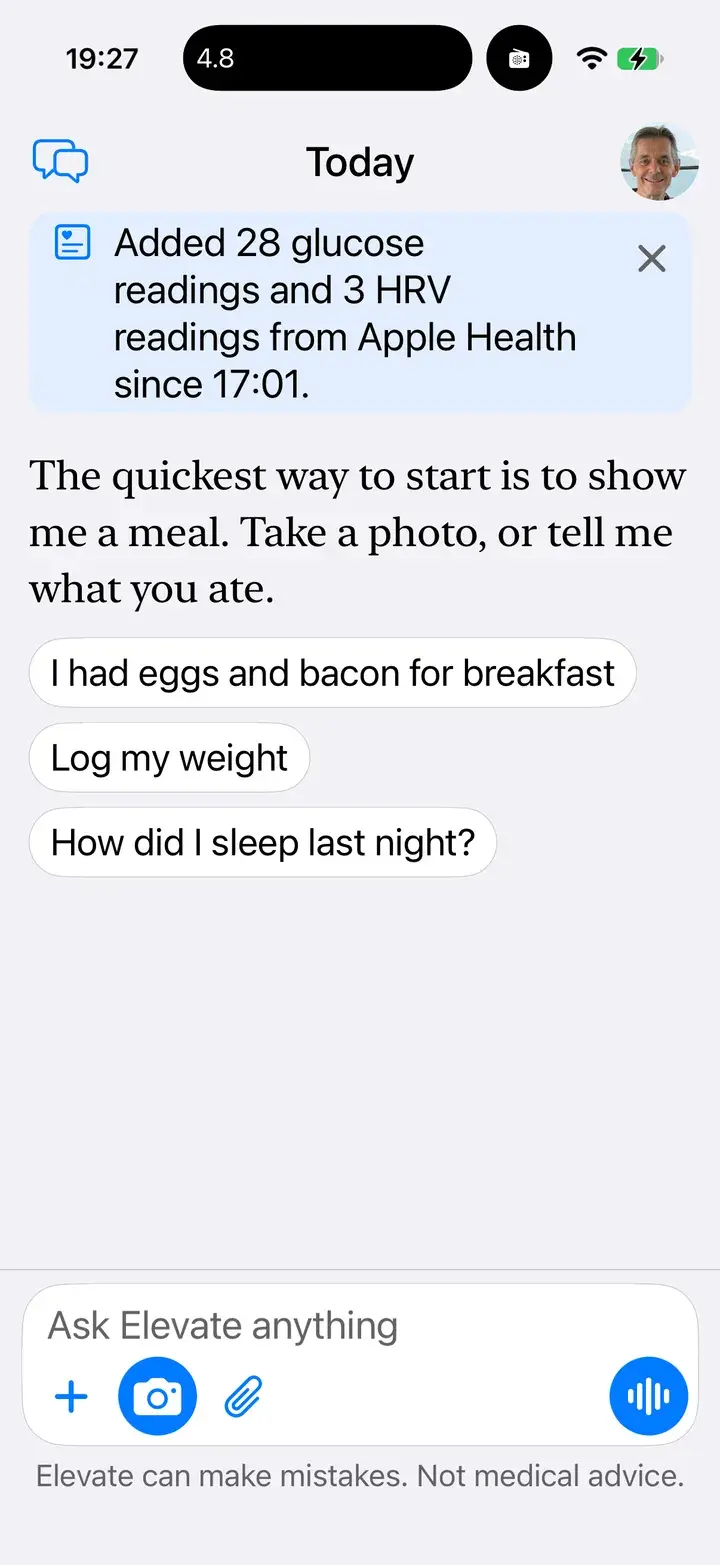
New readings, noticed
Waiting at the top of Today when you open the app.
Blood pressure, weight and waist
- Blood pressure: from a connected monitor through Apple Health, or say “Blood pressure 128 over 82.” See the day in + → Look → Blood pressure.
- Weight and waist: tap + → Log → Weight or Waist, or let your smart scale sync through Apple Health. + → Look → Body shows weight, waist, height and BMI over time.
- Heart rate variability: overnight HRV from your watch or ring, in + → Look → HRV.
Share with your clinician, on your terms
If you work with a practitioner, you can let them see your readings: Me → Privacy & check-ins → Practitioner access → Find a practitioner. You choose who has access, and you can remove it at any time.
On Android
Glucose, trends, GKI, blood pressure, body measurements and practitioner access all work on Android, with readings from Health Connect. Waist isn't in Health Connect, so log it in Elevate. The panel listing newly arrived readings at the top of Today is on iPhone first; Today's glucose still appears in Now.
Not medical advice
Elevate supports healthy habits; it doesn't diagnose or treat any condition. Speak to your clinician about any reading that worries you, and before changing medication or starting a ketogenic diet.