In the old app, nutrition was a tab of forms. In Elevate AI it starts with a sentence or a photo. You say what you ate; Elevate works out the nutrition, logs it, and shows you the numbers that matter for metabolic health. Then it keeps track of your habits, so the next meal takes even less effort.
What did breakfast do to my glucose?
A low-carb start: 9 g of net carbs. Your glucose rose gently to 6.0 and was back by 11:39.
Log a meal without filling in a form
- Take a photo. Tap the photo button in the chat, take a picture of your plate (or a menu), and send it.
- Say it. Type or speak what you had: “Two eggs, smoked salmon and half an avocado.”
- Use the quick log. Tap + → Log → Meal for Describe what you had…, Your usual meals, Recent meals, or Choose a recipe. Pick Log now or Log at another time….
Elevate opens the meal full-size. Tap Edit to change anything it got wrong.
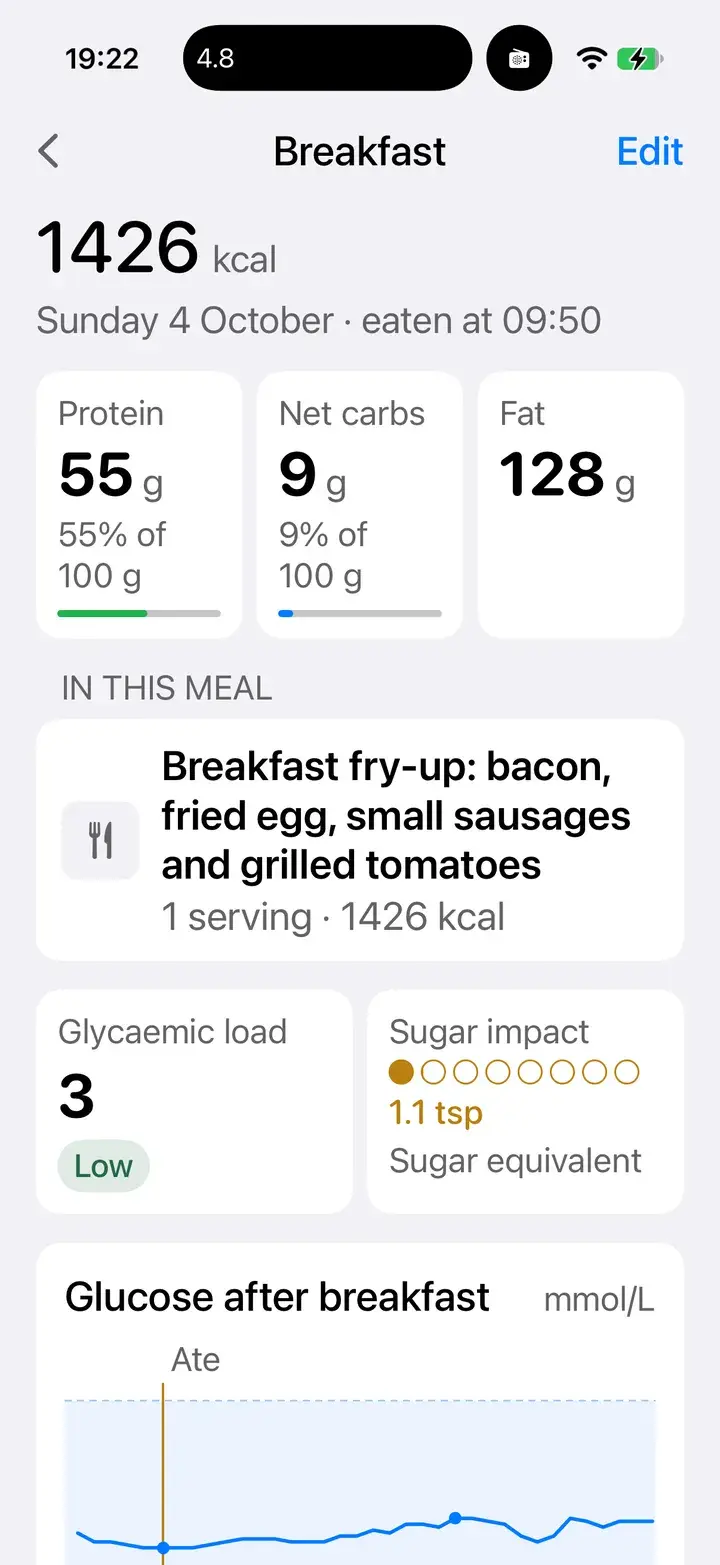
The meal, opened
Protein, net carbs, fat, glycaemic load and sugar in teaspoons.
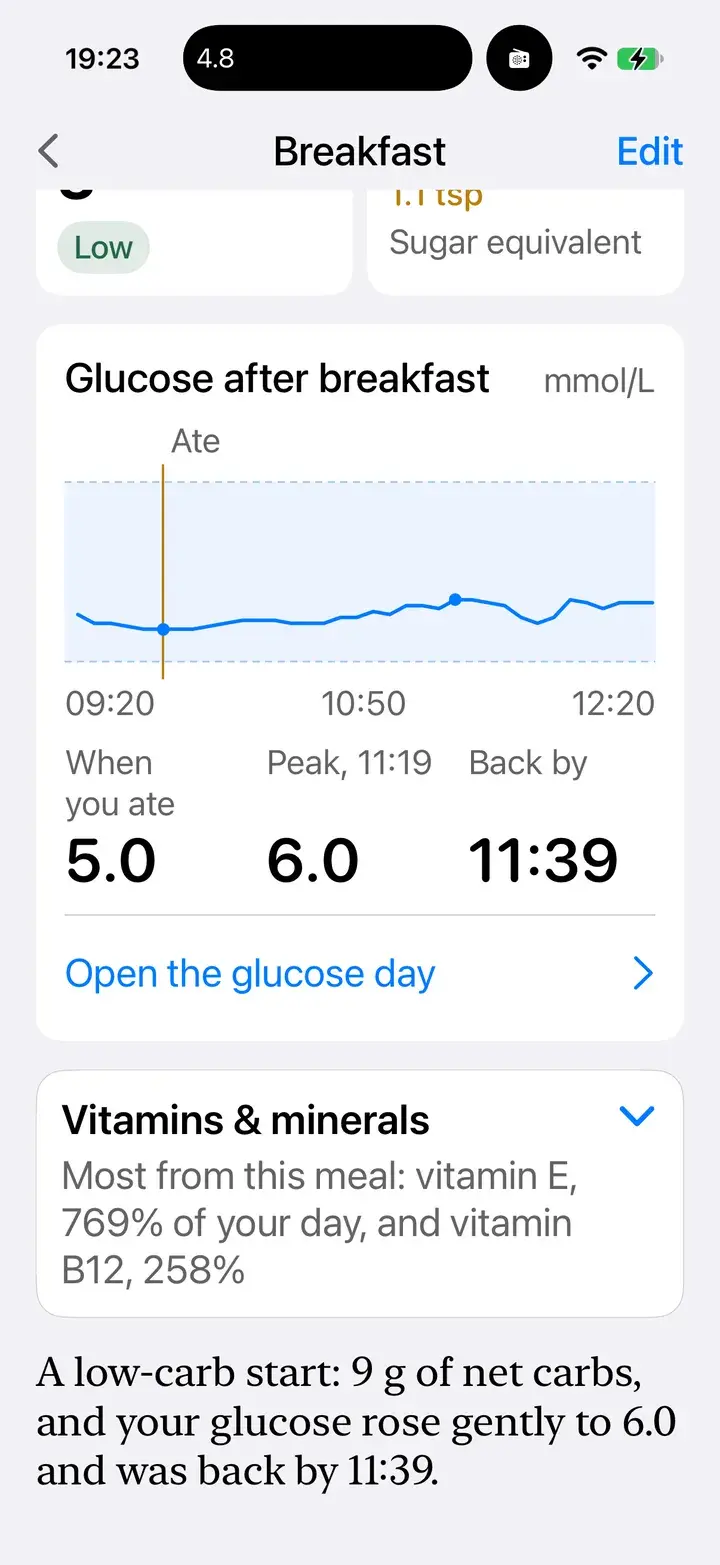
Glucose after the meal
When you ate, the peak, and when you were back.
What each meal shows
- Sugar, in teaspoons: the meal's carbohydrate shown as the sugar it becomes. Easy to picture.
- Glycaemic load: how hard the meal is likely to push your glucose, rated low, medium or high.
- Protein, net carbs, fat and calories, against your own daily targets.
- Vitamins and minerals: what the meal gave you, as a share of your day.
- Glucose after the meal, if you wear a sensor.
Your whole day sits in + → Look → Meals, with hydration alongside.
Plan the week
Open + → Look → Meal plan, or just ask: “Plan low-carb dinners for the rest of the week.” For any slot you can Add to this meal, Move to…, Copy to…, Mark as eating out or Clear. When Elevate changes your plan it says so (Elevate changed 3 meals) and you can Undo.
Send planned ingredients to + → Look → Shopping list. To plan and shop with the people you live with, set up Me → Household.
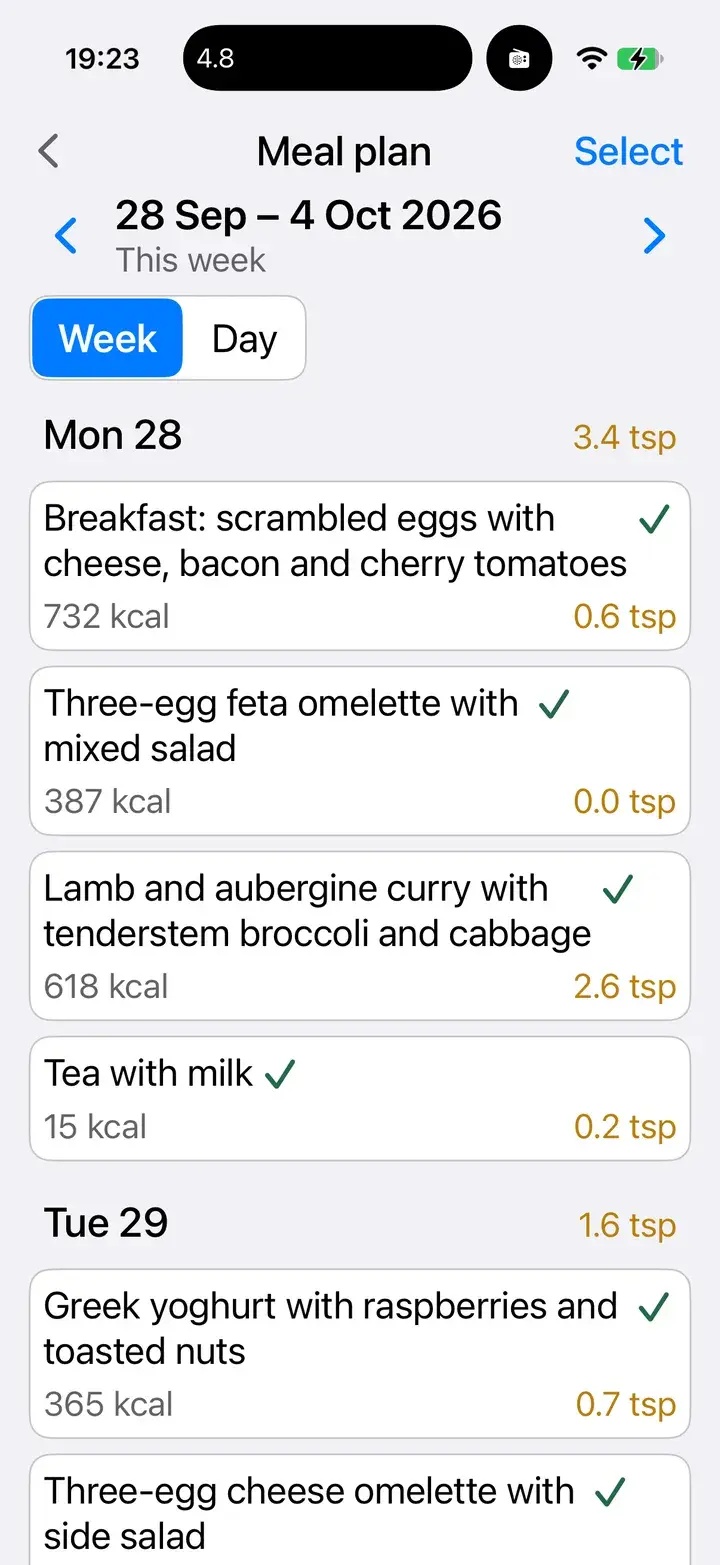
A week, planned
Tick meals off as you eat; each day's sugar is totalled.
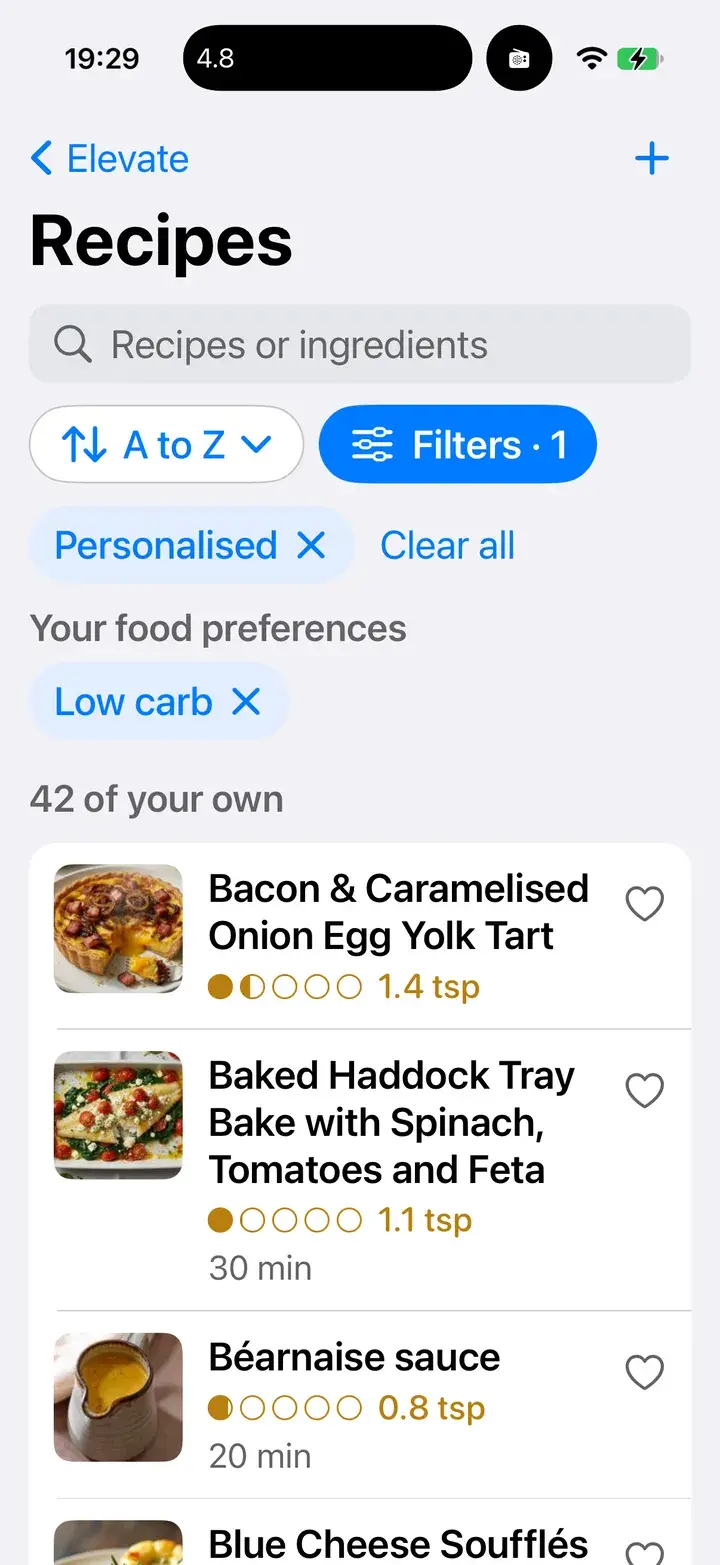
Recipes that fit you
Filtered by your food preferences.
Cook along, hands free
Open any recipe in + → Look → Recipes, set Cooking for, and tap Cook by voice. Elevate reads out what to get out, then walks you through each step. Say “next step”, ask it to check your pan from a photo, and let it run the timers, which appear on your lock screen. Tap Add to plan to schedule a recipe, or mark it eaten when you're done.
Found a recipe elsewhere? Share a link, photo or PDF to Elevate and it can save it to your recipes.
Tell it how you eat
Set your diet, foods to avoid, cooking style, meal times and fasting, and daily targets in Me → Preferences → Food. You can also just tell Elevate: “I'm avoiding gluten.”
On Android
Everything on this page works on Android too, including the meal plan, shopping list, household sharing and cook-along by voice. You can also long-press the app icon for Log meal photo and Add shopping item.
Not medical advice
Elevate supports healthy habits and can make mistakes. If you manage diabetes or take glucose-lowering medicine, talk to your clinician before changing what you eat.